
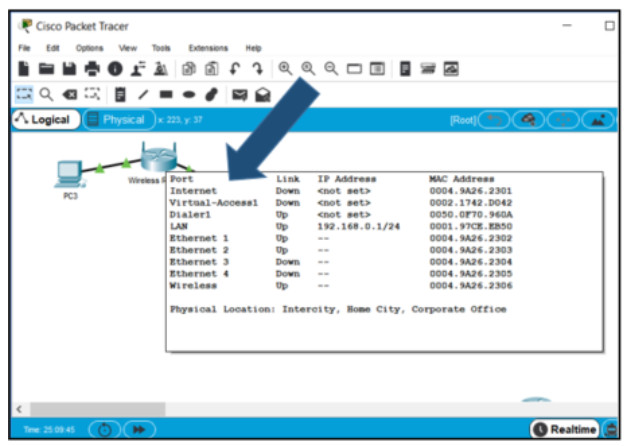
Refer to the exhibit. How do you display the popup window to show the additional device information?
- Choose File > device info popup
- Double-click the device icon.
- Hover the cursor over the device icon.
- Right-click the device to select detailed information.
Explanation: By hovering over a Packet Tracer device, information such as interface status and IP address displays.
Related exam: Introduction to Packet Tracer Exam Answers (Course Final)
