
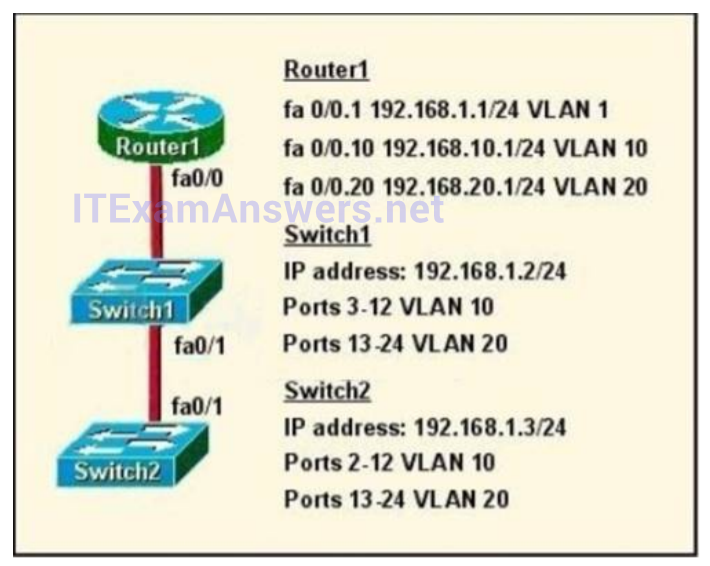
Refer to the exhibit. How should the FastEthernet0/1 port on the 2950 model switches that are shown in the exhibit be configured to allow connectivity between all devices?
- The ports only need to be connected by a crossover cable.
- SwitchX(config)# interface FastEthernet 0/1
SwitchX(config-if)# switchport mode trunk - SwitchX(config)# interface FastEthernet 0/1 SwitchX(config-if)# switchport mode access SwitchX(config-if)# switchport access vlan 1
- SwitchX(config)# interface FastEthernet 0/1 SwitchX(config-if)# switchport mode trunk SwitchX(config-if)# switchport trunk vlan 1 SwitchX(config-if)# switchport trunk vlan 10 SwitchX(config-if)# switchport trunk vlan 20
Related exam: CCNA v3.0 (200-125) Study Guide – Exam Dumps
