
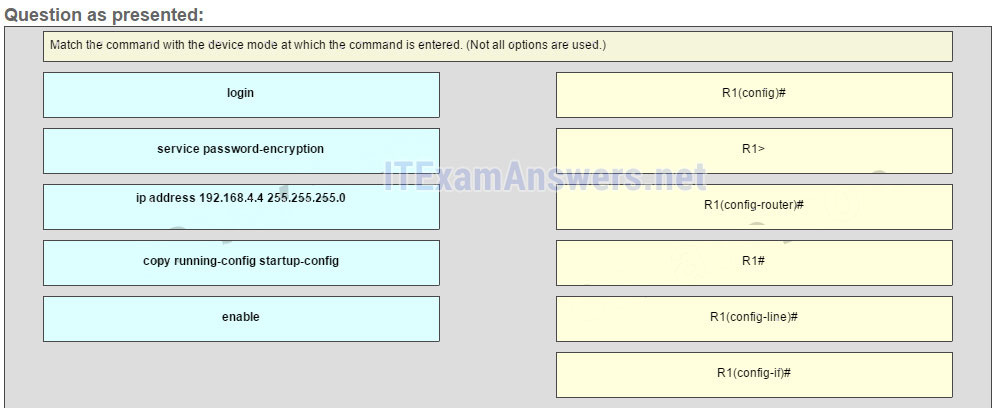
Match the command with the device mode at which the command is entered. (Not all options are used.)
Answer
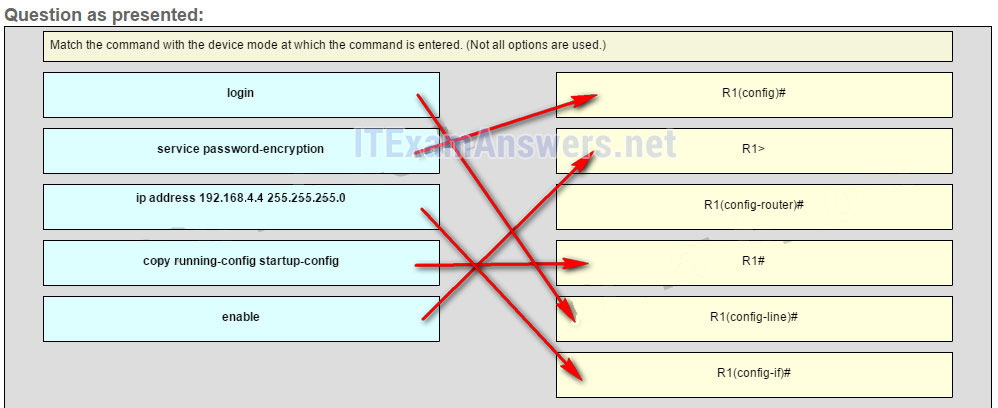
Explanation: The enable command is entered in R1> mode. The login command is entered in R1(config-line)# mode. The copy running-config startup-config command is entered in R1# mode. The ip address 192.168.4.4 255.255.255.0 command is entered in R1(config-if)# mode. The service password-encryption command is entered in global configuration mode.
Related exam: CCNA 1 v7 Modules 8 – 10 Exam Answers
Related exam: CCNA 1 (v5.1 + v6.0) Chapter 6 Exam Answers
Related exam: Introduction to Networks (Version 7.0) – ITNv7 Practice Final Exam
Related exam: Networking Essentials ( Version 2) – Networking Essentials 2.0 Final Exam SD
-----------
Match the command with the device mode at which the command is entered.
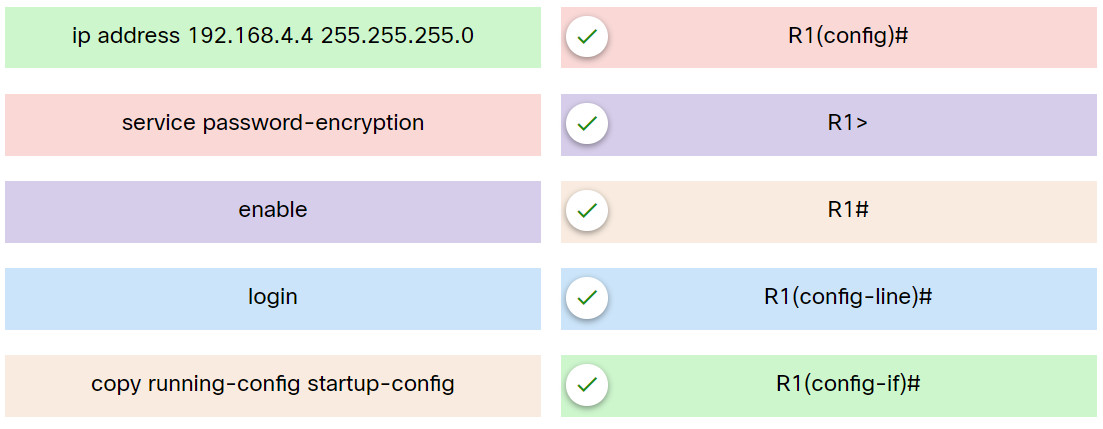
Explanation: Place the options in the following order:
| service password-encryption | R1(config)# |
| enable | R1> |
| copy running-config startup-config | R1# |
| login | R1(config-line)# |
| ip address 192.168.4.4 255.255.255.0 | R1(config-if)# |
Related exam: Networking Essentials 3.0 Checkpoint Exam: Configure Cisco Devices
