
Match the display setting to the respective description.
Explanation: Place the options in the following order:
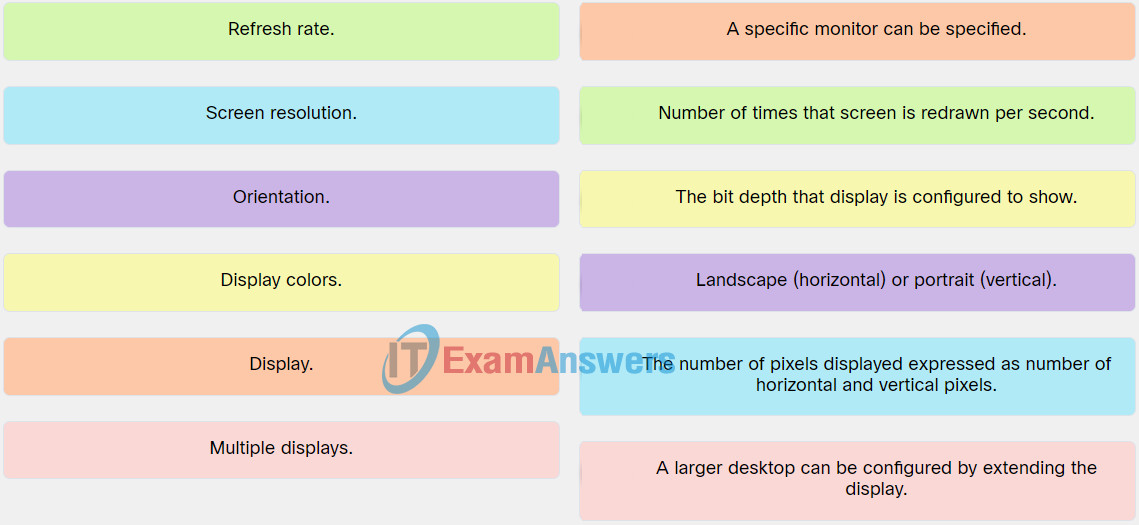
| Multiple displays. | A larger desktop can be configured by extending the display. |
| Screen resolution. | The number of pixels displayed expressed as number of horizontal and vertical pixels. |
| Refresh rate. | Number of times that screen is redrawn per second. |
| Orientation. | Landscape (horizontal) or portrait (vertical). |
| Display. | A specific monitor can be specified. |
| Display colors | The bit depth that display is configured to show. |
Related exam: IT Essentials v8 Chapter 11 Check Your Understanding
