
6.5.6 Packet Tracer - Configure Dynamic NAT Answers
Topology
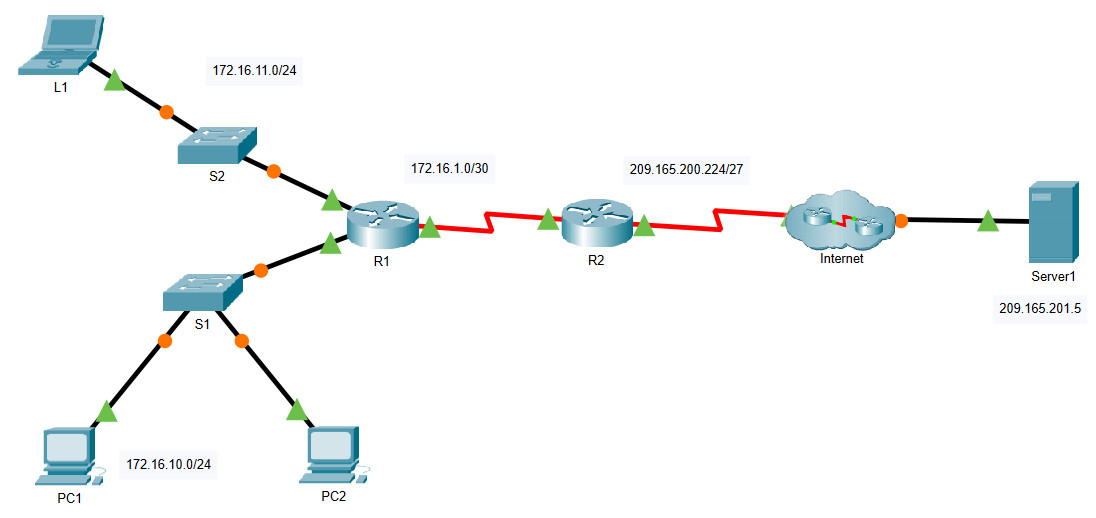
6.5.6 Packet Tracer - Configure Dynamic NAT
Objectives
- Part 1: Configure Dynamic NAT
- Part 2: Verify NAT Implementation
Instructions
Part 1: Configure Dynamic NAT
Step 1: Configure traffic that will be permitted.
On R2, configure one statement for ACL 1 to permit any address belonging to the 172.16.0.0/16 network.
R2(config)# access-list 1 permit 172.16.0.0 0.0.255.255
Step 2: Configure a pool of addresses for NAT.
Configure R2 with a NAT pool that uses two addresses in the 209.165.200.228/30 address space.
R2(config)# ip nat pool ANY_POOL_NAME 209.165.200.229 209.165.200.230 netmask 255.255.255.252
Notice in the topology there are 3 network addresses that would be translated based on the ACL created.
What will happen if more than 2 devices attempt to access the internet?
The additional devices would be denied access until one of the previous translations timed out, freeing up an address to use.
Step 3: Associate ACL 1 with the NAT pool.
Enter the command that associates ACL 1 with the NAT pool that you just created.
R2(config)# ip nat inside source list 1 pool ANY_POOL_NAME
Step 4: Configure the NAT interfaces.
Configure R2 interfaces with the appropriate inside and outside NAT commands.
R2(config)# interface serial 0/0/0
R2(config-if)# ip nat outside
R2(config-if)# interface serial 0/0/1
R2(config-if)# ip nat inside
Part 2: Verify NAT Implementation
Step 1: Access services across the internet.
From the web browser of L1, PC1, or PC2, access the web page for Server1 (209.165.201.5).
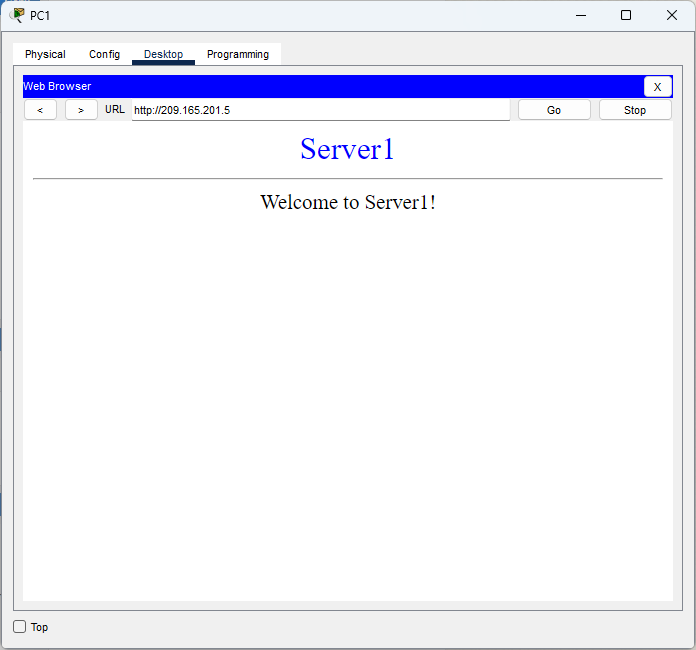
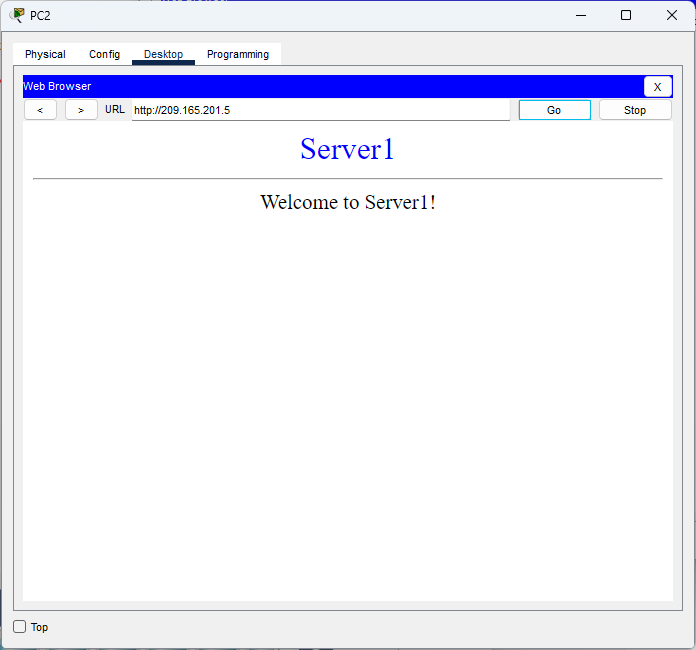
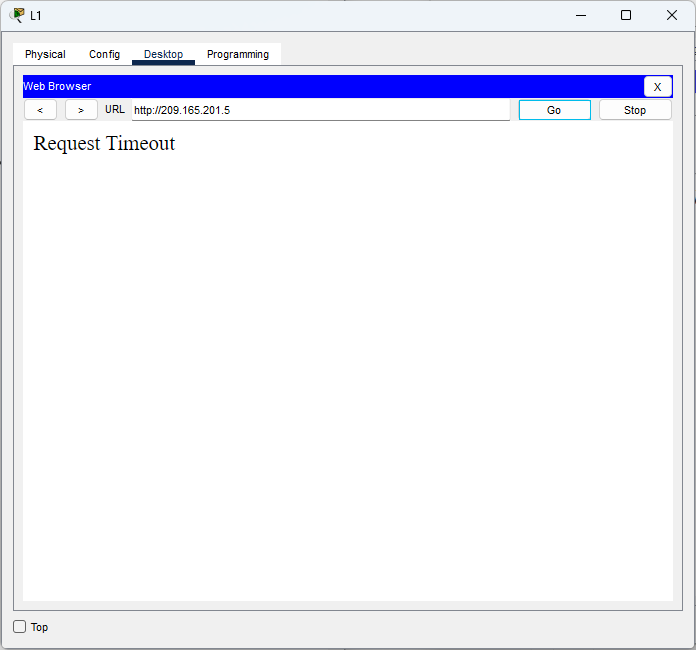
Step 2: View NAT translations.
View the NAT translations on R2. Identify the internal source address of the PC and the translated address from the NAT pool in the command output.
R2# show ip nat translations
Pro  Inside global     Inside local       Outside local      Outside global
tcp 209.165.200.229:1025172.16.10.1:1025   209.165.201.5:80   209.165.201.5:80
tcp 209.165.200.230:1025172.16.10.2:1025   209.165.201.5:80   209.165.201.5:80
R2# show ip nat statistics
Total translations: 2 (0 static, 2 dynamic, 2 extended)
Outside Interfaces: Serial0/0/0
Inside Interfaces: Serial0/0/1
Hits: 15  Misses: 14
Expired translations: 0
Dynamic mappings:
-- Inside Source
access-list 1 pool ANY_POOL_NAME refCount 2
 pool ANY_POOL_NAME: netmask 255.255.255.252
       start 209.165.200.229 end 209.165.200.230
       type generic, total addresses 2 , allocated 2 (100%), misses 12
Device Configs - Final
ROUTER R2
! ==============================================================
!--- 6.5.6 Packet Tracer - Configure Dynamic NAT
!--- ANSWER SCRIPT FOR ROUTER R2
!--- Usage: open the R2 CLI tab and paste this whole file at the R2> prompt. Every line beginning with "!" is a comment; IOS ignores it, so pasting a comment by accident is harmless.
! ==============================================================

enable
configure terminal

! --------------------------------------------------------------
!--- Part 1: Configure Dynamic NAT.
! --------------------------------------------------------------

!--- Step 1. ACL 1 permits any address in 172.16.0.0/16.
access-list 1 permit 172.16.0.0 0.0.255.255

!--- Step 2. NAT pool with two addresses from 209.165.200.228/30.
ip nat pool ANY_POOL_NAME 209.165.200.229 209.165.200.230 netmask 255.255.255.252

!--- Step 3. Associate ACL 1 with the NAT pool.
ip nat inside source list 1 pool ANY_POOL_NAME

!--- Step 4. S0/0/0 (Internet) is outside, S0/0/1 (toward R1) is inside.
interface serial 0/0/0
 ip nat outside
 exit
interface serial 0/0/1
 ip nat inside
 exit

end

! --------------------------------------------------------------
!--- Save the configuration to NVRAM. (Press Enter when prompted for the destination filename.)
! --------------------------------------------------------------
copy running-config startup-config


! ==============================================================
!--- Verification:
!---   browse to Server1 from L1, PC1 or PC2  -> web page opens
!---   show ip nat translations               -> inside local 172.16.x.x mapped to 209.165.200.229 or .230
!--- Note: only two pool addresses, so a third host waits until a translation times out.
! ==============================================================


