Tag: NAT
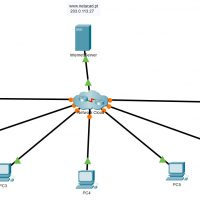
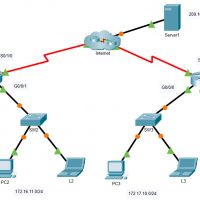
10.2.3 Packet Tracer - Examine NAT on a Wireless Router Answers Objectives Examine NAT configuration on a wireless router Set up 4 PCs to connect to a wireless router using DHCP Examine traffic that crosses the network using NAT Instructions Part 1: Examine the configuration for accessing external …
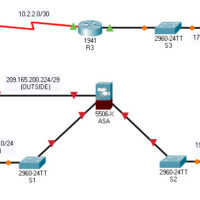
21.7.5 Packet Tracer - Configure ASA Basic Settings and Firewall Using the CLI Answers version Topology Addressing Table Device Interface IP Address Subnet Mask Default Gateway R1 G0/0 209.165.200.225 255.255.255.248 N/A S0/0/0 (DCE) 10.1.1.1 255.255.255.252 R2 S0/0/0 10.1.1.2 255.255.255.252 N/A S0/0/1 (DCE) 10.2.2.2 255.255.255.252 R3 G0/1 172.16.3.1 255.255.255.0 …
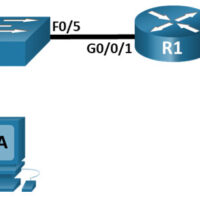
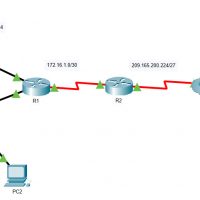
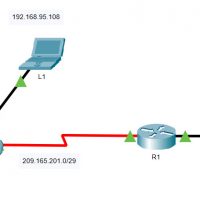
Lab - Configure NAT for IPv4 (Instructor Version) Topology Addressing Table Device Interface IP Address Subnet Mask R1 G0/0/0 209.165.200.230 255.255.255.248 G0/0/1 192.168.1.1 255.255.255.0 R2 G0/0/0 209.165.200.225 255.255.255.248 Lo1 209.165.200.1 255.255.255.224 S1 VLAN 1 192.168.1.11 255.255.255.0 S2 VLAN 1 192.168.1.12 255.255.255.0 PC-A NIC 192.168.1.2 255.255.255.0 PC-B NIC 192.168.1.3 …
12.6.2 Packet Tracer - Troubleshooting Challenge - Use Documentation to Solve Issues Answers Topology Addressing Table Device Interface Device Type (router, switch, host) IP Address Subnet Mask Default Gateway PC1 NIC host 192.168.1.153 255.255.255.0 192.168.1.1 PC2 NIC host 192.168.3.50 255.255.255.0 192.168.3.1 PC3 NIC host 192.168.4.115 255.255.255.0 192.168.4.1 PC4 …
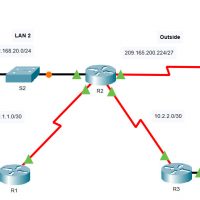
6.8.1 Packet Tracer - Configure NAT for IPv4 Answers Topology Addressing Table Device Interface IP Address R1 S0/0/0 10.1.1.1/30 F0/0 192.168.10.1/24 R2 S0/0/0 10.1.1.2/30 S0/0/1 10.2.2.1/30 S0/1/0 209.165.200.225/27 F0/0 192.168.20.1/24 R3 S0/0/1 10.2.2.2/30 F0/0 192.168.30.1/24 PC1 NIC 192.168.10.10/24 PC2 NIC 192.168.30.10/24 local.pka NIC 192.168.20.254/24 Outside PC NIC 209.165.201.14/28 …
6.6.7 Packet Tracer - Configure PAT Answers Topology Objectives Part 1: Configure Dynamic NAT with Overload Part 2: Verify Dynamic NAT with Overload Implementation Part 3: Configure PAT using an Interface Part 4: Verify PAT Interface Implementation Instructions Part 1: Configure Dynamic NAT with Overload Step 1: Configure …
6.5.6 Packet Tracer - Configure Dynamic NAT Answers Topology Objectives Part 1: Configure Dynamic NAT Part 2: Verify NAT Implementation Instructions Part 1: Configure Dynamic NAT Step 1: Configure traffic that will be permitted. On R2, configure one statement for ACL 1 to permit any address belonging to …
6.4.5 Packet Tracer - Configure Static NAT Answers Topology Objectives Part 1: Test Access without NAT Part 2: Configure Static NAT Part 3: Test Access with NAT Scenario In IPv4 configured networks, clients and servers use private addressing. Before packets with private addressing can cross the internet, they …
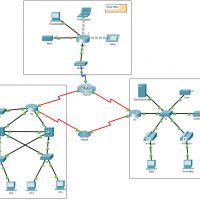
6.2.7 Packet Tracer - Investigate NAT Operations Answers Topology Addressing Table The following table provides addressing for networking device interfaces only. Device Interface IP Address and Prefix R2 G0/0 10.255.255.245/30 G0/1 10.255.255.249/30 G0/2 10.10.10.1/24 S0/0/0 64.100.100.2/27 S0/0/1.1 64.100.200.2/30 R4 G0/0 172.16.0.1/24 S0/0/0 64.100.150.1/30 S0/0/1.1 64.100.200.1/30 WRS LAN 192.168.0.1/24 …