Author: ITExamAnswers Editorial Team
The ITExamAnswers Editorial Team is a dedicated group of certified IT professionals and network engineers. We rigorously review, verify, and update all exam materials to ensure you receive the most accurate and reliable resources for your certification journey.
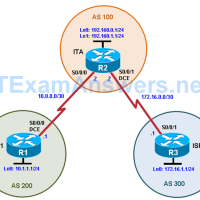
Topology Objectives Configure BGP to exchange routing information with two ISPs. Background The International Travel Agency (ITA) relies extensively on the Internet for sales. For this reason, the ITA has decided to create a multihomed ISP connectivity solution and contracted with two ISPs for Internet connectivity with fault …
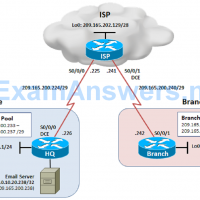
Topology Objectives Configure dynamic NAT and static NAT on the HQ router. Configure dynamic NAT on the Branch router. Verify the configuration and operation using show commands. Background The HQ and Branch sites must be configured to support NAT. Specifically, the HQ and Branch routers will be configured …
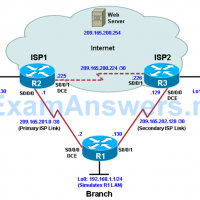
Topology Objectives Configure and verify the IP SLA feature. Test the IP SLA tracking feature. Verify the configuration and operation using show and debug commands. Background You want to experiment with the Cisco IP Service Level Agreement (SLA) feature to study how it could be of value to …
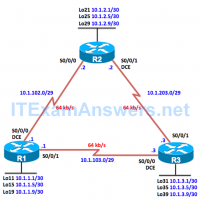
Topology Objectives Review a basic EIGRP configuration. Explore the EIGRP topology table. Identify successors, feasible successors, and feasible distances. Use show and debug commands for the EIGRP topology table. Configure and verify equal-cost load balancing with EIGRP. Configure and verify unequal-cost load balancing with EIGRP. Background As a …
Topology Objective Configure an SNMP View Configure SNMP version 2c Configure SNMP version 3 Verify SNMP operation Background The Simple Network Management Protocol (SNMP) is an application layer protocol that facilitates the exchange of management information between an agent and a management server. SNMP enables network administrators to …
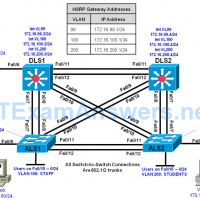
Topology Objectives Secure the server farm using private VLANs. Secure the staff VLAN from the student VLAN. Secure the staff VLAN when temporary staff personnel are used. Background In this lab, you will configure the network to protect the VLANs using router ACLs, VLAN ACLs, and private VLANs. …
Topology Objectives Prepare the Network. Implement Layer 2 network security features. Prevent DHCP spoofing attacks. Prevent unauthorized access to the network using AAA. Background A fellow network engineer that you have known and trusted for many years has invited you to lunch this week. At lunch, he brings …
Topology Objectives Configure trunking, VTP, and SVIs. Implement IP SLAs to monitor various network performance characteristics. Implement Remote SPAN Background Cisco IOS IP service level agreements (SLAs) allow users to monitor network performance between Cisco devices (switches or routers) or from a Cisco device to a remote IP …
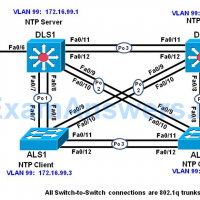
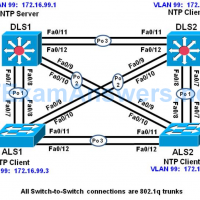
Topology Objective Configure network to synchronize time using the Network Time Protocol. Secure NTP using MD5 authentication and access-lists Verify NTP Operation Background NTP is designed to synchronize the time on network devices. NTP runs over UDP, using port 123 as both the source and destination, which in …
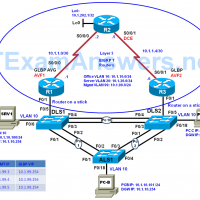
Topology Objectives Configure trunking, VTP, and inter-VLAN routing using router-on-a stick Configure GLBP Configure GLBP priorities Configure GLBP object tracking. Background Although HSRP and VRRP provide gateway resiliency for the standby members of the redundancy group, the upstream bandwidth is not used while the device is in standby …