Author: ITExamAnswers Editorial Team
The ITExamAnswers Editorial Team is a dedicated group of certified IT professionals and network engineers. We rigorously review, verify, and update all exam materials to ensure you receive the most accurate and reliable resources for your certification journey.
Command Interface Range Use This is the modern way to configure VLANs. A useful feature is that you can configure a range of VLANs with a single command. Syntax Switch(config)#interface range <range> Options < – > Allows for a continuous range to be specified such as interface range …
Command Spanning-Tree VLAN Root Secondary Use This command sets the switch to become backup root for a given VLAN. It works by lowering the priority of the switch until it becomes one priority higher then the root, so it will take over if the root fails. Once the …
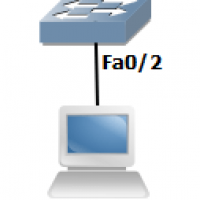
Command Spanning-Tree Portfast Use This command essentially disables spanning-tree on an interface and brings it immediately into the forwarding state. Only use this command on access ports Syntax Switch(config-if)#spanning-tree portfast Example In the below example we will configure SW1’s Fa0/2 to use port-fast to immediately skip to the …
Command VTP Password Use This command secures VTP updates by setting a secure password. Syntax Switch(config)#vtp password <password> Example In the below example we will set a password of ‘cisco’ for the VTP domain. CopySW1(config)#vtp password cisco Setting device VLAN database password to cisco SW2(config)#vtp password cisco Setting …
Command VTP Mode Client Use VTP client mode doesn’t allow you to create any VLANs. all VLANs must be learned from a server switch. This prevents the switch from accidently propogating VLANs throughout the network. Another use is to prevent an older switch from wiping out a server’s …
Command Vlan Use This is the modern way to configure VLANs. A useful feature of this command is that you can configure a range of VLANs with a single command. Syntax Switch(config)#vlan <vlan range> Options <name> Set VLAN name <exit> Apply changes and leave VLAN configuration mode Example …
Command Spanning-Tree Uplinkfast Use This command allows the switch to quickly select another root port if it detects a failure. The new root port moves from blocking to forwarding in under 5 seconds. Syntax Switch(config)#spanning-tree uplinkfast Example In the below example we will configure SW2 to use uplinkfast. …
Command Spanning-Tree VLAN Root Primary Use This command sets the switch to become root for a given VLAN. It works by lowering the priority of the switch until it becomes root. Once the switch is root, it will not prevent any other switch from becoming root. Syntax Swith(cconfig)#spanning-tree …
Command VTP Pruning Use VTP pruning spares bandwidth and adds to security by paying attention to what switches have interfaces assigned to VLANs. If a switch isn’t using a particular VLAN, the VTP server will block traffic from the VLAN going to that switch. Syntax Swtich(config)#vtp pruning Example …
Command VTP Domain Use This command sets a VTP domain name and enables VTP on a network. If you have full communication between your VTP network, you only need to use this command on the VTP server as other switches will automatically learn the VTP domain from received …