Tag: DNS
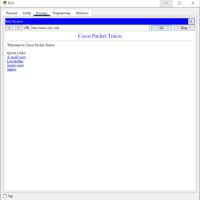
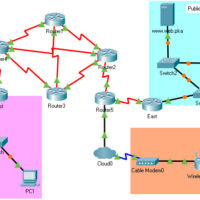
16.4.3 Packet Tracer - Observe Web Request Answers Objectives View the client/server traffic sent from a PC to a web server when requesting web services. Instructions Part 1: Verify connectivity to the web server. a. Click External Client and access the Command Prompt from the Desktop tab. b. …
20.3.6 Packet Tracer - Use the ping Command Answers Objectives Use the ping command to identify an incorrect configuration on a PC. Background / Scenario A small business owner learns that some users are unable to access a website. All PCs are configured with static IP addressing. Use …
11.1.6 Packet Tracer - The Client Interaction Answers Objectives Observe the client interaction between the server and PC. Background / Scenario Clients, such as desktop PCs, request services from servers. The lab environment, using physical PCs and servers, supports a full range of services. In a simulated environment, …
9.2.4 Packet Tracer - Identify Packet Flow Answers Version Topology Objectives In this activity, you will observe packet flow in a LAN and WAN topology. You will also observe how the packet flow path may change when there is a change in the network topology. Part 1: Verify …
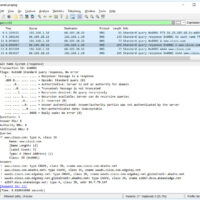
Lab – Explore DNS Traffic (Instructor Version) Objectives Part 1: Capture DNS Traffic Part 2: Explore DNS Query Traffic Part 3: Explore DNS Response Traffic Background / Scenario Wireshark is an open source packet capture and analysis tool. Wireshark gives a detailed breakdown of the network protocol stack. …
15.4.8 Lab - Observe DNS Resolution Objectives Part 1: Observe the DNS Conversion of a URL to an IP Address Part 2: Observe DNS Lookup Using the nslookup Command on a Web Site Part 3: Observe DNS Lookup Using the nslookup Command on Mail Servers Background / Scenario …