Tag: Traceroute
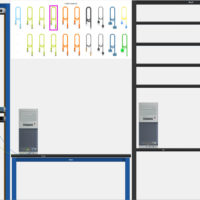
14.3.4 Packet Tracer - Create a LAN Addressing Table Device Interface/Port IPv4 Address Subnet Mask Admin PC NIC DHCP N/A Manager PC NIC DHCP N/A Printer NIC 192.168.1.100 255.255.255.0 www.cisco.pt NIC 209.165.200.225 N/A Objectives Connect Network Devices and Hosts Configure Devices with IPv4 Addressing Verify the End Device …
13.3.2 Packet Tracer - Use Ping and Traceroute to Test Network Connectivity - Physical Mode Answers Completed Topology Addressing Table Device Interface IP Address / Prefix Default Gateway R1 G0/0/0 64.100.0.2 /30 N/A 2001:db8:acad::2 /64 fe80::2 G0/0/1 192.168.1.1 /24 2001:db8:acad:1::1 /64 fe80::1 ISP G0/0/0 64.100.0.1 /30 N/A 2001:db8:acad::1 …
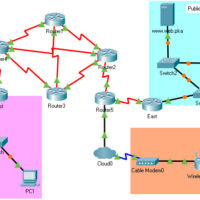
9.2.4 Packet Tracer - Identify Packet Flow Answers Version Topology Objectives In this activity, you will observe packet flow in a LAN and WAN topology. You will also observe how the packet flow path may change when there is a change in the network topology. Part 1: Verify …
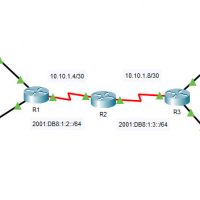
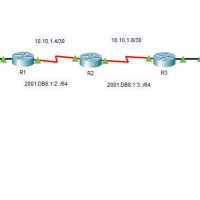
13.2.7 Packet Tracer - Use Ping and Traceroute to Test Network Connectivity (Instructor Version – Optional Packet Tracer) Topology Addressing Table Device Interface IP Address / Prefix Default Gateway R1 G0/0 2001:db8:1:1::1/64 N/A R1 G0/1 10.10.1.97 255.255.255.224 N/A R1 S0/0/1 10.10.1.6 255.255.255.252 N/A R1 S0/0/1 2001:db8:1:2::2/64 N/A R1 …
13.2.6 Packet Tracer - Verify IPv4 and IPv6 Addressing (Instructor Version) Topology Addressing Table Device Interface IP Address / Prefix Default Gateway R1 G0/0 10.10.1.97 255.255.255.224 N/A R1 G0/0 2001:db8:1:1::1/64 N/A R1 S0/0/1 10.10.1.6 255.255.255.252 N/A R1 S0/0/1 2001:db8:1:2::2/64 N/A R1 S0/0/1 fe80::1 N/A R2 S0/0/0 10.10.1.5 255.255.255.252 …
17.4.6 Lab - Test Network Latency with Ping and Traceroute Topology Objectives Part 1: Use Ping to Document Network Latency Part 2: Use Traceroute to Document Network Latency Background / Scenario To obtain realistic network latency statistics, this activity must be performed on a live network. Be sure …
13.3.2 Lab - Use Ping and Traceroute to Test Network Connectivity Topology Addressing Table Device Interface IP Address / Prefix Default Gateway R1 G0/0/0 64.100.0.2 /30 N/A 2001:db8:acad::2 /64 fe80::2 R1 G0/0/1 192.168.1.1 /24 N/A 2001:db8:acad:1::1 /64 fe80::1 ISP G0/0/0 64.100.0.1 /30 N/A 2001:db8:acad::1 /64 fe80::1 ISP G0/0/1 …