Author: ITExam Editorial Team
The ITExamAnswers Editorial Team is a dedicated group of certified IT professionals and network engineers. We rigorously review, verify, and update all exam materials to ensure you receive the most accurate and reliable resources for your certification journey.
1. Which type of computing is located at the edge of a business or corporate network and that allows data from sensors to be preprocessed? wireless fog internet WAN 2. What information is conveyed by the SSID that is configured on an IoT device? the registration server the …
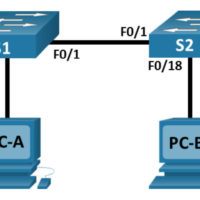
2.9.2 Packet Tracer - Basic Switch and End Device Configuration - Physical Mode Answers Topology Addressing Table Device Interface IP Address Subnet Mask S1 VLAN 1 192.168.1.1 255.255.255.0 S2 VLAN 1 192.168.1.2 255.255.255.0 PC-A NIC 192.168.1.10 255.255.255.0 PC-B NIC 192.168.1.11 255.255.255.0 Objectives Part 1: Set Up the Network …
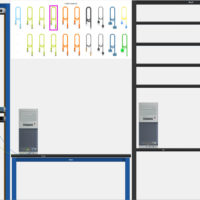
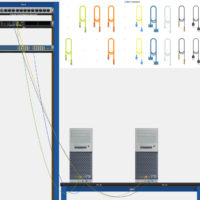
1.1.1.8 Packet Tracer - Deploying and Cabling Devices Answers Objectives Deploy and Cable Network Devices Background / Scenario In this activity file, you will locate, deploy, and cable multiple types of devices. You will then save the Packet Tracer file. Instructions Step 1: Open the Deploying and Cabling …
17.8.1 Packet Tracer - Design and Build a Small Network - Physical Mode Answers Objectives Explain how a small network of directly connected segments is created, configured, and verified. Background / Scenario In this Packet Tracer Physical Mode (PTPM) activity, you will design and build a network from …
17.7.7 Packet Tracer - Troubleshoot Connectivity Issues - Physical Mode Answers Topology Addressing Table Device Interface IP Address Subnet Mask Default Gateway R1 G0/0/1 192.168.1.1 255.255.255.0 N/A G0/0/0 10.1.1.1 255.255.255.252 N/A ISP G0/0/0 10.1.1.2 255.255.255.252 N/A Lo0 209.165.200.226 255.255.255.255 N/A S1 VLAN 1 192.168.1.2 255.255.255.0 192.168.1.1 PC-A NIC …
13.3.2 Packet Tracer - Use Ping and Traceroute to Test Network Connectivity - Physical Mode Answers Completed Topology Addressing Table Device Interface IP Address / Prefix Default Gateway R1 G0/0/0 64.100.0.2 /30 N/A 2001:db8:acad::2 /64 fe80::2 G0/0/1 192.168.1.1 /24 2001:db8:acad:1::1 /64 fe80::1 ISP G0/0/0 64.100.0.1 /30 N/A 2001:db8:acad::1 …
12.9.2 Packet Tracer - Configure IPv6 Addresses on Network Devices - Physical Mode Answers Topology Addressing Table Device Interface IPv6 Address Prefix Length Default Gateway R1 G0/0/0 2001:db8:acad:a::1 64 N/A G0/0/1 2001:db8:acad:1::1 64 N/A S1 VLAN 1 2001:db8:acad:1::b 64 N/A (fe80::1) PC-A NIC 2001:db8:acad:1::3 64 fe80::1 PC-B NIC …