• IT Exam Items Repository
  • IOS Command List
  • Ebooks
  • Networking Tools
    • Password Generator
    • IPv4 to Binary/Decimal/Hex
    • Binary to Dotted Decimal IP
    • FLSM Calculator
    • VLSM Calculator
    • Subnet & Wildcard Mask - CIDR
    • IPv4 Subneting Practice
    • IP Route Summarization Calculator
    • IPv6 CIDR Calculator
    • IPv6 Converter Shortening/Expanding
    • IPv6 Subnet Calculator
  • Donations

ITExamAnswers.net

Menu
  • Home
  • CCNA
    • CCNA 1 Exams Answers
    • CCNA 2 Exam Answers
    • CCNA 3 Exam Answers
    • CCNA 4 Exam Answers
    • 120 Labs CCNA
  • Security
    • Labs/Activities
  • CyberOps
    • Labs - Activities
  • IT Exam Items Repository
  • IOS Command List
  • CCNA
    • CCNA 1 Exam Answers
      • CCNA 1 Labs/Activities
    • CCNA 2 Exam Answers
      • CCNA 2 Labs/Activities
    • CCNA 3 Exam Answers
      • CCNA 3 Labs/Activities
    • CCNA 4 Exam Answers
      • CCNA 4 Labs/Activities
    • 120 Labs CCNA
  • CCNA Security v2.0
    • Labs/Activities
  • Cybersecurity
    • Labs - Activities
  • Networking Essentials
  • Networking Tools
    • Password Generator
    • IPv4 to Binary/Decimal/Hex
    • Binary to Dotted Decimal IP
    • FLSM Calculator
    • VLSM Calculator
    • Subnet & Wildcard Mask - CIDR
    • IPv4 Subnetting Practice
    • IP Route Summarization Calculator
    • IPv6 CIDR Calculator
    • IPv6 Converter Shortening/Expanding
    • IPv6 Subnet Calculator
  • Donation
  • Contact
Spanning-Tree Backbonefast Command on CISCO Router/Switch

Spanning-Tree Backbonefast Command on CISCO Router/Switch

ITExamAnswers Editorial Team Last Updated: Apr 25, 2019 CCNA Study Guide No Comments
Command Spanning-Tree Backbonefast Use This command will prevent a switch that has lost its link to the root switch from becoming root when the root is still running. If switches receive an inferior BPDU from a switch, backbonefast will send them the proper information for reaching the root. …
VTP Mode Transparent Command on CISCO Router/Switch

VTP Mode Transparent Command on CISCO Router/Switch

ITExamAnswers Editorial Team Last Updated: Apr 25, 2019 CCNA Study Guide No Comments
Command VTP Mode Transparent Use VTP transparent mode allows the switch to modify its VLAN databasem but will not propagate changes from a server. Additionally, VTP transparent mode allows the switch to configure extended range VLANS (1006-4094). Syntax Switch(config)#vtp mode transparent Example In the below example we will …
Interface Range Command on CISCO Router/Switch

Interface Range Command on CISCO Router/Switch

ITExamAnswers Editorial Team Last Updated: Apr 25, 2019 CCNA Study Guide No Comments
Command Interface Range Use This is the modern way to configure VLANs. A useful feature is that you can configure a range of VLANs with a single command. Syntax Switch(config)#interface range <range> Options < – > Allows for a continuous range to be specified such as interface range …
Spanning-Tree VLAN Root Secondary Command on CISCO Router/Switch

Spanning-Tree VLAN Root Secondary Command on CISCO Router/Switch

ITExamAnswers Editorial Team Last Updated: Apr 25, 2019 CCNA Study Guide No Comments
Command Spanning-Tree VLAN Root Secondary Use This command sets the switch to become backup root for a given VLAN. It works by lowering the priority of the switch until it becomes one priority higher then the root, so it will take over if the root fails. Once the …

Spanning-Tree Portfast Command on CISCO Router/Switch

ITExamAnswers Editorial Team Last Updated: Apr 25, 2019 CCNA Study Guide No Comments
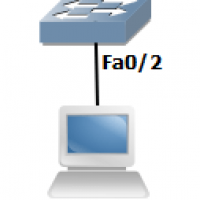
Command Spanning-Tree Portfast Use This command essentially disables spanning-tree on an interface and brings it immediately into the forwarding state. Only use this command on access ports Syntax Switch(config-if)#spanning-tree portfast Example In the below example we will configure SW1’s Fa0/2 to use port-fast to immediately skip to the …
VTP Password Command on CISCO Router/Switch

VTP Password Command on CISCO Router/Switch

ITExamAnswers Editorial Team Last Updated: Apr 25, 2019 CCNA Study Guide No Comments
Command VTP Password Use This command secures VTP updates by setting a secure password. Syntax Switch(config)#vtp password <password> Example In the below example we will set a password of ‘cisco’ for the VTP domain. CopySW1(config)#vtp password cisco Setting device VLAN database password to cisco SW2(config)#vtp password cisco Setting …
VTP Mode Client Command on CISCO Router/Switch

VTP Mode Client Command on CISCO Router/Switch

ITExamAnswers Editorial Team Last Updated: Apr 25, 2019 CCNA Study Guide No Comments
Command VTP Mode Client Use VTP client mode doesn’t allow you to create any VLANs. all VLANs must be learned from a server switch. This prevents the switch from accidently propogating VLANs throughout the network. Another use is to prevent an older switch from wiping out a server’s …
Interface Vlan Command on CISCO Router/Switch

Interface Vlan Command on CISCO Router/Switch

ITExamAnswers Editorial Team Last Updated: Apr 25, 2019 CCNA Study Guide No Comments
Command Vlan Use This is the modern way to configure VLANs. A useful feature of this command is that you can configure a range of VLANs with a single command. Syntax Switch(config)#vlan <vlan range> Options <name> Set VLAN name <exit> Apply changes and leave VLAN configuration mode Example …
Spanning-Tree Uplinkfast Command on CISCO Router/Switch

Spanning-Tree Uplinkfast Command on CISCO Router/Switch

ITExamAnswers Editorial Team Last Updated: Apr 25, 2019 CCNA Study Guide No Comments
Command Spanning-Tree Uplinkfast Use This command allows the switch to quickly select another root port if it detects a failure. The new root port moves from blocking to forwarding in under 5 seconds. Syntax Switch(config)#spanning-tree uplinkfast Example In the below example we will configure SW2 to use uplinkfast. …
Spanning-Tree VLAN Root Primary Command on CISCO Router/Switch

Spanning-Tree VLAN Root Primary Command on CISCO Router/Switch

ITExamAnswers Editorial Team Last Updated: Apr 25, 2019 CCNA Study Guide No Comments
Command Spanning-Tree VLAN Root Primary Use This command sets the switch to become root for a given VLAN. It works by lowering the priority of the switch until it becomes root. Once the switch is root, it will not prevent any other switch from becoming root. Syntax Swith(cconfig)#spanning-tree …

Posts pagination

Previous 1 … 311 312 313 314 315 316 317 … 421 Next

CCNA v5 + v6.0 Exam Answers

  • CCNA 1
  • CCNA 2
  • CCNA 3
  • CCNA 4
CCNA 1 - Pretest
CCNA 1 - Chapter 1
CCNA 1 - Chapter 2
CCNA 1 - Chapter 3
CCNA 1 - Chapter 4
CCNA 1 - Chapter 5
CCNA 1 - Chapter 6
CCNA 1 - Chapter 6 Skills PT
CCNA 1 - Chapter 7
CCNA 1 - Chapter 8
CCNA 1 - Chapter 9
CCNA 1 - Chapter 10
CCNA 1 - Chapter 11
CCNA 1 PT Practice Skills
CCNA 1 - Practice Final
CCNA 1 - Final Exam
CCNA 2 - Pretest
CCNA 2 - Chapter 1
CCNA 2 - Chapter 2
Chapter 2 SIC Practice Skills
CCNA 2 - Chapter 3
CCNA 2 - Chapter 4
CCNA 2 - Chapter 5
CCNA 2 - Chapter 6
CCNA 2 - Chapter 7
Chapter 7 SIC Practice Skills
CCNA 2 - Chapter 8
CCNA 2 - Chapter 9
CCNA 2 - Chapter 10
ITN Practice Skills(CCNA 1)
RSE Practice Skills Part 1
RSE Practice Skills Part 2
CCNA 2 - Practice Final
CCENT (ICND1) Practice Exam
CCNA 2 - Final Exam
CCNA 3 - Pretest
CCNA 3 - Chapter 1
CCNA 3 - Chapter 2
CCNA 3 - Chapter 3
CCNA 3 - Chapter 4
CCNA 3 - Chapter 5
CCNA 3 - Chapter 6
CCNA 3 - Chapter 7
CCNA 3 - Chapter 8
CCNA 3 - Chapter 9
CCNA 3 - Chapter 10
ITN Practice Skills (CCNA 1)
RSE PT Skills Part 1 (CCNA 2)
RSE PT Skills Part 2 (CCNA 2)
ScaN EIGRP Practice Skills Assessment
ScaN OSPF Practice Skills Assessment
CCNA 3 - Practice Final
CCNA 3 - Final Exam
CCNA 4 - Pretest
CCNA 4 - Chapter 1
CCNA 4 - Chapter 2
CCNA 4 - Chapter 3
CCNA 4 Chapter 3 Skills Assessment
CCNA 4 - Chapter 4
CCNA 4 - Chapter 5
CCNA 4 Chapter 5 Skills Assessment
CCNA 4 - Chapter 6
CCNA 4 - Chapter 7
CCNA 4 - Chapter 8
ITN Practice Skills (CCNA 1)
RSE PT Skills Part 1 (CCNA 2)
RSE PT Skills Part 2 (CCNA 2)
ScaN EIGRP PT Skills (CCNA 3)
ScaN OSPF PT Skills (CCNA 3)
CN Practice Skills Assessment-PT
CCENT (ICND 1) Practice Exam
CCENT (ICND 2) Practice Exam
CCNA 4 - Practice Final
CCNA 4 - Final Exam
ITExamAnswers.net Copyright © 2026.
All content is created and curated by our editorial team. This is not a user-generated platform.
About | Content Moderation Policy | Privacy Policy | | Contact