Month: February 2021
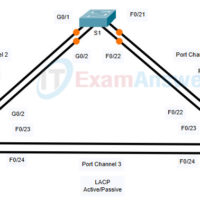
5.2.2 Packet Tracer - Configure EtherChannel (Answers) Topology Objectives Part 1: Configure Basic Switch Settings Part 2: Configure an EtherChannel with Cisco PAgP Part 3: Configure an 802.3ad LACP EtherChannel Part 4: Configure a Redundant EtherChannel Link Background Three switches have just been installed. There are redundant uplinks …
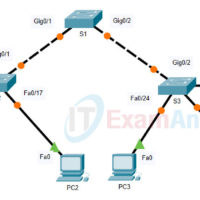
5.2.1 Packet Tracer - Configure VTP and DTP (Answers) Topology Addressing Table Device Interface IP Address Subnet Mask PC0 NIC 192.168.10.1 255.255.255.0 PC1 NIC 192.168.20.1 255.255.255.0 PC2 NIC 192.168.30.1 255.255.255.0 PC3 NIC 192.168.30.2 255.255.255.0 PC4 NIC 192.168.20.2 255.255.255.0 PC5 NIC 192.168.10.2 255.255.255.0 S1 VLAN 99 192.168.99.1 255.255.255.0 S2 …
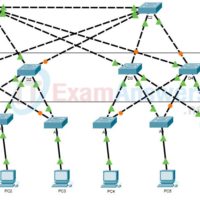
2.2.1 Packet Tracer - Observe STP Topology Changes (Answers) Topology Objectives Part 1: Check for STP Convergence Part 2: Examine the ARP Process Part 3: Test Redundancy in a Switched Network Background In this activity, you will observe how STP operates, by default, and how it reacts when …
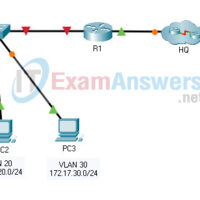
1.2.1 Packet Tracer - Inter-VLAN Routing Challenge (Answers) Topology Addressing Table Device Interface IP Address Subnet Mask Default Gateway R1 G0/0 172.17.25.2 255.255.255.252 N/A G0/1.10 172.17.10.1 255.255.255.0 G0/1.20 172.17.20.1 255.255.255.0 G0/1.30 172.17.30.1 255.255.255.0 G0/1.88 172.17.88.1 255.255.255.0 G0/1.99 172.17.99.1 255.255.255.0 S1 VLAN 99 172.17.99.10 255.255.255.0 172.17.99.1 PC1 NIC 172.17.10.21 …
28.1.5 Lab - Use RESTCONF to Access an IOS XE Device (Answers) Topology Addressing Table Device Interface IP Address Subnet Mask R1 G0/0/1 192.168.1.1 255.255.255.0 PC NIC DHCP DHCP Objectives Part 1: Build the Network and Verify Connectivity Part 2: Configure an IOS XE Device for RESTCONF Access …
28.1.4 Lab - Use NETCONF to Access a IOS XE Device (Answers) Topology Addressing Table Device Interface IP Address Subnet Mask R1 G0/0/1 192.168.1.1 255.255.255.0 PC NIC DHCP DHCP Objectives Part 1: Build the Network and Verify Connectivity Part 2: Use a NETCONF Session to Gather Information Part …
28.1.3 Lab - Use the Netmiko Python Module to Configure a Router (Answers) Topology Addressing Table Device Interface IP Address Subnet Mask R1 G0/0/1 192.168.1.1 255.255.255.0 PC NIC DHCP DHCP Objectives Part 1: Build the Network and Verify Connectivity Part 2: Import Netmiko Python Module Part 3: Use …
28.1.2 Lab - Construct a Basic Python Script (Answers) Objectives Part 1: Explore the Python Interpreter Part 2: Explore Data Types, Variables, and Conversions Part 3: Explore Lists and Dictionaries Part 4: Explore User Input Part 5: Explore If Functions and Loops Part 6: Explore File Access Background …
26.1.6 Lab - Implement CoPP (Answers) Topology Addressing Table Device Interface IP Address Subnet Mask R1 G0/0/0 172.16.12.1 255.255.255.252 G0/0/1 10.10.1.1 255.255.255.0 R2 G0/0/0 172.16.12.2 255.255.255.252 A1 VLAN 1 10.10.1.4 255.255.255.0 Objectives Part 1: Build the Network and Configure Basic Device Settings Part 2: Verify Initial Connectivity Part …
26.1.4 Lab - Configure Local and Server-Based AAA Authentication (Answers) Topology Addressing Table Device Interface IP Address Subnet Mask R1 G0/0/1 192.168.1.1 255.255.255.0 D1 VLAN 1 192.168.1.2 255.255.255.0 A1 VLAN 1 192.168.1.3 255.255.255.0 PC 1 NIC DHCP PC 2 NIC 192.168.1.5 255.255.255.0 Objectives Part 1: Build the Network …