Month: July 2022
6.5.1.1 Portfolio RIP and EIGRP (Instructor Version) Instructor Note: Red font color or Gray highlights indicate text that appears in the instructor copy only. Objectives Configure EIGRP for IPv4 in a small routed network (review). The purpose of this activity is to review EIGRP routing protocol concepts and …
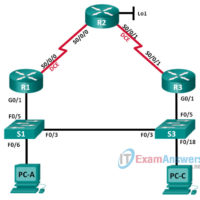
6.4.3.5 Lab - Configuring Basic EIGRP for IPv6 (Instructor Version) Instructor Note: Red font color or Gray highlights indicate text that appears in the instructor copy only. Topology Addressing Table Device Interface IP Address Default Gateway R1 G0/0 2001:DB8:ACAD:A::1/64 FE80::1 link-local N/A S0/0/0 (DCE) 2001:DB8:ACAD:12::1/64 FE80::1 link-local N/A …
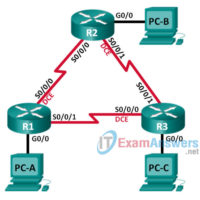
6.2.2.5 Lab - Configuring Basic EIGRP for IPv4 (Instructor Version) Instructor Note: Red font color or Gray highlights indicate text that appears in the instructor copy only. Topology Addressing Table Device Interface IP Address Subnet Mask Default Gateway R1 G0/0 192.168.1.1 255.255.255.0 N/A S0/0/0 (DCE) 10.1.1.1 255.255.255.252 N/A …
6.0.1.2 Classless EIGRP (Instructor Version) Instructor Note: Red font color or Gray highlights indicate text that appears in the instructor copy only. Objectives Describe the basic features of EIGRP. EIGRP is introduced to students through the informative video, Fundamental Configuration and Verification of EIGRP. After viewing the video, …
5.0.1.2 How Much Does This Cost? (Instructor Version) Instructor Note: Red font color or Gray highlights indicate text that appears in the instructor copy only. Objectives Explain the operation of dynamic routing protocols. To prepare for the concepts to be learned in this chapter, students will create physical …
4.4.1.1 Linking Up (Instructor Version) Instructor Note: Red font color or Gray highlights indicate text that appears in the instructor copy only. Objective Describe link aggregation. Instructor Note: This modeling activity is best completed in very small groups and then shared with another group or the class. Scenario …
4.3.3.4 Lab - Configuring HSRP (Instructor Version) Instructor Note: Red font color or gray highlights indicate text that appears in the instructor copy only. Topology Addressing Table Device Interface IP Address Subnet Mask Default Gateway R1 G0/1 192.168.1.1 255.255.255.0 N/A S0/0/0 (DCE) 10.1.1.1 255.255.255.252 N/A R2 S0/0/0 10.1.1.2 …
Networking Basics Course Final Exam Answers 1. Which statement describes the use of powerline networking technology? A device connects to an existing home LAN using an adapter and an existing electrical outlet. New "smart" electrical cabling is used to extend an existing home LAN. Wireless access points use …
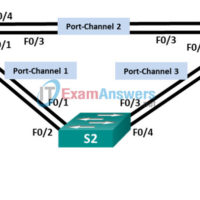
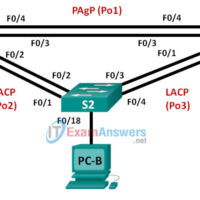
4.2.2.4 Lab - Troubleshooting EtherChannel (Instructor Version) Instructor Note: Red font color or Gray highlights indicate text that appears in the instructor copy only. Topology Addressing Table Device Interface IP Address Subnet Mask S1 VLAN 99 192.168.1.11 255.255.255.0 S2 VLAN 99 192.168.1.12 255.255.255.0 S3 VLAN 99 192.168.1.13 255.255.255.0 …
4.2.1.4 Lab - Configuring EtherChannel (Instructor Version) Instructor Note: Red font color or Gray highlights indicate text that appears in the instructor copy only. Topology Addressing Table Device Interface IP Address Subnet Mask S1 VLAN 99 192.168.99.11 255.255.255.0 S2 VLAN 99 192.168.99.12 255.255.255.0 S3 VLAN 99 192.168.99.13 255.255.255.0 …