

Month: May 2024
CCNA 1 v7.0 Practice Final Exam Answers - Test online
7.5.1 Lab - Basic Wireless Configuration Answers
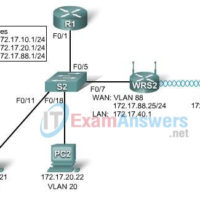
7.5.1 Lab - Basic Wireless Configuration Answers Topology Diagram Learning Objectives Configure options in the Linksys Setup tab. Configure options in the Linksys Wireless tab. Configure options in the Linksys Administration tab. Configure options in the Linksys Security tab. Add wireless connectivity to a PC. Test connectivity. Introduction …
5.5.1 Lab - Basic Spanning Tree Protocol Answers
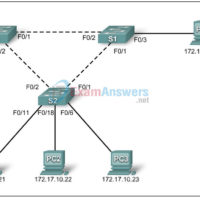
5.5.1 Lab - Basic Spanning Tree Protocol Answers Topology Diagram Addressing Table Device (Hostname) Interface IP Address Subnet Mask Default Gateway S1 VLAN 1 172.17.10.1 255.255.255.0 N/A S2 VLAN 1 172.17.10.2 255.255.255.0 N/A S3 VLAN 1 172.17.10.3 255.255.255.0 N/A PC1 NIC 172.17.10.21 255.255.255.0 172.17.10.254 PC2 NIC 172.17.10.22 255.255.255.0 …
2.5.3 Lab -Managing Switch Operating System and Configuration Files Challenge Answers
2.5.3 Lab -Managing Switch Operating System and Configuration Files Challenge Answers Topology Diagram Addressing Table Device Hostname Interface IP Address Subnet Mask Default Gateway PC1 Host-A NIC 172.17.99.21 255.255.255.0 172.17.99.1 S1 ALSwitch VLAN99 172.17.99.11 255.255.255.0 172.17.99.1 Learning Objectives Upon completion of this lab, you will be able to: …
2.5.2 Lab - Managing Switch Operating System and Configuration Files Answers
2.5.2 Lab - Managing Switch Operating System and Configuration Files Answers Topology Diagram Addressing Table Device Hostname Interface IP Address Subnet Mask Default Gateway PC1 Host-A NIC 172.17.99.21 255.255.255.0 172.17.99.1 S1 ALSwitch VLAN99 172.17.99.11 255.255.255.0 172.17.99.1 Learning Objectives Upon completion of this lab, you will be able to: …
Introduction to Packet Tracer Exam Answers (Course Final)
1. Which two devices are used to connect IoT devices to a home network? (Choose two.) DNS server Cisco 2960 switch Cisco 2911 router registration server home gateway 2. Refer to the exhibit. The above icon is in the lower right hand corner of the Packet Tracer screen. …
How to access the CLI Router or Switch in Packet Tracer
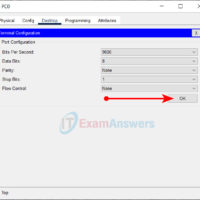
In Packet Tracer, to access the command line interface (CLI) of a Switch or Router, you can use one of the following two ways: The CLI tab Console port The CLI tab This is the simplest way to access the Command Line Interface (CLI) of a Switch/Router. Click …
CCNA Discovery 3: DRSEnt Practice Final Exam Answers v4.0
1. Refer to the exhibit. The network administrator enters the command that is shown in the exhibit and then is the show ip route command. The route added by the network administrator is missing from the routing table. What is the reason for this? This static route is …