Author: ITExamAnswers Editorial Team
The ITExamAnswers Editorial Team is a dedicated group of certified IT professionals and network engineers. We rigorously review, verify, and update all exam materials to ensure you receive the most accurate and reliable resources for your certification journey.
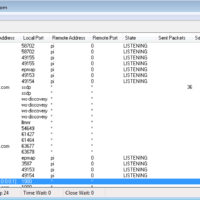
15.0.3 Class Activity - What's Going On (Instructor Version) Instructor Note: Red font color or gray highlights indicate text that appears in the instructor copy only. Objectives Identify the processes running on a computer, the protocol they are using, and their local and remote port addresses. Part 1: …
14.2.8 Lab - Social Engineering (Instructor Version) Instructor Note: Red font color or gray highlights indicate text that appears in the instructor copy only. Objectives Research and identify social engineering attacks Background / Scenario Social engineering is an attack with the goal of getting a victim to enter …
14.1.11 Lab - Anatomy of Malware (Instructor Version) Instructor Note: Red font color or gray highlights indicate text that appears in the instructor copy only. Objectives Research and analyze malware. Background / Scenario Malware, or malicious software, refers to a variety of malicious software programs that can be …
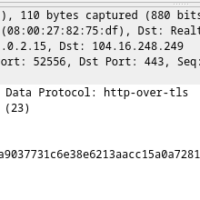
10.6.7 Lab - Using Wireshark to Examine HTTP and HTTPS Traffic (Instructor Version) Instructor Note: Red font color or gray highlights indicate text that appears in the instructor copy only. Objectives Part 1: Capture and view HTTP traffic Part 2: Capture and view HTTPS traffic Background / Scenario …
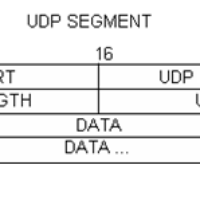
10.4.3 Lab - Using Wireshark to Examine TCP and UDP Captures (Instructor Version) Instructor Note: Red font color or gray highlights indicate text that appears in the instructor copy only. Topology - Part 1 (FTP) Part 1 will highlight a TCP capture of an FTP session. This topology …
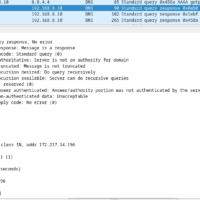
10.2.7 Lab - Using Wireshark to Examine a UDP DNS Capture (Instructor Version) Instructor Note: Red font color or gray highlights indicate text that appears in the instructor copy only. Topology Objectives Part 1: Record a PC’s IP Configuration Information Part 2: Use Wireshark to Capture DNS Queries …
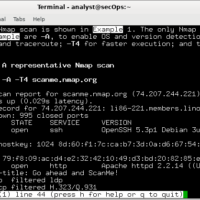
9.3.8 Lab - Exploring Nmap (Instructor Version) Instructor Note: Red font color or gray highlights indicate text that appears in the instructor copy only. Topology Objectives Part 1: Exploring Nmap Part 2: Scanning for Open Ports Background / Scenario Port scanning is usually part of a reconnaissance attack. …
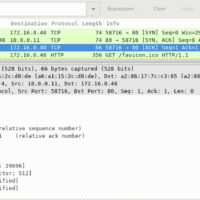
9.2.6 Lab - Using Wireshark to Observe the TCP 3-Way Handshake (Instructor Version) Instructor Note: Red font color or gray highlights indicate text that appears in the instructor copy only. Mininet Topology Objectives Part 1: Prepare the Hosts to Capture the Traffic Part 2: Analyze the Packets using …
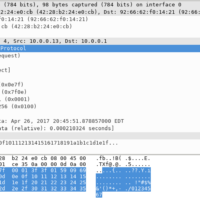
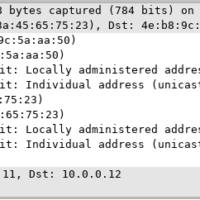
8.2.8 Lab - Using Wireshark to Examine Ethernet Frames (Instructor Version) Instructor Note: Red font color or gray highlights indicate text that appears in the instructor copy only. Mininet Topology Objectives Part 1: Examine the Header Fields in an Ethernet II Frame Part 2: Use Wireshark to Capture …
5.3.7 Lab - Introduction to Wireshark (Instructor Version) Instructor Note: Red font color or gray highlights indicate text that appears in the instructor copy only. Mininet Topology Objectives Part 1: Install and Verify the Mininet Topology Part 2: Capture and Analyze ICMP Data in Wireshark Background / Scenario …