Author: ITExamAnswers Editorial Team
The ITExamAnswers Editorial Team is a dedicated group of certified IT professionals and network engineers. We rigorously review, verify, and update all exam materials to ensure you receive the most accurate and reliable resources for your certification journey.
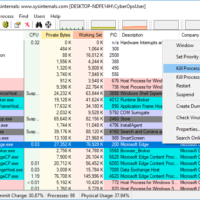
3.2.11 Lab - Exploring Processes, Threads, Handles, and Windows Registry (Instructor Version) Instructor Note: Red font color or gray highlights indicate text that appears in the instructor copy only. Objectives In this lab, you will explore the processes, threads, and handles using Process Explorer in the SysInternals Suite. …
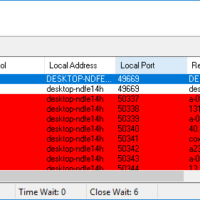
3.0.3 Class Activity - Identify Running Processes (Instructor Version) Instructor Note: Red font color or gray highlights indicate text that appears in the instructor copy only. Objectives In this lab, you will use TCP/UDP Endpoint Viewer, a tool in Sysinternals Suite, to identify any running processes on your …
2.2.5 Lab - Becoming a Defender (Instructor Version) Instructor Note: Red font color or gray highlights indicate text that appears in the instructor copy only. Objectives Research and analyze what it takes to become a network defender. Part 1: Conduct search of Certifications. Part 2: Investigate positions available …
1.3.4 Lab - Visualizing the Black Hats (Instructor Version) Instructor Note: Red font color or gray highlights indicate text that appears in the instructor copy only. Objectives Research and analyze cyber security incidents. Background / Scenario The FBI has estimated that cybercrime cost individuals and companies over 3.5 …
1.1.6 Lab - Cybersecurity Case Studies (Instructor Version) Instructor Note: Red font color or gray highlights indicate text that appears in the instructor copy only. Objectives Research and analyze cyber security incidents. Part 1: Conduct search of high profile cyberattacks. Part 2: Write an analysis of a cyberattack. …
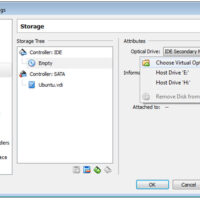
1.1.5 Lab - Installing the Virtual Machines (Instructor Version) Instructor Note: Red font color or gray highlights indicate text that appears in the instructor copy only. Objectives Part 1: Prepare a Personal Computer for Virtualization Part 2: Import a Virtual Machine into VirtualBox Inventory Background / Scenario Computing …
1.0.6 Class Activity - Top Hacker Shows Us How It is Done (Instructor Version) Instructor Note: Red font color or gray highlights indicate text that appears in the instructor copy only. Objectives Understand vulnerabilities of wireless and other common technologies Part 1: View the TEDx Video “Top Hacker …
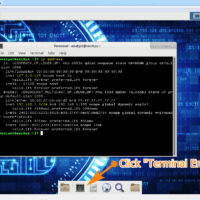
Lab - Install Linux in a Virtual Machine and Explore the GUI (Instructor Version) Objectives Part 1: Prepare a Computer for Virtualization Part 2: Install a Linux OS on the Virtual Machine Part 3: Explore the GUI Background / Scenario Computing power and resources have increased tremendously over …
Lab - Configure CDP, LLDP, and NTP (Instructor Version) Topology Addressing Table Device Interface IP Address Subnet Mask Default Gateway R1 Loopback1 172.16.1.1 255.255.255.0 N/A G0/0/1 10.22.0.1 255.255.255.0 S1 SVI VLAN 1 10.22.0.2 255.255.255.0 10.22.0.1 S2 SVI VLAN 1 10.22.0.3 255.255.255.0 10.22.0.1 Objectives Part 1: Build the Network …
Lab - Research Password Recovery Procedures (Instructor Version) Objectives Part 1: Research the Configuration Register Identify the purpose of the configuration register. Describe router behavior for different configuration register values. Part 2: Document the Password Recovery Procedure for a Specific Cisco Router Research and record the process for …