Author: ITExamAnswers Editorial Team
The ITExamAnswers Editorial Team is a dedicated group of certified IT professionals and network engineers. We rigorously review, verify, and update all exam materials to ensure you receive the most accurate and reliable resources for your certification journey.
Lab - Use TFTP, Flash, and USB to Manage Configuration Files (Instructor Version) Topology Addressing Table Device Interface IP Address Subnet Mask Default Gateway R1 G0/0/1 192.168.1.1 255.255.255.0 N/A S1 VLAN 1 192.168.1.11 255.255.255.0 192.168.1.1 PC-A NIC 192.168.1.3 255.255.255.0 192.168.1.1 Objectives Part 1: Build the Network and Configure …
Lab - Use Tera Term to Manage Router Configuration Files (Instructor Version) Topology Addressing Table Device Interface IP Address Subnet Mask Default Gateway R1 G0/0/1 192.168.1.1 255.255.255.0 N/A S1 VLAN 1 192.168.1.11 255.255.255.0 192.168.1.1 PC-A NIC 192.168.1.3 255.255.255.0 192.168.1.1 Objectives Part 1: Configure Basic Device Settings Part 2: …
Lab - Research Network Monitoring Software (Instructor Version) Objectives Part 1: Survey Your Understanding of Network Monitoring Part 2: Research Network Monitoring Tools Part 3: Select a Network Monitoring Tool Background / Scenario Network monitoring is needed for any sized network. Proactively monitoring the network infrastructure can assist …
Lab - Research Broadband Internet Access Technologies (Instructor Version) Objectives Part 1: Investigate Broadband Distribution Part 2: Research Broadband Access Options for Specific Scenarios Background / Scenario Although broadband internet access options have increased dramatically in recent years, broadband access varies greatly depending on location. In this lab, …
Lab - Configure NAT for IPv4 (Instructor Version) Topology Addressing Table Device Interface IP Address Subnet Mask R1 G0/0/0 209.165.200.230 255.255.255.248 G0/0/1 192.168.1.1 255.255.255.0 R2 G0/0/0 209.165.200.225 255.255.255.248 Lo1 209.165.200.1 255.255.255.224 S1 VLAN 1 192.168.1.11 255.255.255.0 S2 VLAN 1 192.168.1.12 255.255.255.0 PC-A NIC 192.168.1.2 255.255.255.0 PC-B NIC 192.168.1.3 …
Lab - Configure and Verify Extended IPv4 ACLs (Instructor Version) Topology Addressing Table Device Interface IP Address Subnet Mask Default Gateway R1 G0/0/1 N/A N/A N/A G0/0/1.20 10.20.0.1 255.255.255.0 G0/0/1.30 10.30.0.1 255.255.255.0 G0/0/1.40 10.40.0.1 255.255.255.0 G0/0/1.1000 N/A N/A Loopback1 172.16.1.1 255.255.255.0 R2 G0/0/1 10.20.0.4 255.255.255.0 N/A S1 VLAN …
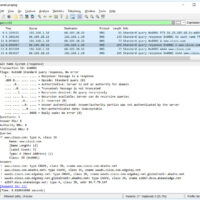
Lab – Explore DNS Traffic (Instructor Version) Objectives Part 1: Capture DNS Traffic Part 2: Explore DNS Query Traffic Part 3: Explore DNS Response Traffic Background / Scenario Wireshark is an open source packet capture and analysis tool. Wireshark gives a detailed breakdown of the network protocol stack. …
Lab - Social Engineering (Instructor Version) Objective In this lab, you will research examples of social engineering and identify ways to recognize and prevent it. Resources Computer with internet Access Instructions Step 1: Research Social Engineering Examples Social engineering, as it relates to information security, is used to …
2.7.2 Lab - Configure Single-Area OSPFv2 (Instructor Version) Topology Addressing Table Device Interface IP Address Subnet Mask R1 G0/0/1 10.53.0.1 255.255.255.0 Loopback1 172.16.1.1 255.255.255.0 R2 G0/0/1 10.53.0.2 255.255.255.0 Loopback1 192.168.1.1 255.255.255.0 Objectives Part 1: Build the Network and Configure Basic Device Settings Part 2: Configure and Verify Single-Area …
Lab - Troubleshoot IPv4 and IPv6 Static and Default Routers (Instructor Version) Topology Addressing Table Device Interface IP Address / Prefix R1 G0/0/0 192.168.0.1 /28 2001:db8:acad::1 /64 G0/0/1 192.168.0.17 /28 2001:db8:acad:16::1 /64 Loopback1 172.16.1.1 /24 2001:db8:acad:171::1 /64 Loopback2 209.165.200.1 /25 2001:db8:acad:209::1 /64 R2 G0/0/0 192.168.0.14 /28 2001:db8:acad::14 /64 …