Author: ITExamAnswers Editorial Team
The ITExamAnswers Editorial Team is a dedicated group of certified IT professionals and network engineers. We rigorously review, verify, and update all exam materials to ensure you receive the most accurate and reliable resources for your certification journey.
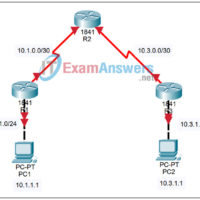
5.5.2 Packet Tracer - Challenge Access Control Lists Answers Topology Addressing Table Device Interface IP Address Subnet Mask Default Gateway R1 S0/0/0 10.1.0.1 255.255.255.252 N/A Fa0/0 10.1.1.254 255.255.255.0 N/A R2 S0/0/0 10.1.0.2 255.255.255.252 N/A S0/0/1 10.3.0.1 255.255.255.252 N/A R3 S0/0/1 10.3.0.2 255.255.255.252 N/A Fa0/0 10.3.1.254 255.255.255.0 N/A PC1 …
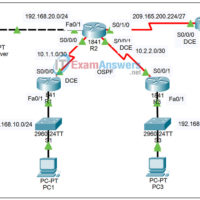
5.5.1 Packet Tracer - Basic Access Control Lists Answers Topology Addressing Table Device Interface IP Address Subnet Mask Default Gateway R1 Fa0/0 192.168.10.1 255.255.255.0 N/A Fa0/1 192.168.11.1 255.255.255.0 N/A S0/0/0 10.1.1.1 255.255.255.252 N/A R2 Fa0/0 192.168.20.1 255.255.255.0 N/A S0/0/0 10.1.1.2 255.255.255.252 N/A S0/0/1 10.2.2.1 255.255.255.252 N/A Lo0 209.165.200.225 …
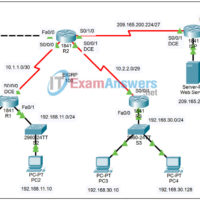
5.3.4 Packet Tracer - Configuring Extended ACLs Answers Topology Addressing Table Device Interface IP Address Subnet Mask R1 S0/0/0 10.1.1.1 255.255.255.252 Fa0/0 192.168.10.1 255.255.255.0 Fa0/1 192.168.11.1 255.255.255.0 R2 S0/0/0 10.1.1.2 255.255.255.252 S0/0/1 10.2.2.2 255.255.255.252 S0/1/0 209.165.200.225 255.255.255.224 Fa0/0 192.168.20.1 255.255.255.0 R3 S0/0/1 10.2.2.1 255.255.255.252 Fa0/0 192.168.30.1 255.255.255.0 ISP …
5.2.8 Packet Tracer - Configuring Standard ACLs Answers Topology Addressing Table Device Interface IP Address Subnet Mask R1 S0/0/0 10.1.1.1 255.255.255.252 Fa0/0 192.168.10.1 255.255.255.0 Fa0/1 192.168.11.1 255.255.255.0 R2 S0/0/0 10.1.1.2 255.255.255.252 S0/0/1 10.2.2.1 255.255.255.252 S0/1/0 209.165.200.225 255.255.255.224 Fa0/0 192.168.20.1 255.255.255.0 R3 S0/0/1 10.2.2.2 255.255.255.252 Fa0/0 192.168.30.1 255.255.255.0 ISP …
4.7.1 Packet Tracer - Skills Integration Challenge Answers Topology Addressing Table Device Interface IP Address Subnet Mask ISP S0/0/0 209.165.200.226 255.255.255.252 R1 Fa0/1 192.168.10.1 255.255.255.0 S0/0/0 10.1.1.1 255.255.255.252 R2 Fa0/1 192.168.20.1 255.255.255.0 S0/0/0 10.1.1.2 255.255.255.252 S0/0/1 10.2.2.1 255.255.255.252 S0/1/0 209.165.200.225 255.255.255.252 R3 Fa0/1 192.168.30.1 255.255.255.0 S0/0/1 10.2.2.2 255.255.255.252 …
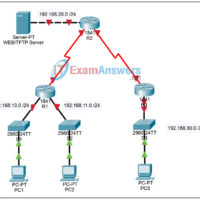
4.5.4 Packet Tracer - Using a TFTP Server to Upgrade a Cisco IOS Image Answers Topology Learning Objectives Verify the current Cisco IOS image. Configure access to the TFTP server. Upload a new Cisco IOS image. Configure the boot system command. Test the new Cisco IOS image. Introduction …
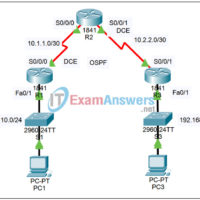
4.3.2 Packet Tracer - Configuring OSPF Authentication Answers Topology Addressing Table Device Interface IP Address Subnet Mask R1 Fa0/1 192.168.10.1 255.255.255.0 S0/0/0 10.1.1.1 255.255.255.252 R2 S0/0/0 10.1.1.2 255.255.255.252 S0/0/1 10.2.2.1 255.255.255.252 R3 Fa0/1 192.168.30.1 255.255.255.0 S0/0/1 10.2.2.2 255.255.255.252 PC1 NIC 192.168.10.10 255.255.255.0 PC3 NIC 192.168.30.10 255.255.255.0 Learning Objectives …
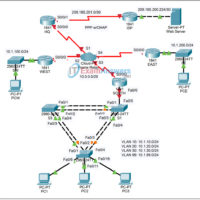
3.6.1 Packet Tracer - Skills Integration Challenge Answers Topology Addressing Table Device Interface IP Address Subnet Mask HQ S0/0/1 209.165.201.2 255.255.255.252 S0/0/0 10.0.0.1 255.255.255.248 WEST S0/0/0 10.0.0.2 255.255.255.248 Fa0/0 10.1.100.1 255.255.255.0 SOUTH S0/0/0 10.0.0.3 255.255.255.248 Fa0/0.10 10.1.10.1 255.255.255.0 Fa0/0.20 10.1.20.1 255.255.255.0 Fa0/0.30 10.1.30.1 255.255.255.0 Fa0/0.99 10.1.99.1 255.255.255.0 EAST …
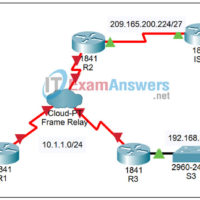
3.2.2 Packet Tracer - Configuring Basic Frame Relay with Static Maps Answers Topology Addressing Table Device Interface IP Address Subnet Mask R1 Fa0/1 192.168.10.1 255.255.255.0 S0/0/1 10.1.1.1 255.255.255.0 R2 S0/0/0 10.1.1.2 255.255.255.0 S0/0/1 209.165.200.225 255.255.255.224 R3 Fa0/0 192.168.30.1 255.255.255.0 S0/0/0 10.1.1.3 255.255.255.0 ISP S0/0/1 209.165.200.226 255.255.255.224 Learning Objectives …
2.6.1 Packet Tracer - Skills Integration Challenge Answers Topology Introduction This activity focuses on static and default routing, subnetting skills with VLSM, basic device configurations, PPP with CHAP authentication, OSPF routing, and VLAN configuration. Once you have configured all devices, you will test for end to end connectivity. …