Category: CCNA CyberOps Labs – Activities
14.1.11 Lab - Anatomy of Malware (Instructor Version) Instructor Note: Red font color or gray highlights indicate text that appears in the instructor copy only. Objectives Research and analyze malware. Background / Scenario Malware, or malicious software, refers to a variety of malicious software programs that can be …
10.6.7 Lab - Using Wireshark to Examine HTTP and HTTPS Traffic (Instructor Version) Instructor Note: Red font color or gray highlights indicate text that appears in the instructor copy only. Objectives Part 1: Capture and view HTTP traffic Part 2: Capture and view HTTPS traffic Background / Scenario …
10.4.3 Lab - Using Wireshark to Examine TCP and UDP Captures (Instructor Version) Instructor Note: Red font color or gray highlights indicate text that appears in the instructor copy only. Topology - Part 1 (FTP) Part 1 will highlight a TCP capture of an FTP session. This topology …
10.2.7 Lab - Using Wireshark to Examine a UDP DNS Capture (Instructor Version) Instructor Note: Red font color or gray highlights indicate text that appears in the instructor copy only. Topology Objectives Part 1: Record a PC’s IP Configuration Information Part 2: Use Wireshark to Capture DNS Queries …
9.3.8 Lab - Exploring Nmap (Instructor Version) Instructor Note: Red font color or gray highlights indicate text that appears in the instructor copy only. Topology Objectives Part 1: Exploring Nmap Part 2: Scanning for Open Ports Background / Scenario Port scanning is usually part of a reconnaissance attack. …
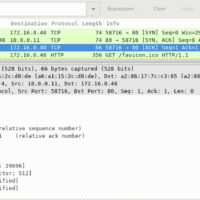
9.2.6 Lab - Using Wireshark to Observe the TCP 3-Way Handshake (Instructor Version) Instructor Note: Red font color or gray highlights indicate text that appears in the instructor copy only. Mininet Topology Objectives Part 1: Prepare the Hosts to Capture the Traffic Part 2: Analyze the Packets using …
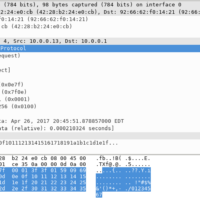
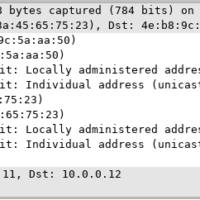
8.2.8 Lab - Using Wireshark to Examine Ethernet Frames (Instructor Version) Instructor Note: Red font color or gray highlights indicate text that appears in the instructor copy only. Mininet Topology Objectives Part 1: Examine the Header Fields in an Ethernet II Frame Part 2: Use Wireshark to Capture …
5.3.7 Lab - Introduction to Wireshark (Instructor Version) Instructor Note: Red font color or gray highlights indicate text that appears in the instructor copy only. Mininet Topology Objectives Part 1: Install and Verify the Mininet Topology Part 2: Capture and Analyze ICMP Data in Wireshark Background / Scenario …
5.1.5 Lab - Tracing a Route (Instructor Version) Instructor Note: Red font color or gray highlights indicate text that appears in the instructor copy only. Objectives Part 1: Verifying Network Connectivity Using Ping Part 2: Tracing a Route to a Remote Server Using Traceroute Part 3: Trace a …
4.5.4 Lab - Navigating the Linux Filesystem and Permission Settings (Instructor Version) Instructor Note: Red font color or gray highlights indicate text that appears in the instructor copy only. Objectives In this lab, you will use familiarize yourself with Linux filesystems. Part 1: Exploring Filesystems in Linux Part …