Author: ITExamAnswers Editorial Team
The ITExamAnswers Editorial Team is a dedicated group of certified IT professionals and network engineers. We rigorously review, verify, and update all exam materials to ensure you receive the most accurate and reliable resources for your certification journey.
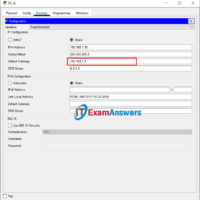
17.7.7 Lab - Troubleshoot Connectivity Issues 17.7.6 Lab - Troubleshoot Connectivity Issues Topology Addressing Table Device Interface IP Address Subnet Mask Default Gateway R1 G0/0/0/1 192.168.1.1 255.255.255.0 N/A G0/0/0 10.1.1.1 255.255.255.252 N/A ISP G0/0/0 10.1.1.2 255.255.255.252 N/A Lo0 209.165.200.226 255.255.255.255 N/A S1 VLAN 1 192.168.1.2 255.255.255.0 192.168.1.1 PC-A …
17.4.6 Lab - Test Network Latency with Ping and Traceroute Topology Objectives Part 1: Use Ping to Document Network Latency Part 2: Use Traceroute to Document Network Latency Background / Scenario To obtain realistic network latency statistics, this activity must be performed on a live network. Be sure …
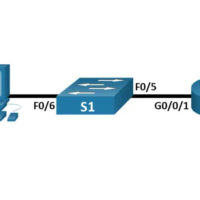
16.5.2 Lab - Secure Network Devices Topology Addressing Table Device Interface IP Address Subnet Mask Default Gateway R1 G0/0/1 192.168.1.1 255.255.255.0 N/A S1 VLAN 1 192.168.1.11 255.255.255.0 192.168.1.1 PC-A NIC 192.168.1.3 255.255.255.0 192.168.1.1 Objectives Part 1: Configure Basic Device Settings Part 2: Configure Basic Security Measures on the …
16.4.7 Lab - Configure Network Devices with SSH Topology Addressing Table Device Interface IP Address Subnet Mask Default Gateway R1 G0/0/1 192.168.1.1 255.255.255.0 N/A S1 VLAN 1 192.168.1.11 255.255.255.0 192.168.1.1 PC-A NIC 192.168.1.3 255.255.255.0 192.168.1.1 Objectives Part 1: Configure Basic Device Settings Part 2: Configure the Router for …
16.2.6 Lab - Research Network Security Threats Objectives Part 1: Explore the SANS Website Part 2: Identify Recent Network Security Threats Part 3: Detail a Specific Network Security Threat Background / Scenario To defend a network against attacks, an administrator must identify external threats that pose a danger …
15.4.8 Lab - Observe DNS Resolution Objectives Part 1: Observe the DNS Conversion of a URL to an IP Address Part 2: Observe DNS Lookup Using the nslookup Command on a Web Site Part 3: Observe DNS Lookup Using the nslookup Command on Mail Servers Background / Scenario …
13.3.2 Lab - Use Ping and Traceroute to Test Network Connectivity Topology Addressing Table Device Interface IP Address / Prefix Default Gateway R1 G0/0/0 64.100.0.2 /30 N/A 2001:db8:acad::2 /64 fe80::2 R1 G0/0/1 192.168.1.1 /24 N/A 2001:db8:acad:1::1 /64 fe80::1 ISP G0/0/0 64.100.0.1 /30 N/A 2001:db8:acad::1 /64 fe80::1 ISP G0/0/1 …
12.9.2 Lab - Configure IPv6 Addresses on Network Devices Topology Addressing Table Device Interface IPv6 Address Prefix Length Default Gateway R1 G0/0/0 2001:db8:acad:a::1 64 N/A G0/0/1 2001:db8:acad:1::1 64 N/A S1 VLAN 1 2001:db8:acad:1::b 64 N/A PC-A NIC 2001:db8:acad:1::3 64 fe80::1 PC-B NIC 2001:db8:acad:a::3 64 fe80::1 Objectives Part 1: …
12.7.4 Lab – Identify IPv6 Addresses Topology Objectives Part 1: Practice with Different Types of IPv6 Addresses Part 2: Examine a Host IPv6 Network Interface and Address Background / Scenario With the depletion of the Internet Protocol version 4 (IPv4) network address space and the adoption and transition …
11.10.2 Lab - Design and Implement a VLSM Addressing Scheme Topology Objectives Part 1: Examine Network Requirements Part 2: Design the VLSM Address Scheme Part 3: Cable and Configure the IPv4 Network Background / Scenario Variable Length Subnet Mask (VLSM) was designed to avoid wasting IP addresses. With …