Author: ITExamAnswers Editorial Team
The ITExamAnswers Editorial Team is a dedicated group of certified IT professionals and network engineers. We rigorously review, verify, and update all exam materials to ensure you receive the most accurate and reliable resources for your certification journey.
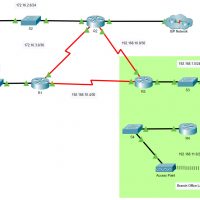
5.2.7 Packet Tracer - Configure and Modify Standard IPv4 ACLs (Instructor Version) Instructor Note: Red font color or gray highlights indicate text that appears in the instructor copy only. Addressing Table Device Interface IP Address Subnet Mask Default Gateway R1 G0/0/0 192.168.10.1 255.255.255.0 N/A G0/0/1 192.168.20.1 255.255.255.0 S0/1/0 …
5.1.9 Packet Tracer - Configure Named Standard IPv4 ACLs (Instructor Version) Instructor Note: Red font color or gray highlights indicate text that appears in the instructor copy only. Addressing Table Device Interface IP Address Subnet Mask Default Gateway R1 F0/0 192.168.100.1 255.255.255.0 N/A F0/1 192.168.200.1 255.255.255.0 E0/0/0 192.168.10.1 …
5.1.8 Packet Tracer - Configure Numbered Standard IPv4 ACLs (Instructor Version) Instructor Note: Red font color or gray highlights indicate text that appears in the instructor copy only. Addressing Table Device Interface IP Address Subnet Mask Default Gateway R1 G0/0 192.168.10.1 255.255.255.0 N/A G0/1 192.168.11.1 255.255.255.0 S0/0/0 10.1.1.1 …
4.1.4 Packet Tracer - ACL Demonstration (Instructor Version) Topology Instructor Note: Red font color or gray highlights indicate text that appears in the instructor copy only. Objectives Part 1: Verify Local Connectivity and Test Access Control List Part 2: Remove Access Control List and Repeat Test Background In …
2.7.1 Packet Tracer - Single-Area OSPFv2 Configuration (Instructor Version) Instructor Note: Red font color or gray highlights indicate text that appears in the instructor copy only. Addressing Table Device Interface IP Address / Prefix P2P-1 S0/1/0 10.0.0.1/30 S0/1/1 10.0.0.9/30 S0/2/0 10.0.0.13/30 P2P-2 S0/1/0 10.0.0.2/30 S0/1/1 10.0.0.5/30 G0/0/0 192.168.1.1/24 …
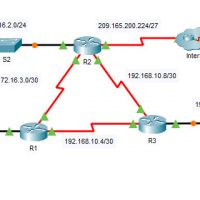
2.6.6 Packet Tracer - Verify Single-Area OSPFv2 (Instructor Version) Instructor Note: Red font color or gray highlights indicate text that appears in the instructor copy only. Addressing Table Device Interface IP Address Subnet Mask Default Gateway R1 G0/0 172.16.1.1 255.255.255.0 N/A G0/1 64.100.54.6 255.255.255.252 S0/0/0 172.16.3.1 255.255.255.252 S0/0/1 …
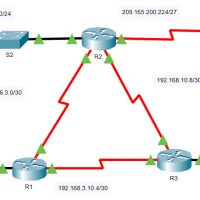
2.5.3 Packet Tracer - Propagate a Default Route in OSPFv2 (Instructor Version) Instructor Note: Red font color or gray highlights indicate text that appears in the instructor copy only. Addressing Table Device Interface IPv4 Address Subnet Mask Default Gateway R1 G0/0 172.16.1.1 255.255.255.0 N/A S0/0/0 172.16.3.1 255.255.255.252 S0/0/1 …
2.4.11 Packet Tracer - Modify Single-Area OSPFv2 (Instructor Version) Instructor Note: Red font color or green highlights indicate text that appears in the instructor copy only. Addressing Table Device Interface IPv4 Address Subnet Mask Default Gateway R1 G0/0 172.16.1.1 255.255.255.0 N/A S0/0/0 172.16.3.1 255.255.255.252 S0/0/1 192.168.10.5 255.255.255.252 R2 …
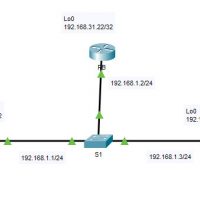
2.3.11 Packet Tracer - Determine the DR and BDR (Instructor Version) Instructor Note: Red font color or green highlights indicate text that appears in the instructor copy only. Addressing Table Device Interface IP Address Subnet Mask RA G0/0 192.168.1.1 255.255.255.0 Lo0 192.168.31.11 255.255.255.255 RB G0/0 192.168.1.2 255.255.255.0 Lo0 …
17.8.1 Lab - Design and Build a Small Network Objectives Explain how a small network of directly connected segments is created, configured, and verified. Background /Scenario Note: This activity is best completed in groups of 2-3 students. Design and build a network from scratch. Your design must include …