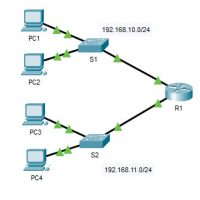
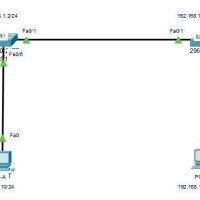
10.3.5 Packet Tracer - Troubleshoot Default Gateway Issues (Instructor Version) Topology Addressing Table Device Interface IP Address Subnet Mask Default Gateway R1 G0/0 192.168.10.1 255.255.255.0 N/A G0/1 192.168.11.1 255.255.255.0 N/A S1 VLAN 1 192.168.10.2 255.255.255.0 192.168.10.1 S2 VLAN 1 192.168.11.2 255.255.255.0 192.168.11.1 PC1 NIC 192.168.10.10 255.255.255.0 192.168.10.1 PC2 …
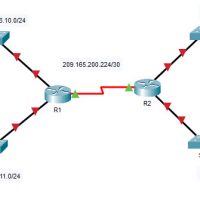
10.3.4 Packet Tracer - Connect a Router to a LAN (Instructor Version) Topology Addressing Table Device Interface IP Address Subnet Mask Default Gateway R1 G0/0 192.168.10.1 255.255.255.0 N/A G0/1 192.168.11.1 255.255.255.0 N/A S0/0/0 (DCE) 209.165.200.225 255.255.255.252 N/A R2 G0/0 10.1.1.1 255.255.255.0 N/A G0/1 10.1.2.1 255.255.255.0 N/A S0/0/0 209.165.200.226 …
10.1.4 Packet Tracer - Configure Initial Router Settings (Instructor Version) Topology Objectives Part 1: Verify the Default Router Configuration Part 2: Configure and Verify the Initial Router Configuration Part 3: Save the Running Configuration File Background In this activity, you will perform basic router configurations. You will secure …
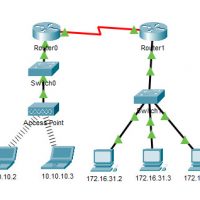
9.2.9 Packet Tracer - Examine the ARP Table (Instructor Version) Instructor Note: Red font color or gray highlights indicate text that appears in the instructor copy only. Topology Addressing Table Device Interface MAC Address Switch Interface Router0 Gg0/0 0001.6458.2501 G0/1 S0/0/0 N/A N/A Router1 G0/0 00E0.F7B1.8901 G0/1 S0/0/0 …
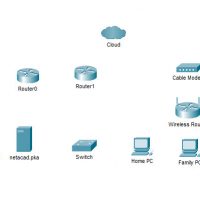
4.6.5 Packet Tracer - Connect a Wired and Wireless LAN (Instructor Version) Instructor Note: Red font color or gray highlights indicate text that appears in the instructor copy only. Addressing Table Device Interface IP Address Connects To Cloud Eth6 N/A F0/0 Coax7 N/A Port0 Cable Modem Port0 N/A …
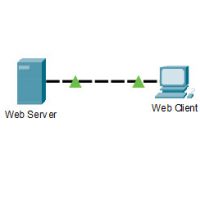
3.5.5 Packet Tracer - Investigate the TCP/IP and OSI Models in Action (Instructor Version) Instructor Note: Red font color or gray highlights indicate text that appears in the instructor copy only. Objectives Part 1: Examine HTTP Web Traffic Part 2: Display Elements of the TCP/IP Protocol Suite Background …
The ping command can be used to test connectivity to another device on the network or a website on the internet. Click Play in the figure to view a video demonstration using the ping command to test connectivity to a switch and to another PC. Follow Along in …
In the previous topic, you implemented basic connectivity by configuring IP addressing on switches and PCs. Then you verified your configurations and connectivity, because, what is the point of configuring a device if you do not verify that the configuration is working? You will continue this process in …
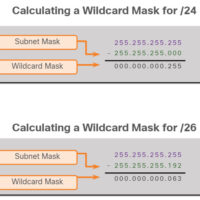
The Wildcard Mask The wildcard mask is typically the inverse of the subnet mask configured on that interface. In a subnet mask, binary 1 is equal to a match and binary 0 is not a match. In a wildcard mask, the reverse is true, as shown in here: …