5.0.1.2 Network Maintenance Development (Instructor Version) Instructor Note: Red font color or Gray highlights indicate text that appears in the instructor copy only. Objective Describe the different levels of router log messages. Instructor Note: This activity is best completed in groups of two to three students. Scenario Currently, …
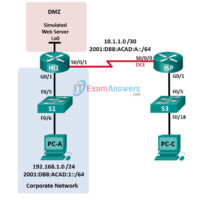
4.4.2.11 Lab - Troubleshooting ACL Configuration and Placement (Instructor Version) Instructor Note: Red font color or gray highlights indicate text that appears in the instructor copy only. Topology Addressing Table Device Interface IP Address Subnet Mask Default Gateway IPv6 Address / Prefix Link Local Address HQ G0/1 192.168.1.1 …
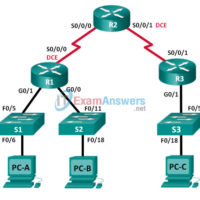
4.3.2.7 Lab - Configuring and Verifying IPv6 ACLs (Instructor Version) Instructor Note: Red font color or Gray highlights indicate text that appears in the instructor copy only. Topology Addressing Table Device Interface IP Address Default Gateway R1 G0/0 2001:DB8:ACAD:B::1/64 N/A G0/1 2001:DB8:ACAD:A::1/64 N/A S0/0/0 (DCE) 2001:DB8:AAAA:1::1/64 N/A R2 …
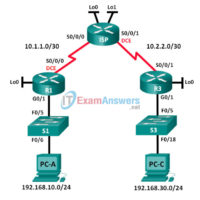
4.2.2.13 Lab - Configuring and Verifying Extended ACLs (Instructor Version) Instructor Note: Red font color or Gray highlights indicate text that appears in the instructor copy only. Topology Addressing Table Device Interface IP Address Subnet Mask Default Gateway R1 G0/1 192.168.10.1 255.255.255.0 N/A Lo0 192.168.20.1 255.255.255.0 N/A S0/0/0 …
3.6.1.3 Lab - Configure a Branch Connection (Instructor Version) Instructor Note: Red font color or gray highlights indicate text that appears in the instructor copy only. Topology Addressing Table Device Interface IP Address Subnet Mask R1 G0/0 192.168.1.1 255.255.255.0 G0/1 PPPoE Client Lo1 209.165.200.49 255.255.255.240 S0/0/0 (DCE) 209.165.200.81 …
3.6.1.1 Class Activity - VPN Planning Design (Instructor Version) Instructor Note: Red font color or gray highlights indicate text that appears in the instructor copy only. Objective Explain the use of VPNs in securing site-to-site connectivity in a small- to medium-sized business network. Instructor Note: This activity is …
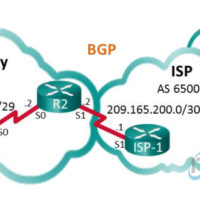
3.5.3.5 Lab - Configure and Verify eBGP (Instructor Version) Instructor Note: Red font color or gray highlights indicate text that appears in the instructor copy only. Topology Addressing Table Device Interface IP Address Subnet Mask R1 S0/0/0 (DCE) 198.133.219.1 255.255.255.248 R2 S0/0/0 198.133.219.2 255.255.255.248 S0/0/1 (DCE) 209.165.200.2 255.255.255.252 …
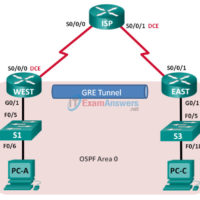
3.4.2.6 Lab - Configuring a Point-to-Point GRE VPN Tunnel (Instructor Version) Instructor Note: Red font color or gray highlights indicate text that appears in the instructor copy only. Topology Addressing Table Device Interface IP Address Subnet Mask Default Gateway WEST G0/1 172.16.1.1 255.255.255.0 N/A S0/0/0 (DCE) 10.1.1.1 255.255.255.252 …
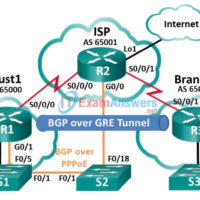
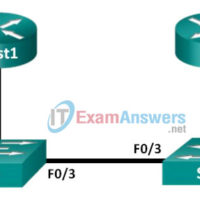
3.2.2.8 Lab - Troubleshoot PPPoE (Instructor Version) Instructor Note: Red font color or gray highlights indicate text that appears in the instructor copy only. Topology Addressing Table Device Interface IP Address Subnet Mask Default Gateway Cust1 G0/1 Learned via PPP Learned via PPP Learned via PPP ISP G0/1 …
3.2.2.7 Lab - Configuring a Router as a PPPoE Client for DSL Connectivity (Instructor Version) Instructor Note: Red font color or gray highlights indicate text that appears in the instructor copy only. Topology Addressing Table Device Interface IP Address Subnet Mask Default Gateway Cust1 G0/1 Learned via PPP …