Tag: Cisco IOS
10.6.12 Packet Tracer - Use TFTP and Flash to Manage Configuration Files - Physical Mode Answers Topology Addressing Table Device Interface IP Address Subnet Mask Default Gateway R1 G0/0/1 192.168.1.1 255.255.255.0 N/A S1 VLAN 1 192.168.1.11 255.255.255.0 192.168.1.1 Server1 F0 192.168.1.3 255.255.255.0 192.168.1.1 Objectives Part 1: Cable the …
1.6.2 Packet Tracer - Configure Basic Router Settings - Physical Mode Answers Topology Addressing Table Device Interface IP Address / Prefix Default Gateway R1 G0/0/0 192.168.0.1 /24 N/A 2001:db8:acad::1 /64 fe80::1 G0/0/1 192.168.1.1 /24 2001:db8:acad:1::1 /64 fe80::1 Loopback0 10.0.0.1 /24 2001:db8:acad:2::1 /64 fe80::1 PC-A NIC 192.168.1.10 /24 192.168.1.1 …
1.1.7 Packet Tracer - Basic Switch Configuration - Physical Mode Answers Topology Addressing Table Device Interface IP Address / Prefix S1 VLAN 99 192.168.1.2 /24 2001:db8:acad:1::2 /64 fe80::2 PC-A NIC 192.168.1.10 /24 2001:db8:acad:1::10 /64 Objectives Part 1: Cable the Network and Verify the Default Switch Configuration Part 2: …
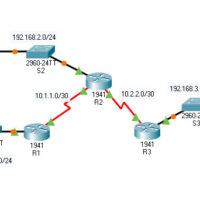
7.2.6 Packet Tracer - Configure Local AAA for Console and VTY Access Answers Version Topology Addressing Table Device Interface IP Address Subnet Mask Default Gateway Switch Port R1 G0/1 192.168.1.1 255.255.255.0 N/A S1 F0/1 S0/0/0 (DCE) 10.1.1.2 255.255.255.252 N/A N/A R2 G0/0 192.168.2.1 255.255.255.0 N/A S2 F0/2 S0/0/0 …
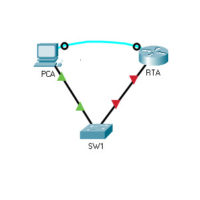
4.4.8 Packet Tracer - Configure Secure Passwords and SSH Answers Topology Addressing Table Device Interface IP Address Subnet Mask Default Gateway RTA G0/0/0 172.16.1.1 255.255.255.0 N/A PCA NIC 172.16.1.10 255.255.255.0 172.16.1.1 SW1 VLAN 1 172.16.1.2 255.255.255.0 172.16.1.1 Scenario The network administrator has asked you to prepare RTA and …
Lab - Research Password Recovery Procedures (Instructor Version) Objectives Part 1: Research the Configuration Register Identify the purpose of the configuration register. Describe router behavior for different configuration register values. Part 2: Document the Password Recovery Procedure for a Specific Cisco Router Research and record the process for …
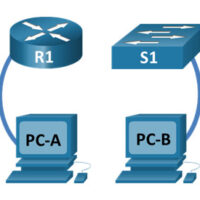
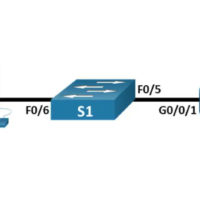
Lab - Initialize and Reload a Router and Switch (Instructor Version) Instructor Note: Red font color or gray highlights indicate text that appears in the instructor copy only. Topology Objectives Part 1: Set Up Devices in the Network as Shown in the Topology Part 2: Initialize the Router …
10.7.6 Packet Tracer - Use a TFTP Server to Upgrade a Cisco IOS Image (Instructor Version) Instructor Note: Red font color or gray highlights indicate text that appears in the instructor copy only. Addressing Table Device Interface IP Address Subnet Mask Default Gateway R1 G0/0/0 192.168.2.1 255.255.255.0 N/A …
16.5.2 Lab - Secure Network Devices Topology Addressing Table Device Interface IP Address Subnet Mask Default Gateway R1 G0/0/1 192.168.1.1 255.255.255.0 N/A S1 VLAN 1 192.168.1.11 255.255.255.0 192.168.1.1 PC-A NIC 192.168.1.3 255.255.255.0 192.168.1.1 Objectives Part 1: Configure Basic Device Settings Part 2: Configure Basic Security Measures on the …
2.3.8 Lab - Navigate the IOS by Using Tera Term for Console Connectivity Topology Objectives Part 1: Access a Cisco Switch through the Serial Console Port Part 2: Display and Configure Basic Device Settings Part 3: (Optional) Access a Cisco Router Using a Mini-USB Console Cable Note: NetLab …