Month: June 2022
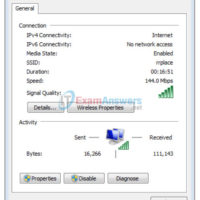
4.2.4.5 Lab - Viewing Wireless and Wired NIC Information (Instructor Version) Instructor Note: Red font color or gray highlights indicate text that appears in the instructor copy only. Objectives Part 1: Identify and Work with PC NICs Part 2: Identify and Use the System Tray Network Icons Background …
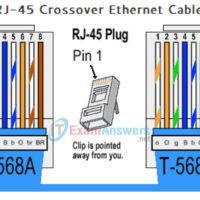
4.2.2.7 Lab - Building an Ethernet Crossover Cable (Instructor Version - Optional Lab) Instructor Note: Red font color or gray highlights indicate text that appears in the instructor copy only. Optional activities are designed to enhance understanding and/or to provide additional practice. Topology Addressing Table Device Interface IP …
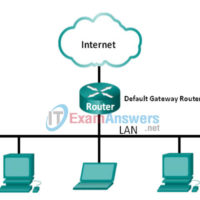
4.1.2.4 Lab A - Identifying Network Devices and Cabling (Instructor Version) Instructor Note: Red font color or gray highlights indicate text that appears in the instructor copy only. Objectives Part 1: Identify Network Devices Part 2: Identify Network Media Background / Scenario As a member of the networking …
4.0.1.2 Class Activity - Managing the Medium (Instructor Version - Optional Class Activity) Instructor Note: Red font color or gray highlights indicate text that appears in the instructor copy only. Optional activities are designed to enhance understanding and/or to provide additional practice. Objectives Describe the purpose and function …
3.4.1.3 Class Activity - Guaranteed to Work! (Instructor Version - Optional Class Activity) Instructor Note: Red font color or gray highlights indicate text that appears in the instructor copy only. Optional activities are designed to enhance understanding and/or to provide additional practice. Objectives Explain the role of protocols …
3.4.1.2 Lab - Using Wireshark to View Network Traffic (Instructor Version - Optional Lab) Instructor Note: Red font color or gray highlights indicate text that appears in the instructor copy only. Optional activities are designed to enhance understanding and/or to provide additional practice. Topology Objectives Part 1: Capture …
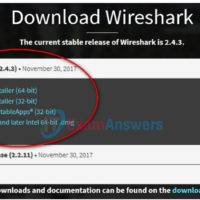
3.4.1.1 Lab - Installing Wireshark (Instructor Version - Optional Lab) Instructor Note: Red font color or gray highlights indicate text that appears in the instructor copy only. Optional activities are designed to enhance understanding or to provide additional practice or both. Objectives Download and Install Wireshark Background / …
3.2.3.4 Lab - Researching Networking Standards (Instructor Version - Optional Lab) Instructor Note: Red font color or gray highlights indicate text that appears in the instructor copy only. Optional activities are designed to enhance understanding and/or to provide additional practice. Objectives Part 1: Research Networking Standards Organizations Part …
3.0.1.2 Class Activity - Designing a Communications System (Instructor Version - Optional Class Activity) Instructor Note: Red font color or gray highlights indicate text that appears in the instructor copy only. Optional activities are designed to enhance understanding and/or to provide additional practice. Objectives Explain the role of …
2.4.1.1 Class Activity - Tutor me! (Instructor Version - Optional Class Activity) Instructor Note: Red font color or gray highlights indicate text that appears in the instructor copy only. Optional activities are designed to enhance understanding and/or to provide additional practice. Objectives Configure initial settings on a network …