Author: ITExamAnswers Editorial Team
The ITExamAnswers Editorial Team is a dedicated group of certified IT professionals and network engineers. We rigorously review, verify, and update all exam materials to ensure you receive the most accurate and reliable resources for your certification journey.
16.1.6 Lab - Hashing Things Out Answers version Objectives Part 1: Hashing a Text File with OpenSSL Part 2: Verifying Hashes Background / Scenario Hash functions are mathematical algorithms designed to take data as input and generate a fixed-size, unique string of characters, also known as the hash. …
15.4.5 Lab - Explore Encryption Methods Answers version Objectives Part 1: Decipher a Pre-Encrypted Message Using the Vigenère Cipher Use an encrypted message, a cipher key, and the Vigenère cipher square to decipher the message. Part 2: Create a Vigenère Cipher Encrypted Message and Decrypt It Work with …
15.0.3 Lab - Creating Codes Answers Objectives In this lab, you will create and encrypt messages using online tools. Part 1: Search for an online encoding and decoding tool. Part 2: Encrypt a message and email it to your lab partner. Part 3: Decrypt the ciphertext. Background / …
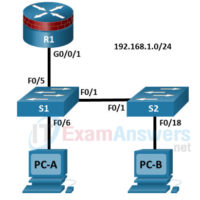
14.9.9 Lab - Configure STP Security Answers version Objectives Part 1: Configure Basic Switch Settings Build the topology. Configure the hostname, IP address, and access passwords. Part 2: Configure Secure Trunks Ports Configure trunk port mode. Change the native VLAN for trunk ports. Verify trunk configuration. Disable trunking. …
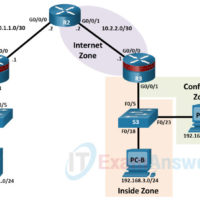
10.3.12 Lab - Configure ZPFs Answers Version Device Interface IP Address Subnet Mask Default Gateway Switch Port R1 G0/0/0 10.1.1.1 255.255.255.252 N/A N/A R1 G0/0/1 192.168.1.1 255.255.255.0 N/A S1 F0/5 R2 G0/0/0 10.1.1.2 255.255.255.252 N/A N/A R2 G0/0/1 10.2.2.2 255.255.255.252 N/A N/A R3 G0/0/0 10.2.2.1 255.255.255.252 N/A N/A …
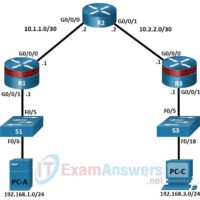
7.4.8 Lab - Configure Server-Based Authentication with RADIUS Answers Addressing Table Device Interface IP Address Subnet Mask Default Gateway Switch Port R1 G0/0/0 10.1.1.1 255.255.255.252 N/A N/A R1 G0/0/1 192.168.1.1 255.255.255.0 N/A S1 F0/5 R2 G0/0/0 10.1.1.2 255.255.255.252 N/A N/A R2 G0/0/1 10.2.2.2 255.255.255.252 N/A N/A R3 G0/0/0 …
7.4.7 Lab - Install the Virtual Machine Answers version Objectives Part 1: Prepare a Personal Computer for Virtualization Part 2: Import a Virtual Machine into VirtualBox Inventory Background / Scenario Computing power and resources have increased tremendously over the last 10 years. A benefit of having multicore processors …
7.2.5 Lab - Configure Local AAA Authentication Answers version Addressing Table Device Interface IP Address Subnet Mask Default Gateway Switch Port R1 G0/0/0 10.1.1.1 255.255.255.252 N/A N/A G0/0/1 192.168.1.1 255.255.255.0 N/A S1 F0/5 R2 G0/0/0 10.1.1.2 255.255.255.252 N/A N/A G0/0/1 10.2.2.2 255.255.255.252 N/A N/A R3 G0/0/0 10.2.2.1 255.255.255.252 …
6.7.11 Lab - Configure Cisco IOS Resilience Management and Reporting Answers version Addressing Table Device Interface IP Address Subnet Mask Default Gateway Switch Port R1 G0/0/0 10.1.1.1 255.255.255.252 N/A N/A G0/0/1 192.168.1.1 255.255.255.0 N/A S1 F0/5 R2 G0/0/0 10.1.1.2 255.255.255.252 N/A N/A G0/0/1 10.2.2.2 255.255.255.252 N/A N/A R3 …
6.3.6 Lab - Basic Device Configuration and OSPF Authentication Answers version Addressing Table Device Interface IP Address Subnet Mask Default Gateway Switch Port R1 G0/0/0 10.1.1.1 255.255.255.252 N/A N/A G0/0/1 192.168.1.1 255.255.255.0 N/A S1 F0/5 R2 G0/0/0 10.1.1.2 255.255.255.252 N/A N/A G0/0/1 10.2.2.2 255.255.255.252 N/A N/A R3 G0/0/0 …