Author: ITExamAnswers Editorial Team
The ITExamAnswers Editorial Team is a dedicated group of certified IT professionals and network engineers. We rigorously review, verify, and update all exam materials to ensure you receive the most accurate and reliable resources for your certification journey.
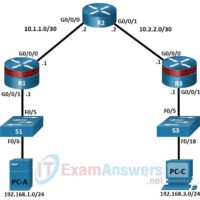
6.2.7 Lab - Configure Automated Security Features Answers version Topology Addressing Table Device Interface IP Address Subnet Mask Default Gateway Switch Port R1 G0/0/0 10.1.1.1 255.255.255.252 N/A N/A G0/0/1 192.168.1.1 255.255.255.0 N/A S1 F0/5 R2 G0/0/0 10.1.1.2 255.255.255.252 N/A N/A G0/0/1 10.2.2.2 255.255.255.252 N/A N/A R3 G0/0/0 10.2.2.1 …
5.2.5 Lab - Configure Administrative Roles Answers version Topology Addressing Table Device Interface IP Address Subnet Mask Default Gateway Switch Port R1 G0/0/0 10.1.1.1 255.255.255.252 N/A N/A G0/0/1 192.168.1.1 255.255.255.0 N/A S1 F0/5 R2 G0/0/0 10.1.1.2 255.255.255.252 N/A N/A G0/0/1 10.2.2.2 255.255.255.252 N/A N/A R3 G0/0/0 10.2.2.1 255.255.255.252 …
4.4.9 Lab - Configure Network Devices with SSH Answers Version Topology Addressing Table Device Interface IP Address Subnet Mask Default Gateway R1 G0/0/1 192.168.1.1 255.255.255.0 N/A S1 VLAN 1 192.168.1.11 255.255.255.0 192.168.1.1 PC-A NIC 192.168.1.254 255.255.255.0 192.168.1.1 Objectives Part 1: Configure Basic Device Settings Part 2: Configure the …
4.4.7 Lab - Configure Secure Administrative Access Answers version Addressing Table Device Interface IP Address Subnet Mask Default Gateway Switch Port R1 G0/0/0 10.1.1.1 255.255.255.252 N/A N/A G0/0/1 192.168.1.1 255.255.255.0 N/A S1 F0/5 R2 G0/0/0 10.1.1.2 255.255.255.252 N/A N/A G0/0/1 10.2.2.2 255.255.255.252 N/A N/A R3 G0/0/0 10.2.2.1 255.255.255.252 …
2.4.8 Lab - Social Engineering Answers Objectives Research and identify social engineering attacks Background / Scenario Social engineering is an attack with the goal of getting a victim to enter personal or sensitive information, this type of attack can be performed by an attacker utilizing a keylogger, phishing …
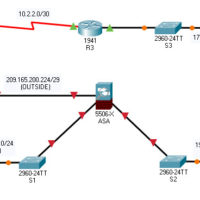
21.7.5 Packet Tracer - Configure ASA Basic Settings and Firewall Using the CLI Answers version Topology Addressing Table Device Interface IP Address Subnet Mask Default Gateway R1 G0/0 209.165.200.225 255.255.255.248 N/A S0/0/0 (DCE) 10.1.1.1 255.255.255.252 R2 S0/0/0 10.1.1.2 255.255.255.252 N/A S0/0/1 (DCE) 10.2.2.2 255.255.255.252 R3 G0/1 172.16.3.1 255.255.255.0 …
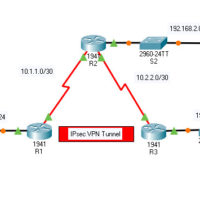
19.5.5 Packet Tracer - Configure and Verify a Site-to-Site IPsec VPN Answers Version Topology Addressing Table Device Interface IP Address Subnet Mask Default Gateway Switch Port R1 G0/0 192.168.1.1 255.255.255.0 N/A S1 F0/1 S0/0/0 (DCE) 10.1.1.2 255.255.255.252 N/A N/A R2 G0/0 192.168.2.1 255.255.255.0 N/A S2 F0/2 S0/0/0 10.1.1.1 …
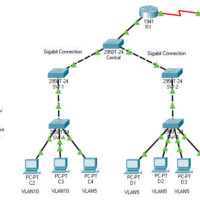
14.9.11 Packet Tracer - Layer 2 VLAN Security Answers Version Topology Objectives Connect a new redundant link between switches. Enable trunking and configure security on the new trunk link between switches. Create a new management VLAN and attach a management PC to that VLAN. Implement an ACL to …
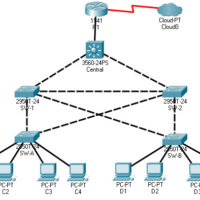
14.9.10 Packet Tracer - Implement STP Security Answers Version Topology Objectives Assign the Central switch as the root bridge. Secure spanning-tree parameters to prevent STP manipulation attacks. Background / Scenario There have been a number of attacks on the network recently. For this reason, the network administrator has …
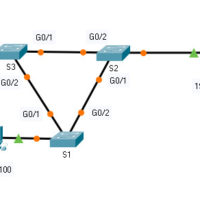
14.8.10 Packet Tracer - Investigate STP Loop Prevention Answers Topology Objectives In this lab, you will observe spanning-tree port states and watch the spanning-tree convergence process. Describe the operation of Spanning Tree Protocol. Explain how Spanning Tree Protocol prevents switching loops while allowing redundancy in switched networks. Background …