Author: ITExamAnswers Editorial Team
The ITExamAnswers Editorial Team is a dedicated group of certified IT professionals and network engineers. We rigorously review, verify, and update all exam materials to ensure you receive the most accurate and reliable resources for your certification journey.
26.2.3 Packet Tracer - Configure IP ACLs to Mitigate Attacks (Answers) Topology Addressing Table Device Interface IP Address Subnet Mask Default Gateway Switch Port R1 G0/1 192.168.1.1 255.255.255.0 N/A S1 F0/5 S0/0/0 10.1.1.1 255.255.255.252 N/A R2 S0/0/0 10.1.1.2 255.255.255.252 N/A N/A S0/0/1 10.2.2.2 255.255.255.252 G0/0 209.165.200.225 255.255.255.224 Lo0 …
26.2.2 Packet Tracer - Configure Extended IPv4 ACLs - Scenario 2 (Answers) Topology Addressing Table Device Interface IP Address Subnet Mask Default Gateway RT1 G0/0 172.31.1.126 255.255.255.224 N/A S0/0/0 209.165.1.2 255.255.255.252 PC1 NIC 172.31.1.101 255.255.255.224 172.31.1.126 PC2 NIC 172.31.1.102 255.255.255.224 172.31.1.126 PC3 NIC 172.31.1.103 255.255.255.224 172.31.1.126 Server1 NIC …
26.2.1 Packet Tracer - Configure Extended IPv4 ACLs - Scenario 1 (Answers) Topology Addressing Table Device Interface IP Address Subnet Mask Default Gateway R1 G0/0 172.22.34.65 255.255.255.224 N/A G0/1 172.22.34.97 255.255.255.240 G0/2 172.22.34.1 255.255.255.192 Server NIC 172.22.34.62 255.255.255.192 172.22.34.1 PC1 NIC 172.22.34.66 255.255.255.224 172.22.34.65 PC2 NIC 172.22.34.98 255.255.255.240 …
24.2.2 Packet Tracer - Logging from Multiple Sources (Answers) Topology Objectives Part 1: Use syslog to capture log files from multiple network devices Part 2: Observe AAA user access logging Part 3: Observe NetFlow information Background / Scenario In this activity, you will use Packet Tracer to view …
24.2.1 Packet Tracer - Configure Syslog and NTP (Answers) Topology Objectives Part 1: Configure Syslog Service Part 2: Generate Logged Events Part 3: Manually Set Switch Clocks Part 4: Configure NTP Service Part 5: Verify Timestamped Logs Scenario In this activity, you will enable and use the Syslog …
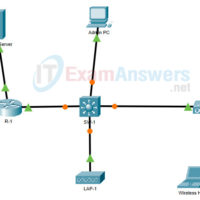
21.2.1 Packet Tracer - Troubleshoot WLAN Issues (Answers) Topology Addressing Table Device Interface IP Address Home Wireless Router Internet DHCP LAN 192.168.0.1 R1 G0/0/0.10 192.168.10.1/24 G0/0/0.20 192.168.20.1/24 G0/0/0.200 192.168.200.1/24 G0/0/1 172.31.1.1/24 SW1 VLAN 200 192.168.200.100/24 LAP-1 G0 DHCP WLC-1 Management 192.168.200.254/24 RADIUS Server NIC 172.31.1.254/24 Admin PC NIC …
20.2.2 Packet Tracer - Configure a WPA2 Enterprise WLAN on the WLC (Answers) Topology Addressing Table Device Interface IP Address R1 G0/0/0.5 192.168.5.1/24 G0/0/0.200 192.168.200.1/24 G0/0/1 172.31.1.1/24 SW1 VLAN 200 192.168.200.100/24 LAP-1 G0 DHCP WLC-1 Management 192.168.200.254/24 RADIUS/SNMP Server NIC 172.31.1.254/24 Admin PC NIC 192.168.200.200/24 Objectives In this …
20.2.1 Packet Tracer - Configure a Basic WLAN on the WLC (Answers) Topology Addressing Table Device Interface IP Address R-1 G/0/0 172.31.1.1/24 G0/0/1.5 192.168.5.1/24 G0/0/1.200 192.168.200.1/24 SW-1 VLAN 200 192.168.200.100/24 LAP-1 G0 DHCP WLC-1 Management 192.168.200.254/24 Server NIC 172.31.1.254/24 Admin PC NIC 192.168.200.200/24 Wireless Host Wireless NIC DHCP …
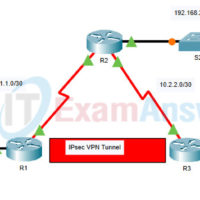
16.2.2 Packet Tracer - Configure and Verify a Site-to-Site IPsec VPN Using CLI (Answers) Topology Addressing Table Device Interface IP Address Subnet Mask Default Gateway Switch Port R1 G0/0 192.168.1.1 255.255.255.0 N/A S1 F0/1 S0/0/0 (DCE) 10.1.1.2 255.255.255.252 N/A R2 G0/0 192.168.2.1 255.255.255.0 N/A S2 F0/2 S0/0/0 10.1.1.1 …
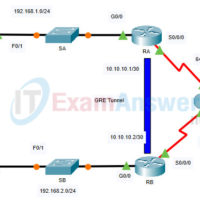
16.2.1 Packet Tracer - Configure GRE (Answers) Topology Addressing Table Device Interface IP Address Subnet Mask Default Gateway RA G0/0 192.168.1.1 255.255.255.0 N/A S0/0/0 64.103.211.2 255.255.255.252 Tunnel 0 10.10.10.1 255.255.255.252 RB G0/0 192.168.2.1 255.255.255.0 N/A S0/0/0 209.165.122.2 255.255.255.252 Tunnel 0 10.10.10.2 255.255.255.252 PCA NIC 192.168.1.2 255.255.255.0 192.168.1.1 PCB …