Author: ITExamAnswers Editorial Team
The ITExamAnswers Editorial Team is a dedicated group of certified IT professionals and network engineers. We rigorously review, verify, and update all exam materials to ensure you receive the most accurate and reliable resources for your certification journey.
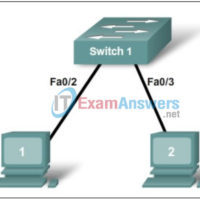
Lab 11.5.3 - Configure Host Computers for IP Networking (Answers) Topology Diagram Learning Objectives Upon completion of this lab, you will be able to: Design the logical lab topology. Configure the physical lab topology. Configure the logical LAN topology. Verify LAN connectivity. Background Table 1. Equipment and Hardware …
Lab 11.5.2 - Managing Device Configuration (Answers) Topology Diagram Learning Objectives Configure network connectivity. Use TFTP to save and restore a Cisco IOS configuration. Background Table 1. Equipment and hardware required for this lab. Hardware Qty Description Cisco Router 1 Part of CCNA Lab bundle. Computer (host) 1 …
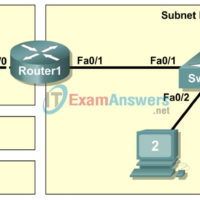
Lab 11.5.1 - Basic Cisco Device Configuration (Answers) Topology Diagram Learning Objectives Configure Cisco router global configuration settings. Configure Cisco router password access. Configure Cisco router interfaces. Save the router configuration file. Configure a Cisco switch. Background Table 1. Equipment and hardware required for this lab. Hardware Qty …
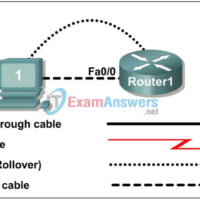
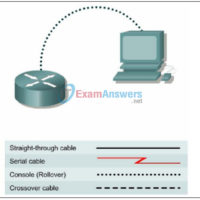
Lab 10.6.3 - Establishing a Console Session with Minicom (Answers) Topology Diagram Learning Objectives Upon completion of this lab, you will be able to: Connect a router and computer using a console cable. Configure Minicom to establish a console session with the router. Perform basic commands. Background Minicom …
Lab 10.6.2 - Establishing a Console Session with HyperTerminal (Answers) Topology Diagram Learning Objectives Upon completion of this lab, you will be able to: Connect a router and computer using a console cable. Configure HyperTerminal to establish a console session with a Cisco IOS router. Configure HyperTerminal to …
Lab 10.6.1 - Creating a Small Lab Topology (Answers) Topology Diagram Learning Objectives Upon completion of this lab, you will be able to: Design the logical network. Configure the physical lab topology. Configure the logical LAN topology. Verify LAN connectivity. Background Table 1. Equipment and Hardware for Lab …
Lab 10.3.2 - How Many Networks? (Answers) Learning Objectives Upon completion of this lab, you will be able to: Determine the number of subnets. Design an appropriate addressing scheme. Assign addresses and subnet mask pairs to device interfaces. Examine the use of the available network address space. Scenario …
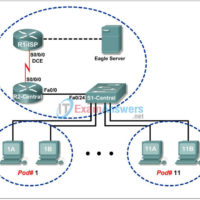
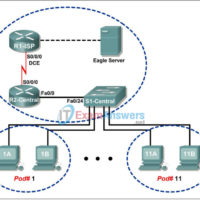
Lab 9.8.3 - Intermediary Device as an End Device (Answers) Topology Diagram Addressing Table Device Interface IP Address Subnet Mask Default Gateway R1-ISP S0/0/0 10.10.10.6 255.255.255.252 N/A Fa0/0 192.168.254.253 255.255.255.0 N/A R2-Central S0/0/0 10.10.10.5 255.255.255.252 N/A Fa0/0 172.16.255.254 255.255.0.0 N/A Eagle Server N/A 192.168.254.254 255.255.255.0 192.168.254.253 N/A 172.31.24.254 …
Lab 9.8.2 - Cisco Switch MAC Table Examination (Answers) Topology Diagram Addressing Table Device Interface IP Address Subnet Mask Default Gateway R1-ISP S0/0/0 10.10.10.6 255.255.255.252 N/A Fa0/0 192.168.254.253 255.255.255.0 N/A R2-Central S0/0/0 10.10.10.5 255.255.255.252 N/A Fa0/0 172.16.255.254 255.255.0.0 N/A Eagle Server N/A 192.168.254.254 255.255.255.0 192.168.254.253 N/A 172.31.24.254 255.255.255.0 …
Lab 9.8.1 - Address Resolution Protocol (ARP) (Answers) Topology Diagram Addressing Table Device Interface IP Address Subnet Mask Default Gateway R1-ISP S0/0/0 10.10.10.6 255.255.255.252 N/A Fa0/0 192.168.254.253 255.255.255.0 N/A R2-Central S0/0/0 10.10.10.5 255.255.255.252 N/A Fa0/0 172.16.255.254 255.255.0.0 N/A Eagle Server N/A 192.168.254.254 255.255.255.0 192.168.254.253 N/A 172.31.24.254 255.255.255.0 N/A …