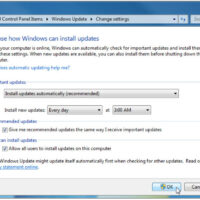
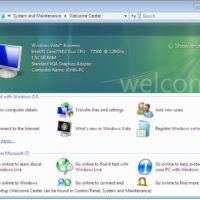
5.2.1.10 Lab - Check for Updates in Windows 7 and Vista (Answers) Introduction In this lab, you will configure the operating system so you can select which updates are installed and then change the settings so updates are downloaded and installed automatically. Recommended Equipment The following equipment is …
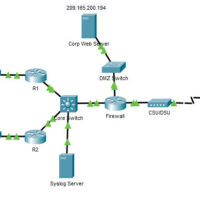
25.3.11 Packet Tracer - Logging from Multiple Sources (Answers) Instructor Note: Red font color or gray highlights indicate text that appears in the Instructor copy only. Topology Objectives Part 1: Use syslog to capture log files from multiple network devices Part 2: Observe AAA user access logging Part …
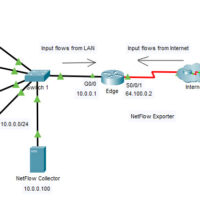
25.3.10 Packet Tracer - Explore a NetFlow Implementation (Answers) Instructor Note: Red font color or gray highlights indicate text that appears in the Instructor copy only. Topology Objectives Part 1: Observe NetFlow Flow Records - One Direction Part 2: Observe NetFlow Records for a Session that Enters and …
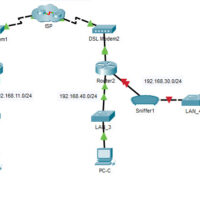
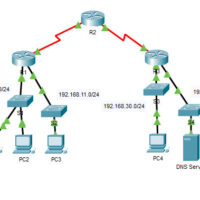
15.2.7 Packet Tracer - Logging Network Activity (Answers) Instructor Note: Red font color or gray highlights indicate text that appears in the Instructor copy only. Topology Addressing Table Device Private IP Address Public IP Address FTP_Server 192.168.30.253 209.165.200.227 SYSLOG_SERVER 192.168.11.254 209.165.200.229 Router2 N/A 209.165.200.226 Objectives Part 1: Create …
12.3.4 Packet Tracer - Access Control List Demonstration (Answers) Instructor Note: Red font color or gray highlights indicate text that appears in the Instructor copy only. Topology Objectives Part 1: Verify Local Connectivity and Test Access Control List Part 2: Remove Access Control List and Repeat Test Background …
5.2.1.7 Lab - Install Windows 8 (Answers) Introduction In this lab, you will install Windows 8.1 and 8.0. Recommended Equipment A computer with a blank hard disk drive Windows 8.1 and 8.0 installation DVD or USB flash drive Step 1: Starting the Installation Media a. Insert the Windows …
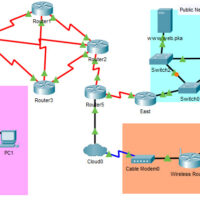
12.1.9 Packet Tracer - Identify Packet Flow (Answers) Instructor Note: Red font color or gray highlights indicate text that appears in the Instructor copy only. Topology: Objectives In this activity, you will observe packet flow in a LAN and WAN topology. You will also observe how the packet …
5.2.1.7 Lab - Install Windows 7 or Vista (Answers) Introduction In this lab, you will install the Windows 7 or Vista operating system. Recommended Equipment A computer with a blank hard disk drive Windows 7 or Vista installation DVD or USB flash drive Part 1: Windows 7 Installation …
5.1.4.4 Lab – Data Migration in Windows (Answers) Introduction When a new computer is purchased or a new operating system is installed, it is often desirable to migrate a user’s data to the new computer or OS. Windows has a built-in tool called Windows Easy Transfer that allows …
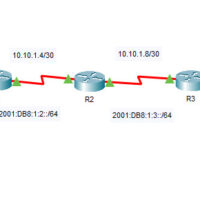
7.2.8 Packet Tracer - Verify IPv4 and IPv6 Addressing (Answers) Instructor Note: Red font color or gray highlights indicate text that appears in the Instructor copy only. Topology: Addressing Table Device Interface IP Address / Prefix Default Gateway R1 G0/0 10.10.1.97 255.255.255.224 N/A R1 G0/0 2001:db8:1:1::1/64 N/A R1 …