11.6.6 Lab - Calculate IPv4 Subnets Objectives Part 1: Determine IPv4 Address Subnetting Part 2: Calculate IPv4 Address Subnetting Background / Scenario The ability to work with IPv4 subnets and determine network and host information based on a given IP address and subnet mask is critical to understanding …
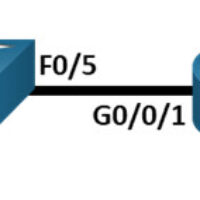
10.4.4 Lab - Build a Switch and Router Network Topology Addressing Table Device Interface IP Address / Prefix Default Gateway R1 G0/0/0 192.168.0.1 /24 N/A 2001:db8:acad::1/64 fe80::1 G0/0/1 192.168.1.1 /24 N/A 200:db8:acad:1::1/64 fe80::1 S1 VLAN 1 192.168.1.2 /24 192.168.1.1 PC-A NIC 192.168.1.3 /24 192.168.1.1 2001:db8:acad:1::3/64 fe80::1 PC-B NIC …
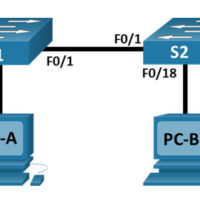
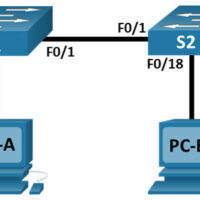
7.3.7 Lab - View the Switch MAC Address Table Topology Addressing Table Device Interface IP Address Subnet Mask S1 VLAN 1 192.168.1.11 255.255.255.0 S2 VLAN 1 192.168.1.12 255.255.255.0 PC-A NIC 192.168.1.1 255.255.255.0 PC-B NIC 192.168.1.2 255.255.255.0 Objectives Part 1: Build and Configure the Network Part 2: Examine the …
7.2.7 Lab - View Network Device MAC Addresses Topology Addressing Table Device Interface IP Address Subnet Mask Default Gateway S1 VLAN 1 192.168.1.2 255.255.255.0 N/A PC-A NIC 192.168.1.3 255.255.255.0 192.168.1.1 Objectives Part 1: Configure Devices and Verify Connectivity Part 2: Display, Describe, and Analyze Ethernet MAC Addresses Background …
7.1.6 Lab - Use Wireshark to Examine Ethernet Frames Topology Objectives Part 1: Examine the Header Fields in an Ethernet II Frame Part 2: Use Wireshark to Capture and Analyze Ethernet Frames Background / Scenario When upper layer protocols communicate with each other, data flows down the Open …
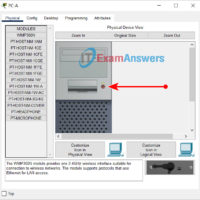
4.6.6 Lab - View Wired and Wireless NIC Information Objectives Part 1: Identify and Work with PC NICs Part 2: Identify and Use the System Tray Network Icons Background / Scenario This lab requires you to determine the availability and status of the network interface cards (NICs) on …
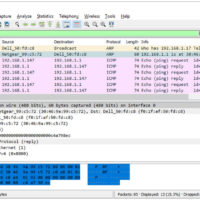
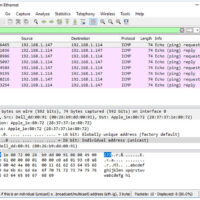
3.7.10 Lab - Use Wireshark to View Network Traffic Topology Objectives Part 1: Capture and Analyze Local ICMP Data in Wireshark Part 2: Capture and Analyze Remote ICMP Data in Wireshark Background / Scenario Wireshark is a software protocol analyzer, or "packet sniffer" application, used for network troubleshooting, …
3.7.9 Lab - Install Wireshark Objectives Download and Install Wireshark Background / Scenario Wireshark is a software protocol analyzer, or "packet sniffer" application, used for network troubleshooting, analysis, software and protocol development, and education. As data streams travel back and forth over the network, the sniffer "captures" each …
3.4.4 Lab - Research Networking Standards Objectives Research Networking Standards Organizations Reflect on Internet and Computer Networking Experiences Background / Scenario Using web search engines like Google, research the non-profit organizations that are responsible for establishing international standards for the internet and the development of internet technologies. Required …
2.9.2 Lab - Basic Switch and End Device Configuration Topology Addressing Table Device Interface IP Address Subnet Mask S1 VLAN 1 192.168.1.1 255.255.255.0 S2 VLAN 1 192.168.1.2 255.255.255.0 PC-A NIC 192.168.1.10 255.255.255.0 PC-B NIC 192.168.1.11 255.255.255.0 Objectives Set Up the Network Topology Configure PC Hosts Configure and Verify …