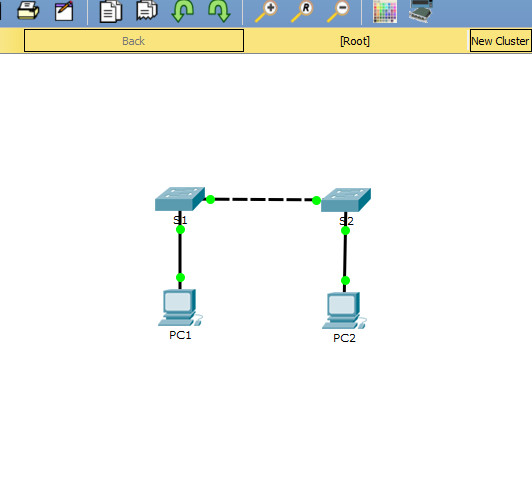
1.4.9 Lab - Verify Address with a Subnet Calculator
Objectives
Subnet calculators can be helpful in providing information about a specific network or subnet. Typically, a subnet calculator will ask for a specific IPv4 or IPv6 address along with its subnet mask or prefix length. It will then calculate the address ranges for the full range of subnetworks specified.
In this activity, you will determine the IPv4 address and subnet mask of your device and use an online subnet calculator to determine the IPv4 network address.
Instructions
Part 1: Determine Your Device’s IPv4 Address and Subnet Mask
Depending on your device’s operating system (computer or mobile phone), use the proper command to determine the following:
- IPv4 address
- Subnet mask
Record IPv4 address and subnet mask for your device.
Part 2: Search for an Online Subnet Calculator
a. Using your web browser, search for IP subnet calculator to get a list of various IP subnet calculators.
b. Choose an IP subnet calculator from the web search results.
Part 3: Enter the IPv4 Address and Subnet Mask
In the appropriate area, enter your device’s IPv4 address and subnet mask. Perform the calculation to determine the IPv4 network address.
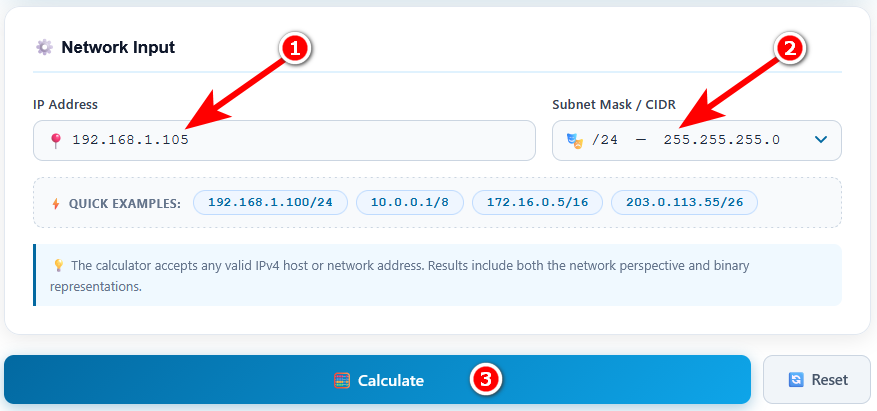
Part 4: Examine the IPv4 Network Address
The actual information provided will vary but the most common information includes:
- Network address
- Range of host addresses
- Broadcast address
- Number of usable hosts
The IPv4 network address displayed is the network address of your device. If the output includes a range of host addresses, the address of your device should be within that range.
This information can be useful in verifying:
- If the device in question is on the same network as its default gateway.
- If two devices are on different networks, and therefore, proper routing must be utilized for reachability.
Note: Many of these subnet calculators will also give the address class; Class A, B or C. It is important to note that this information is no longer relevant. Classful addressing was discontinued with the introduction of Classless Inter-Domain Routing (CIDR) in 1993.
Using the information from the results, answer the following questions:
Note: The answers below are based on the example used in this lab (IPv4 address 192.168.1.105 with subnet mask 255.255.255.0 or /24). Your own results will be different if your device has a different IPv4 address or subnet mask.
What is your network address?
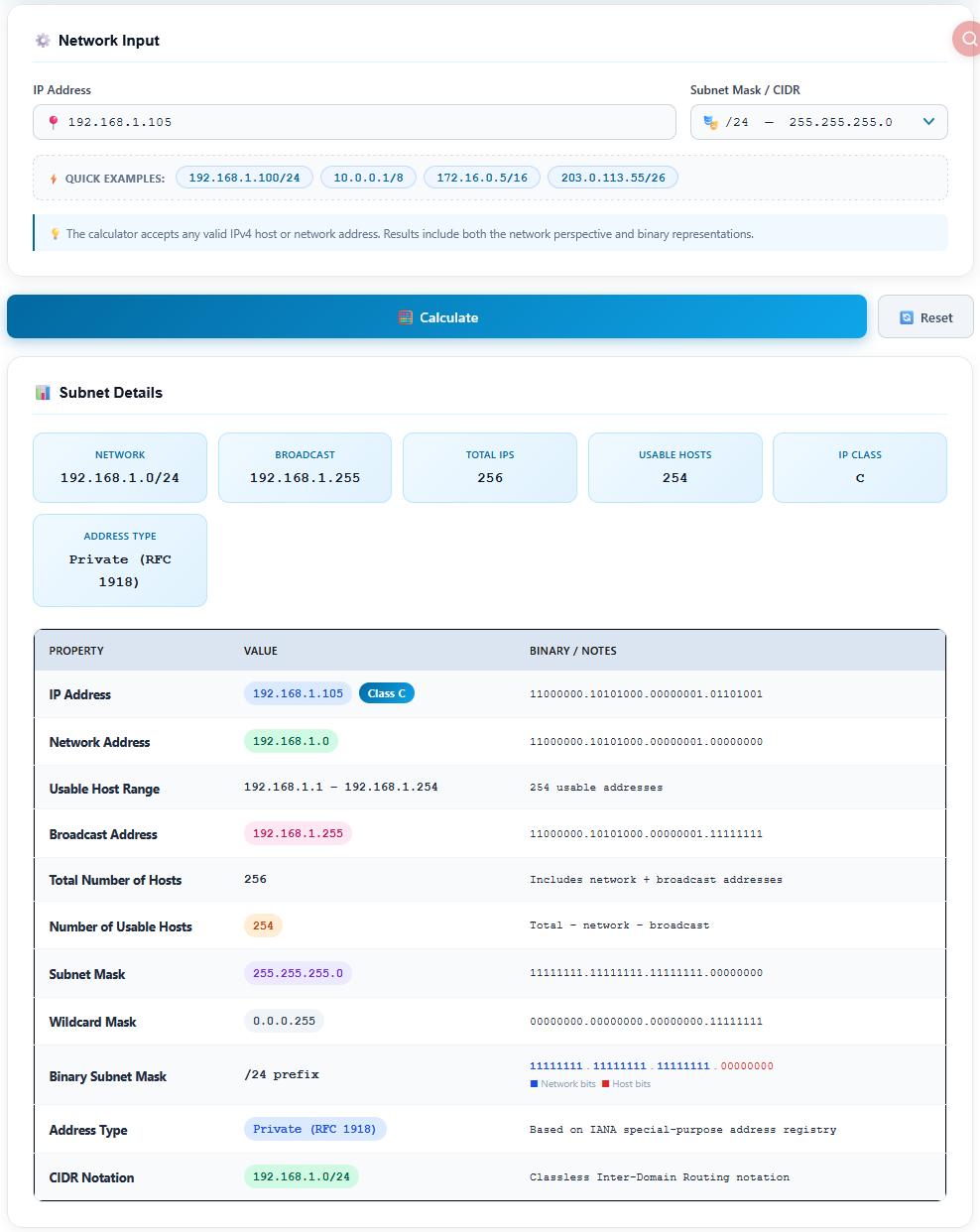
Answer: 192.168.1.0 (written as 192.168.1.0/24 in CIDR notation)
Explanation: The subnet mask /24 means the first 24 bits (the first three octets) are the network portion, and the last 8 bits are the host portion. The network address is found by setting all host bits to 0:
IP address:      11000000.10101000.00000001.01101001  (192.168.1.105)
Subnet mask:     11111111.11111111.11111111.00000000  (255.255.255.0)
Network address: 11000000.10101000.00000001.00000000  (192.168.1.0)
What is the range of host addresses?
Answer: 192.168.1.1 – 192.168.1.254
Explanation: The first address in the subnet (.0) is reserved as the network address, and the last address (.255) is reserved as the broadcast address. All addresses in between can be assigned to hosts. The example device address 192.168.1.105 is within this range, as expected.
What is the broadcast address?
Answer: 192.168.1.255
Explanation: The broadcast address is found by setting all host bits to 1 (11000000.10101000.00000001.11111111). A packet sent to this address is delivered to every host in the 192.168.1.0/24 network.
What is the number of usable hosts?
Answer: 254
Explanation: A /24 subnet has 8 host bits, which gives 28 = 256 total addresses. Subtract 2 reserved addresses (the network address and the broadcast address): 256 − 2 = 254 usable host addresses.
Quick formula: Usable hosts = 2n − 2, where n is the number of host bits (32 − prefix length).
Verification: In this example, the default gateway 192.168.1.1 is also within the host range 192.168.1.1 – 192.168.1.254. This confirms that the device and its default gateway are on the same network, so the device can send traffic to other networks through the gateway. If the default gateway were outside this range, the device would not be able to reach remote networks.
Note about “IP Class”: The calculator also shows that 192.168.1.105 is a Class C address. As mentioned in this lab, this information is for reference only. Classful addressing is no longer used; modern networks use CIDR, where the prefix length (such as /24) defines the network portion, not the address class.