Month: January 2017
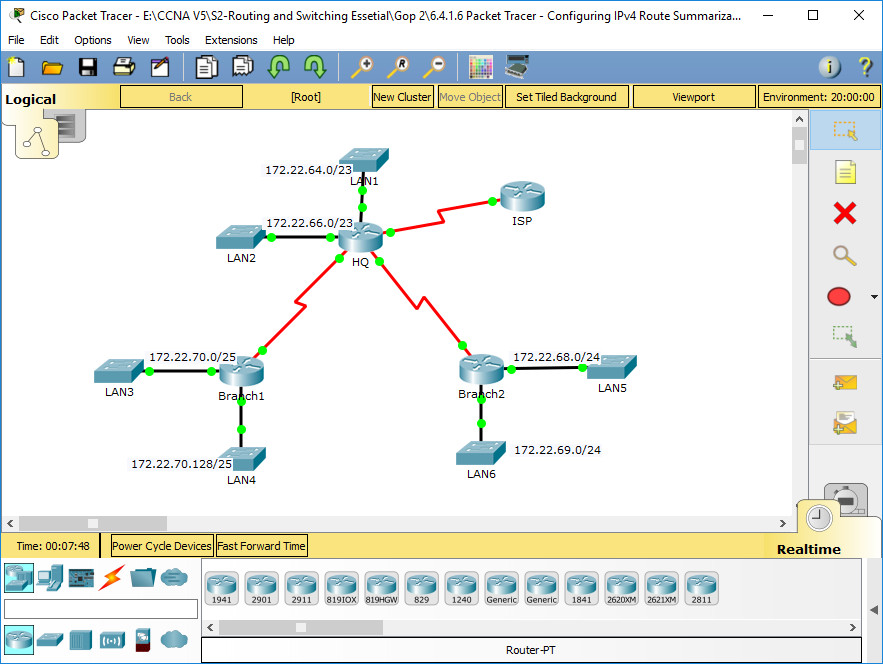
Packet Tracer - Configuring IPv4 Route Summarization - Scenario 2 Addressing Table Objectives Part 1: Calculate Summary Routes Part 2: Configure Summary Routes Part 3: Verify Connectivity Background h4> In this activity, you will calculate and configure summary routes. Route summarization, also known as route aggregation is the …
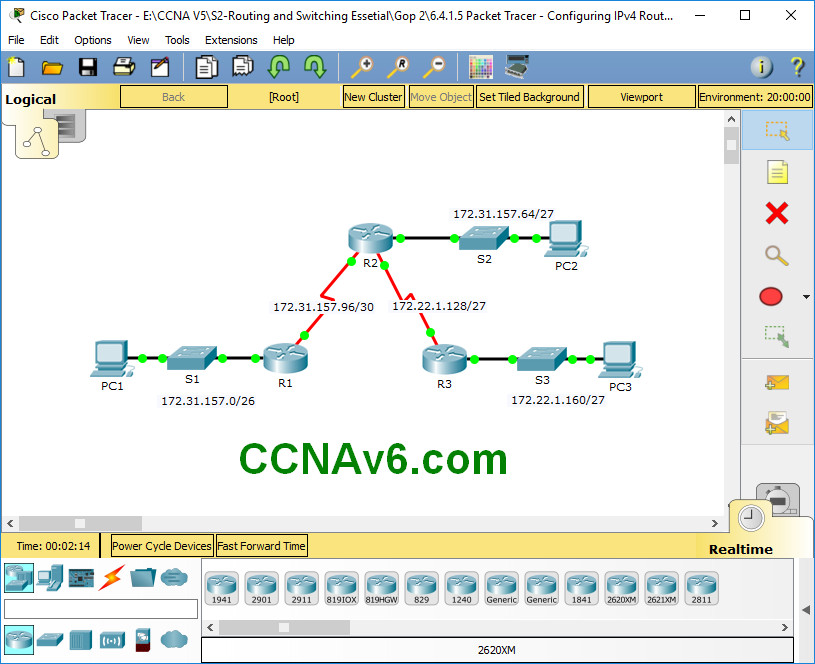
Packet Tracer - Configuring IPv4 Route Summarization - Scenario 1 Addressing Table Objectives Part 1: Calculate Summary Routes Part 2: Configure Summary Routes Part 3: Verify Connectivity Background In this activity, you will calculate and configure summary routes. Router summarization, also known as route aggregation, is the process …
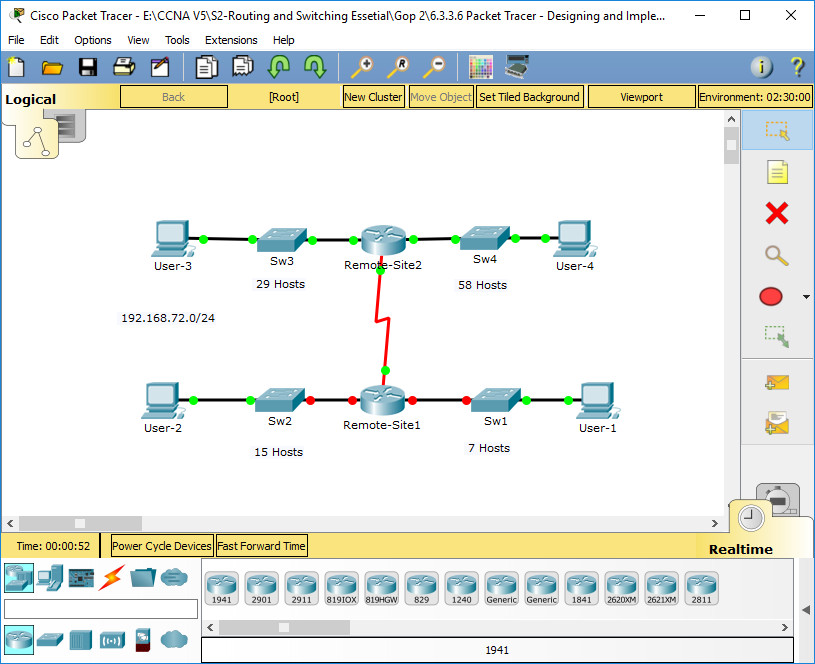
6.3.3.6 Packet Tracer - Designing and Implementing a VLSM Addressing Scheme Addressing Table Objectives Part 1: Examine the Network Requirements Part 2: Design the VLSM Addressing Scheme Part 3: Assign IP Addresses to Devices and Verify Connectivity Background In this activity, you are given a /24 network address …
1. Which technology supports the stateless assignment of IPv6 addresses? A. DNS B. DHCPv6 C. DHCP D. autoconfiguration Correct Answer: BD 2. What are two requirements for an HSRP group? (Choose two.) A. exactly one active router B. one or more standby routers C. one or more backup …
2.2.4.4 Packet Tracer - Configuring IPv6 Static and Default Routes (Instructor Version) Instructor Note: Red font color or Gray highlights indicate text that appears in the instructor copy only. Topology IPv6 Addressing Table Device Interface IPv6 Address/Prefix Default Gateway R1 G0/0 2001:DB8:1:1::1/64 N/A S0/0/0 2001:DB8:1:A001::1/64 N/A R2 G0/0 …
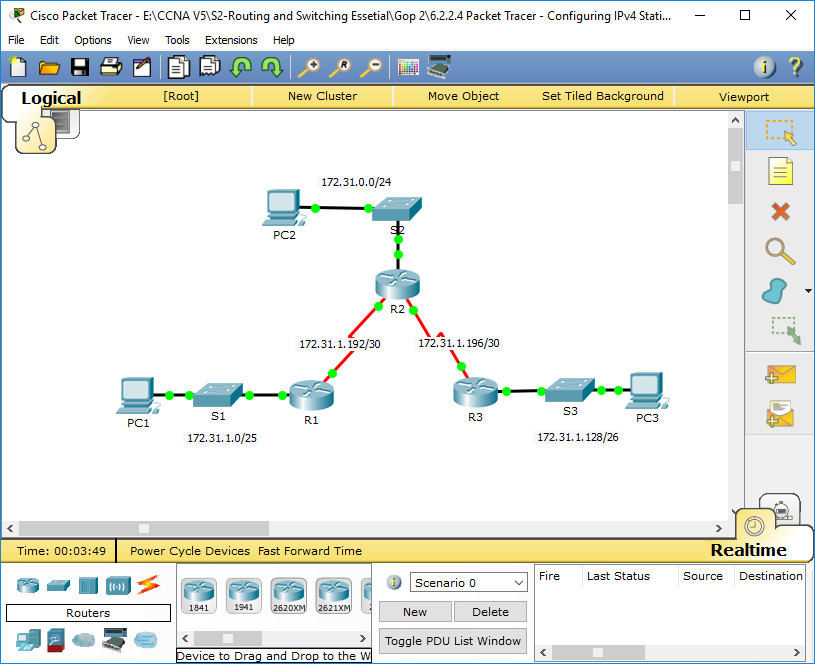
Packet Tracer - Configuring IPv4 Static and Default Routes (Instructor Version) Instructor Note: Red font color or Gray highlights indicate text that appears in the instructor copy only. Topology Addressing Table Device Interface IPv4 Address Subnet Mask Default Gateway R1 G0/0 172.31.1.1 255.255.255.128 N/A S0/0/0 172.31.1.194 255.255.255.252 N/A …
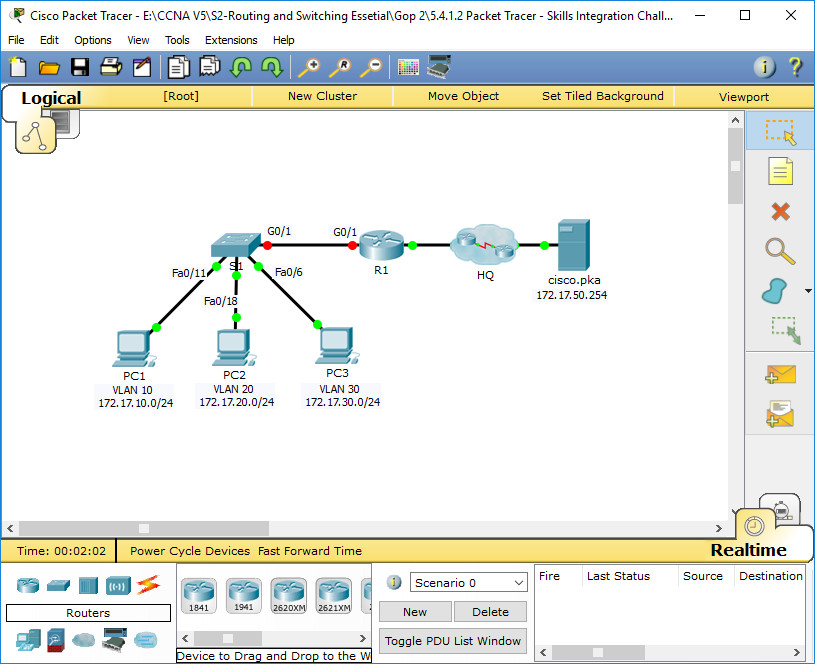
5.4.1.2 Packet Tracer - Skills Integration Challenge Addressing Table VLAN and Port Assignments Table Scenario In this activity, you will demonstrate and reinforce your ability to implement inter-VLAN routing, including configuring IP addresses, VLANs, trunking and subinterfaces. Requirements · Assign IP addressing to R1 and S1 based on …
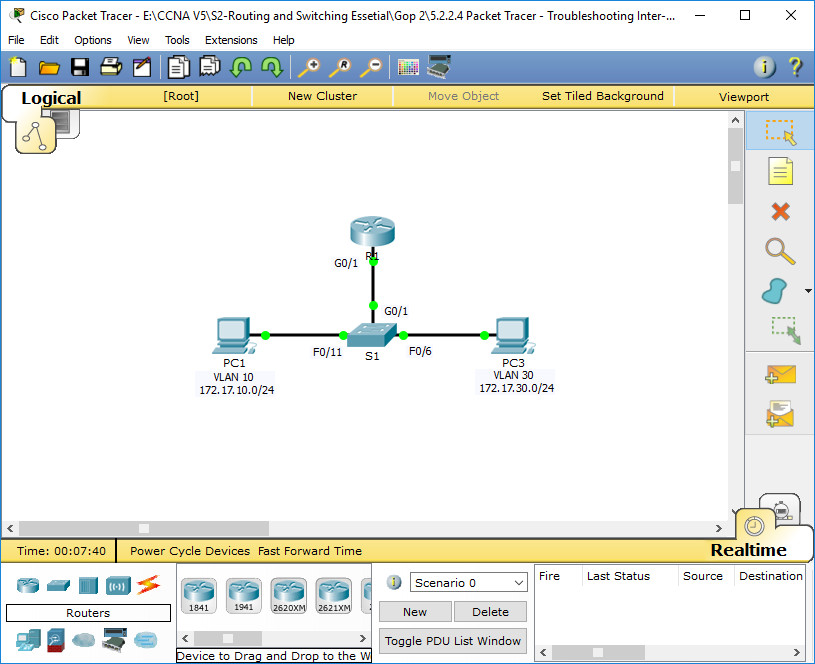
Addressing Table Objectives Part 1: Locate Network Problems Part 2: Implement the Solution Part 3: Verify Network Connectivity Scenario In this activity, you will troubleshoot connectivity problems caused by improper configurations related to VLANs and inter-VLAN routing. Part 1: Locate the Network Problems Examine the network and locate …
6.3.3.6 Packet Tracer – Configuring Router-on-a-Stick Inter-VLAN Routing (Instructor Version) Instructor Note: Red font color or Gray highlights indicate text that appears in the instructor copy only. Topology Addressing Table Device Interface IPv4 Address Subnet Mask Default Gateway R1 G0/0.10 172.17.10.1 255.255.255.0 N/A G0/0.30 172.17.30.1 255.255.255.0 N/A PC1 …
Packet Tracer - Investigating Directly Connected Routes (Instructor Version) Instructor Note: Red font color or Gray highlights indicate text that appears in the instructor copy only. Topology Objectives Part 1: Investigate IPv4 Directly Connected Routes Part 2: Investigate IPv6 Directly Connected Routes Background The network in the activity …