Month: October 2020
Lab - Research Broadband Internet Access Technologies (Instructor Version) Objectives Part 1: Investigate Broadband Distribution Part 2: Research Broadband Access Options for Specific Scenarios Background / Scenario Although broadband internet access options have increased dramatically in recent years, broadband access varies greatly depending on location. In this lab, …
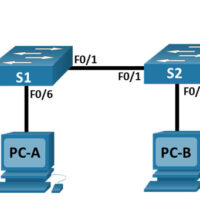
Lab - Configure NAT for IPv4 (Instructor Version) Topology Addressing Table Device Interface IP Address Subnet Mask R1 G0/0/0 209.165.200.230 255.255.255.248 G0/0/1 192.168.1.1 255.255.255.0 R2 G0/0/0 209.165.200.225 255.255.255.248 Lo1 209.165.200.1 255.255.255.224 S1 VLAN 1 192.168.1.11 255.255.255.0 S2 VLAN 1 192.168.1.12 255.255.255.0 PC-A NIC 192.168.1.2 255.255.255.0 PC-B NIC 192.168.1.3 …
Lab - Configure and Verify Extended IPv4 ACLs (Instructor Version) Topology Addressing Table Device Interface IP Address Subnet Mask Default Gateway R1 G0/0/1 N/A N/A N/A G0/0/1.20 10.20.0.1 255.255.255.0 G0/0/1.30 10.30.0.1 255.255.255.0 G0/0/1.40 10.40.0.1 255.255.255.0 G0/0/1.1000 N/A N/A Loopback1 172.16.1.1 255.255.255.0 R2 G0/0/1 10.20.0.4 255.255.255.0 N/A S1 VLAN …
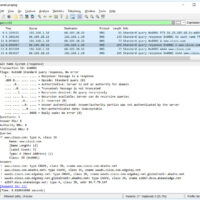
Lab – Explore DNS Traffic (Instructor Version) Objectives Part 1: Capture DNS Traffic Part 2: Explore DNS Query Traffic Part 3: Explore DNS Response Traffic Background / Scenario Wireshark is an open source packet capture and analysis tool. Wireshark gives a detailed breakdown of the network protocol stack. …
Lab - Social Engineering (Instructor Version) Objective In this lab, you will research examples of social engineering and identify ways to recognize and prevent it. Resources Computer with internet Access Instructions Step 1: Research Social Engineering Examples Social engineering, as it relates to information security, is used to …
2.7.2 Lab - Configure Single-Area OSPFv2 (Instructor Version) Topology Addressing Table Device Interface IP Address Subnet Mask R1 G0/0/1 10.53.0.1 255.255.255.0 Loopback1 172.16.1.1 255.255.255.0 R2 G0/0/1 10.53.0.2 255.255.255.0 Loopback1 192.168.1.1 255.255.255.0 Objectives Part 1: Build the Network and Configure Basic Device Settings Part 2: Configure and Verify Single-Area …
Lab - Troubleshoot IPv4 and IPv6 Static and Default Routers (Instructor Version) Topology Addressing Table Device Interface IP Address / Prefix R1 G0/0/0 192.168.0.1 /28 2001:db8:acad::1 /64 G0/0/1 192.168.0.17 /28 2001:db8:acad:16::1 /64 Loopback1 172.16.1.1 /24 2001:db8:acad:171::1 /64 Loopback2 209.165.200.1 /25 2001:db8:acad:209::1 /64 R2 G0/0/0 192.168.0.14 /28 2001:db8:acad::14 /64 …
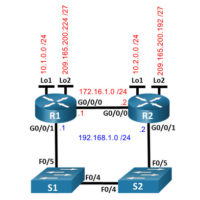
Lab - Configure IPv4 and IPv6 Static and Default Routes (Instructor Version) Topology Addressing Table Device Interface IP Address / Prefix R1 G0/0/0 172.16.1.1 /24 2001:db8:acad:2::1 /64 fe80::1 G0/0/1 192.168.1.1 /24 2001:db8:acad:1::1 /64 fe80::1 Loopback1 10.1.0.1 /24 2001:db8:acad:10::1 /64 fe80::1 Loopback2 209.165.200.225 /27 2001:db8:acad:209::1 /64 fe80::1 R2 G0/0/0 …
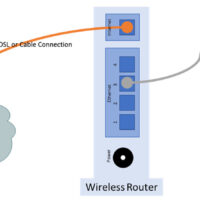
Lab - Configure a Wireless Network (Instructor Version) Introduction In this lab, you will configure basic settings on a wireless router and connect a PC to router wirelessly. Recommended Equipment A Windows computer with wired and wireless network cards installed Wireless router Ethernet patch cable Note: All wireless …