Month: January 2022
1. What is used to illustrate how a given process will run? pie chart flow chart Packet Tracer graph 2. How is a new variable created in Blockly? Drag the variable block onto the work space area. Declare the variable in a Dim statement. Use the assignment operator …
1. Which type of computing is located at the edge of a business or corporate network and that allows data from sensors to be preprocessed? wireless fog internet WAN 2. What information is conveyed by the SSID that is configured on an IoT device? the registration server the …
10.6.13 Packet Tracer - Research and Execute Password Recovery Procedures - Physical Mode Answers Objectives Part 1: Research the Configuration Register Part 2: Document the Password Recovery Procedure for a Specific Cisco Router Background / Scenario The purpose of this activity is to research the procedure for recovering …
10.6.12 Packet Tracer - Use TFTP and Flash to Manage Configuration Files - Physical Mode Answers Topology Addressing Table Device Interface IP Address Subnet Mask Default Gateway R1 G0/0/1 192.168.1.1 255.255.255.0 N/A S1 VLAN 1 192.168.1.11 255.255.255.0 192.168.1.1 Server1 F0 192.168.1.3 255.255.255.0 192.168.1.1 Objectives Part 1: Cable the …
5.5.2 Packet Tracer - Configure and Verify Extended IPv4 ACLs - Physical Mode Answers Topology Addressing Table Device Interface IP Address Subnet Mask Default Gateway R1 G0/0/1 N/A N/A N/A G0/0/1.20 10.20.0.1 255.255.255.0 G0/0/1.30 10.30.0.1 255.255.255.0 G0/0/1.40 10.40.0.1 255.255.255.0 G0/0/1.1000 N/A N/A G0/0/0 172.16.1.1 255.255.255.0 R2 G0/0/1 10.20.0.4 …
3.11.1 Packet Tracer - Network Security Exploration - Physical Mode Answers Objectives Part 1: Explore the Networks Part 2: Implement Security Measures Background / Scenario In this Packet Tracer Physical Mode (PTPM) activity, you will explore and implement several security procedures in different locations within the city of …
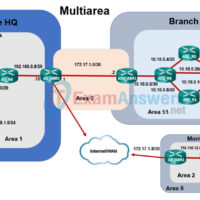
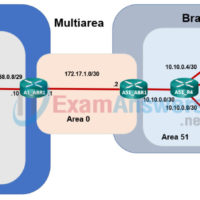
2.7.3 Packet Tracer - OSPF Multiarea Exploration - Physical Mode (Part 3) Answers Objectives Part 1: Evaluate Network Operation of Single Area OSPF Part 2: Evaluate Network Operation of Multiarea OSPF Part 3: Configure a New Area and Attach to Area 0 Through the Internet Topology Background / …
2.7.3 Packet Tracer - OSPF Multiarea Exploration - Physical Mode (Part 2) Answers Objectives Part 1: Evaluate Network Operation of Single-Area OSPF Part 2: Evaluate Network Operation of Multiarea OSPF Part 3: Configure a New Area and Attach to Area 0 Through the Internet Topology Background / Scenario …
2.7.3 Packet Tracer - Multiarea OSPF Exploration - Physical Mode (Part 1) Answers Objectives Part 1: Evaluate Network Operation of Single-Area OSPF Part 2: Evaluate Network Operation of Multiarea OSPF Part 3: Configure a New Area and Attach to Area 0 Through the Internet Topology Background / Scenario …
2.7.2 Packet Tracer - Configure Single-Area OSPFv2 - Physical Mode Answers Topology Addressing Table Device Interface IP Address Subnet Mask Default Gateway R1 G0/0/1 10.53.0.1 255.255.255.0 n/a G0/0/0 172.16.1.1 255.255.255.0 n/a R2 G0/0/1 10.53.0.2 255.255.255.0 n/a G0/0/0 192.168.1.1 255.255.255.0 n/a Web Server F0 172.16.1.10 255.255.255.0 172.16.1.1 Laptop F0 …