Author: ITExamAnswers Editorial Team
The ITExamAnswers Editorial Team is a dedicated group of certified IT professionals and network engineers. We rigorously review, verify, and update all exam materials to ensure you receive the most accurate and reliable resources for your certification journey.
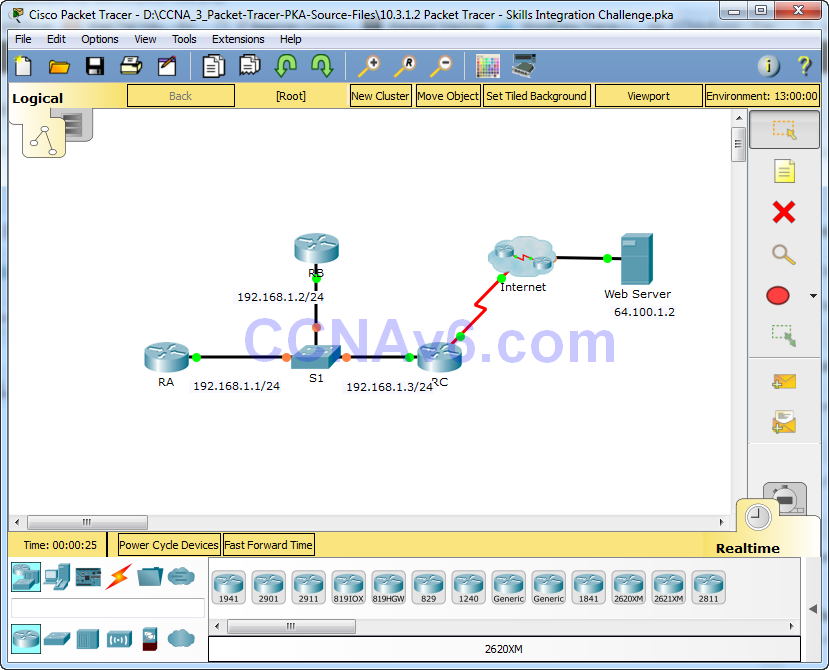
Packet Tracer – Skills Integration Challenge (Instructor Version) Instructor Note: Red font color or gray highlights indicate text that appears in the instructor copy only. Topology Addressing Table Scenario In this Skills Integration Challenge, your focus is OSPFv2 advanced configurations. IP addressing has been configured for all devices. You …
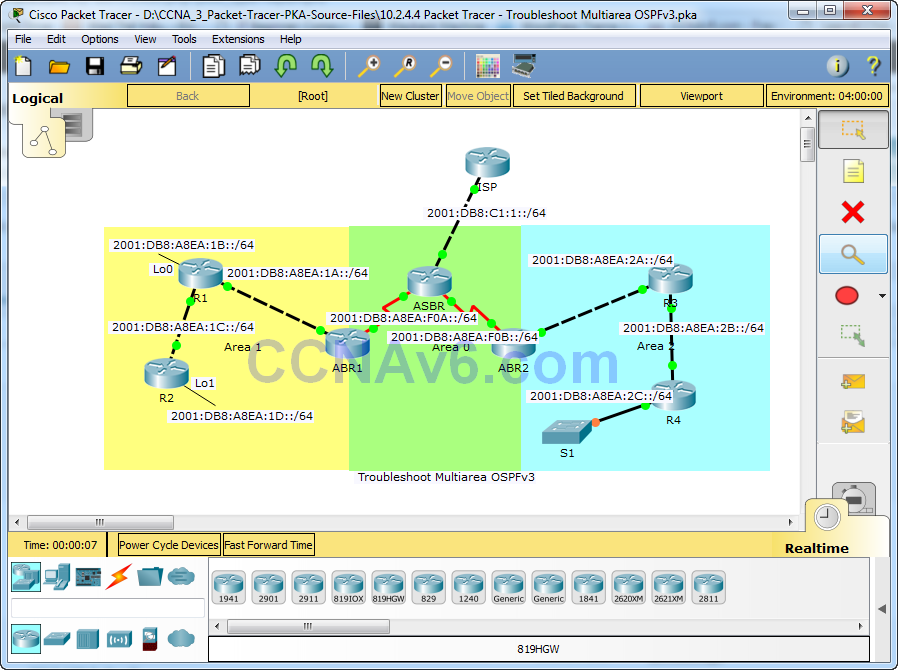
Lab – Troubleshoot Multiarea OSPFv3 (Instructor Version) Instructor Note: Red font color or gray highlights indicate text that appears in the instructor copy only. Topology Addressing Table Objectives Troubleshoot a multiarea OSPFv3 network. Background / Scenario A large organization has recently decided to implement a multiarea OSPFv3 network. …
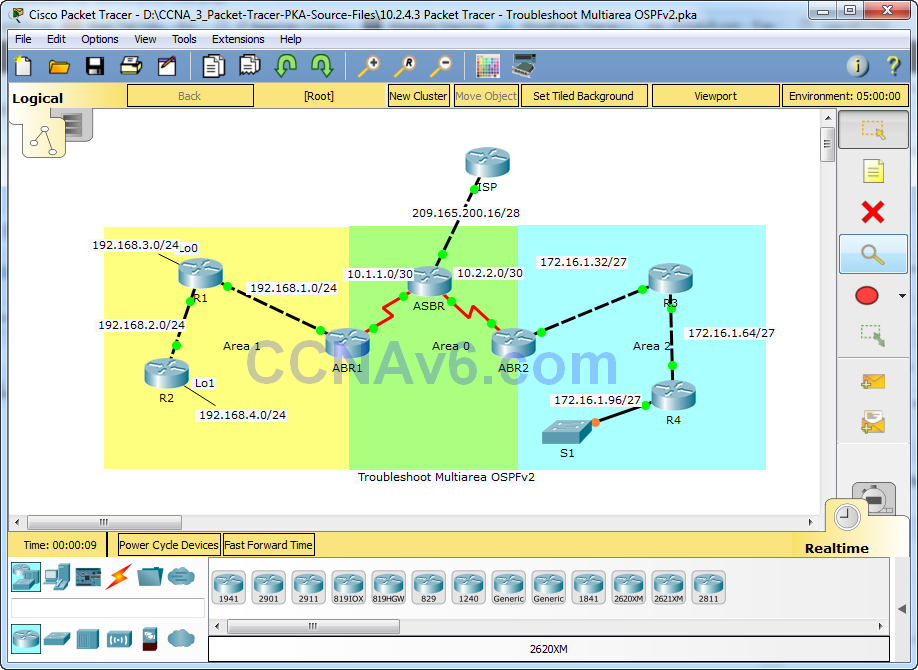
Lab – Troubleshoot Multiarea OSPFv2 (Instructor Version) Instructor Note: Red font color or gray highlights indicate text that appears in the instructor copy only. Topology Addressing Table Objectives Troubleshoot a multiarea OSPFv2 network. Background / Scenario A large organization has recently decided to change the network from single-area …
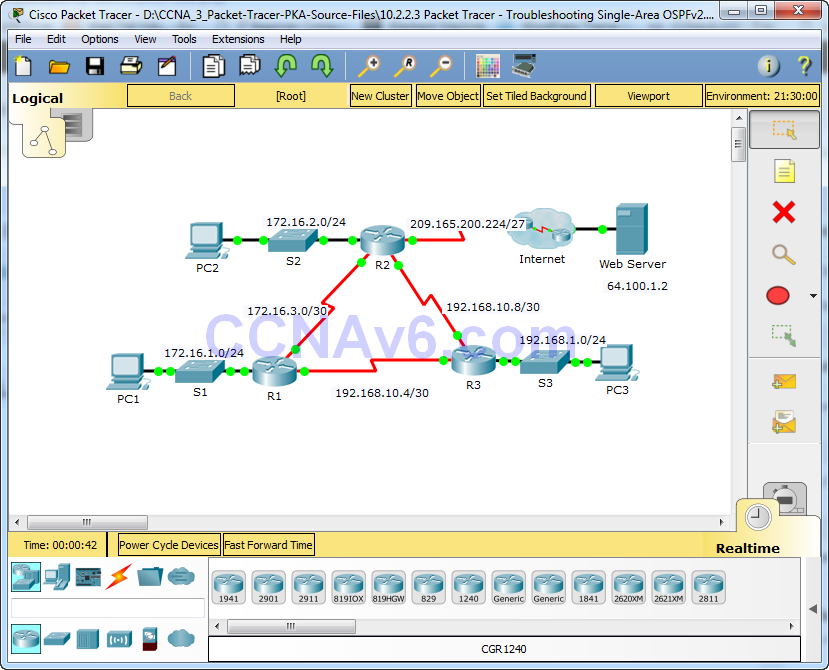
Packet Tracer – Troubleshooting Single-Area OSPFv2 (Instructor Version) Instructor Note: Red font color or Gray highlights indicate text that appears in the instructor copy only. Topology Addressing Table Scenario In this activity, you will troubleshoot OSPF routing issues using ping and show commands to identify errors in the network …
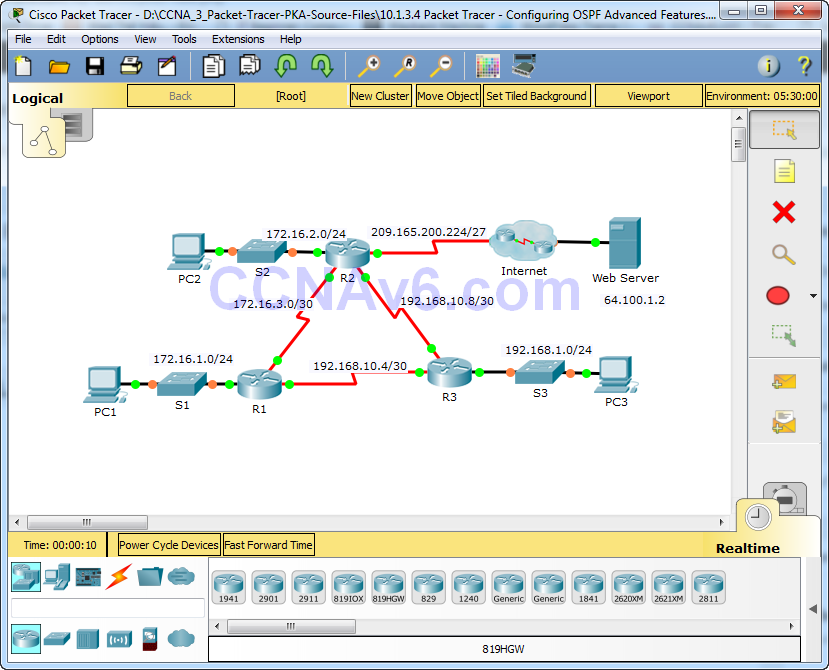
Packet Tracer - Configuring OSPF Advanced Features (Instructor Version) Instructor Note: Red font color or gray highlights indicate text that appears in the instructor copy only. Topology Addressing Table Objectives Part 1: Modify OSPF Default Settings Part 2: Verify Connectivity Scenario In this activity, OSPF is already configured …
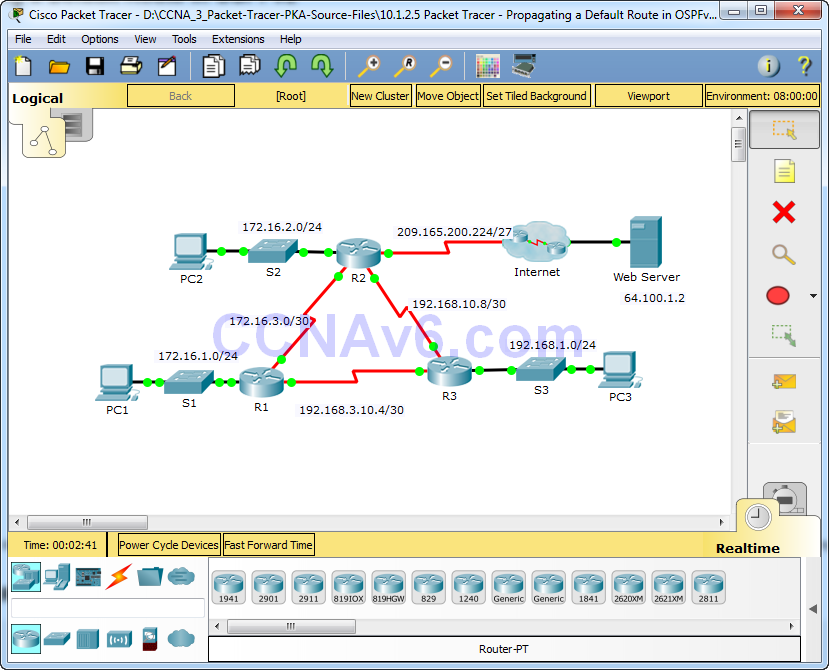
Packet Tracer - Propagating a Default Route in OSPFv2 (Instructor Version) Instructor Note: Red font color or Gray highlights indicate text that appears in the instructor copy only. Topology Addressing Table Objectives Part 1: Propagate a Default Route Part 2: Verify Connectivity Background In this activity, you will configure …
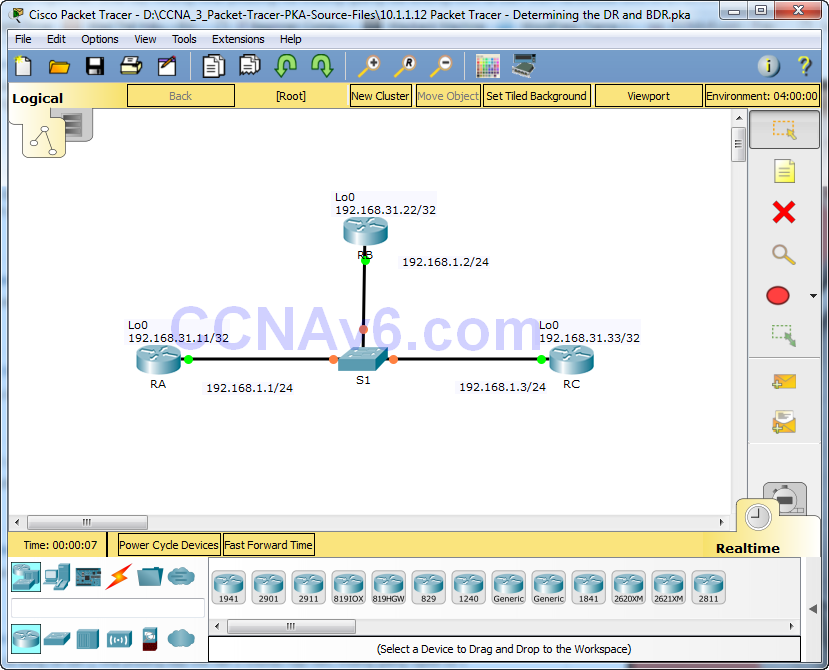
Packet Tracer - Determining the DR and BDR (Instructor Version) Instructor Note: Red font color or Gray highlights indicate text that appears in the instructor copy only. Topology Addressing Table Objectives Part 1: Examine DR and BDR Changing Roles Part 2: Modify OSPF Priority and Force Elections Scenario In …
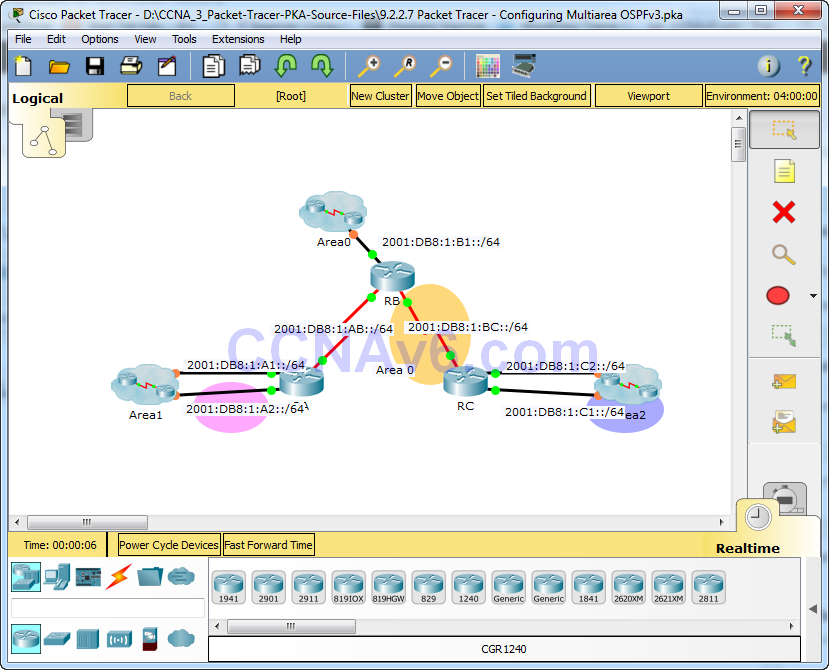
Packet Tracer – Configuring Multiarea OSPFv3 (Instructor Version) Instructor Note: Red font color or Gray highlights indicate text that appears in the instructor copy only. Topology Addressing Table Objectives Part 1: Configure OSPFv3 Part 2: Verify Multiarea OSPFv3 Operations Background In this activity, you will configure multiarea OSPFv3. …
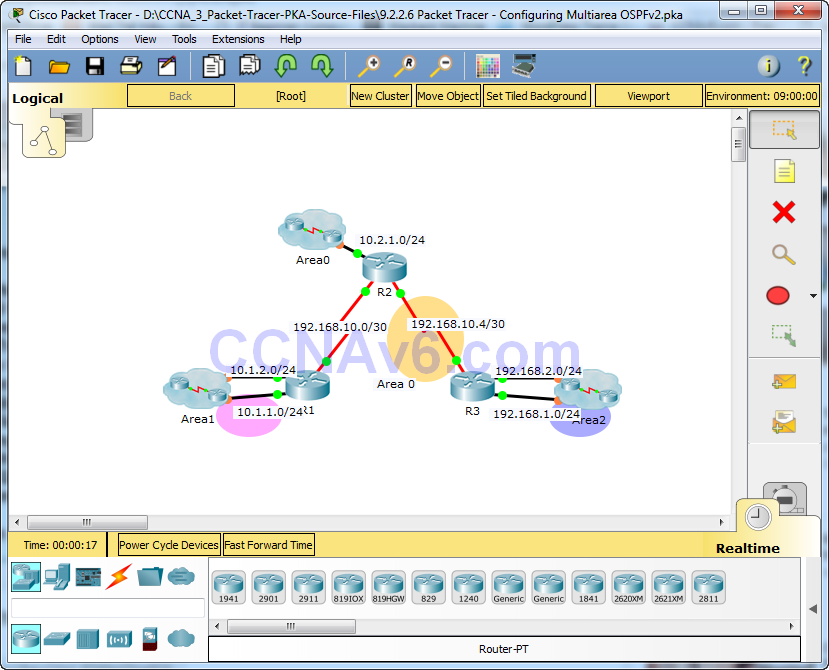
Packet Tracer – Configuring Multiarea OSPFv2 (Instructor Version) Instructor Note: Red font color or Gray highlights indicate text that appears in the instructor copy only. Topology Addressing Table Objectives Part 1: Configure Multiarea OSPFv2 Part 2: Verify and Examine Multiarea OSPFv2 Background In this activity, you will configure …
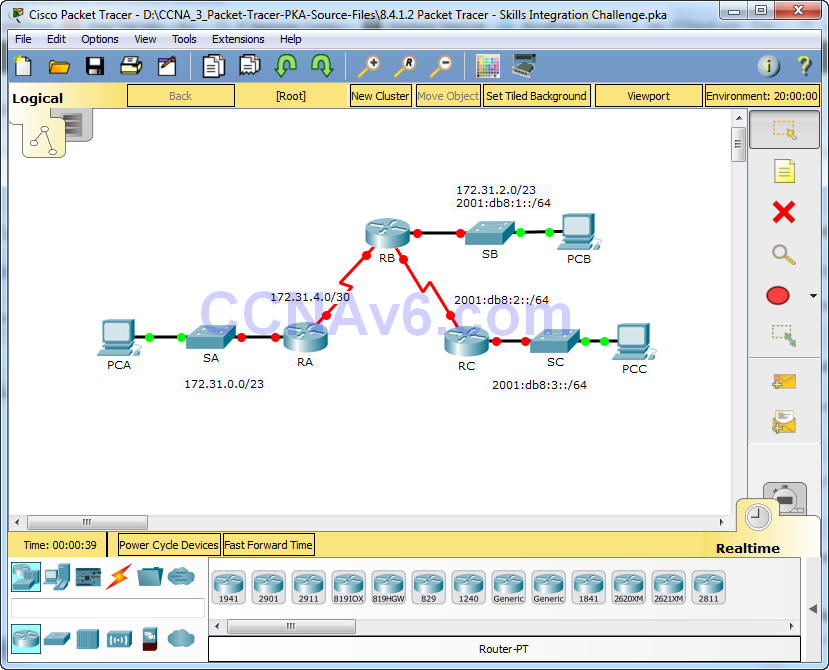
Packet Tracer – Skills Integration Challenge (Instructor Version) Instructor Note: Red font color or gray highlights indicate text that appears in the instructor copy only. Topology Addressing Table Background In this Skills Integration Challenge, your focus is OSPFv2 and OSPFv3 configurations. You will configure IP addressing for all devices. …