Author: ITExamAnswers Editorial Team
The ITExamAnswers Editorial Team is a dedicated group of certified IT professionals and network engineers. We rigorously review, verify, and update all exam materials to ensure you receive the most accurate and reliable resources for your certification journey.
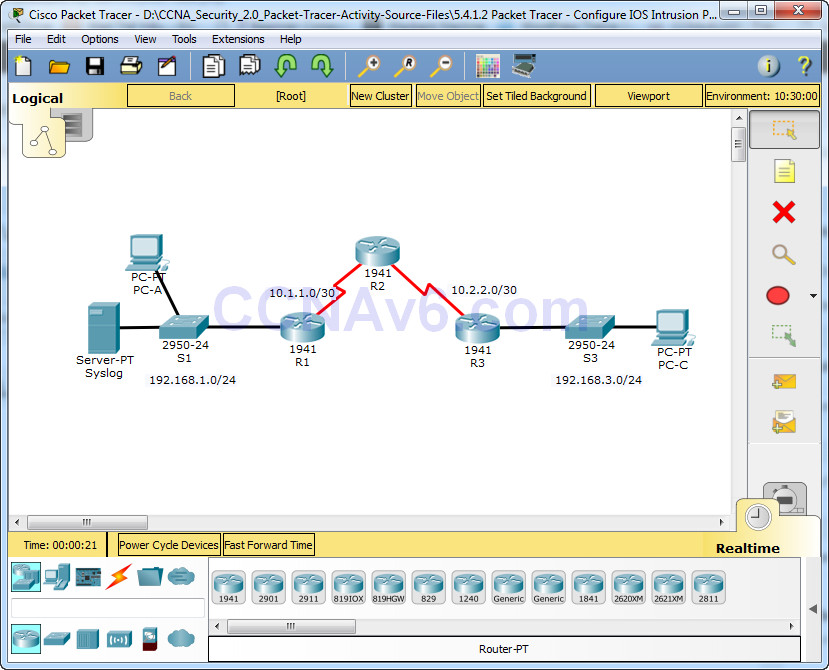
Packet Tracer - Configure IOS Intrusion Prevention System (IPS) Using the CLI Topology Addressing Table Objectives • Enable IOS IPS. • Configure logging. • Modify an IPS signature. • Verify IPS. Background / Scenario Your task is to enable IPS on R1 to scan traffic entering the …
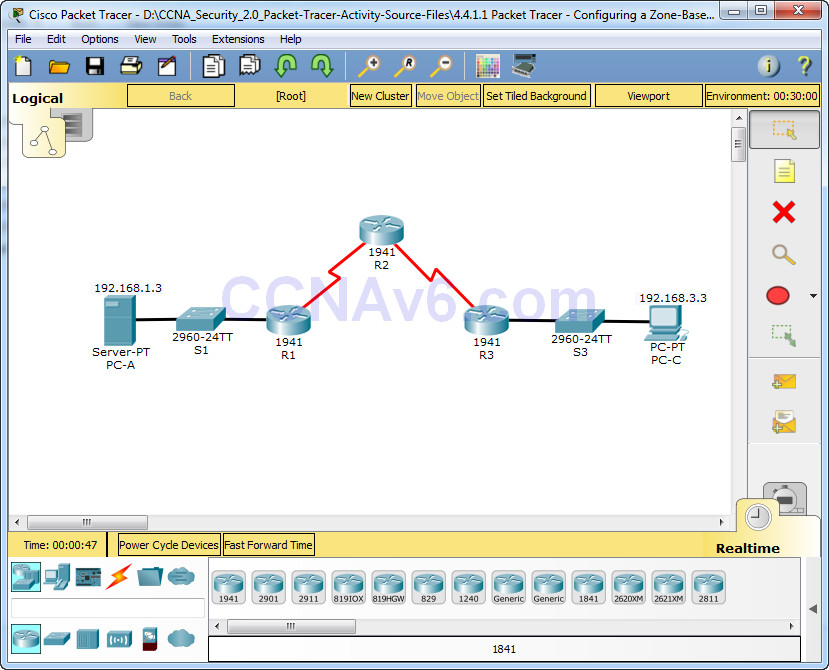
Packet Tracer - Configuring a Zone-Based Policy Firewall (ZPF) Topology Addressing Table Objectives • Verify connectivity among devices before firewall configuration. • Configure a zone-based policy (ZPF) firewall on R3. • Verify ZPF firewall functionality using ping, SSH, and a web browser. Background/Scenario ZPFs are the latest …
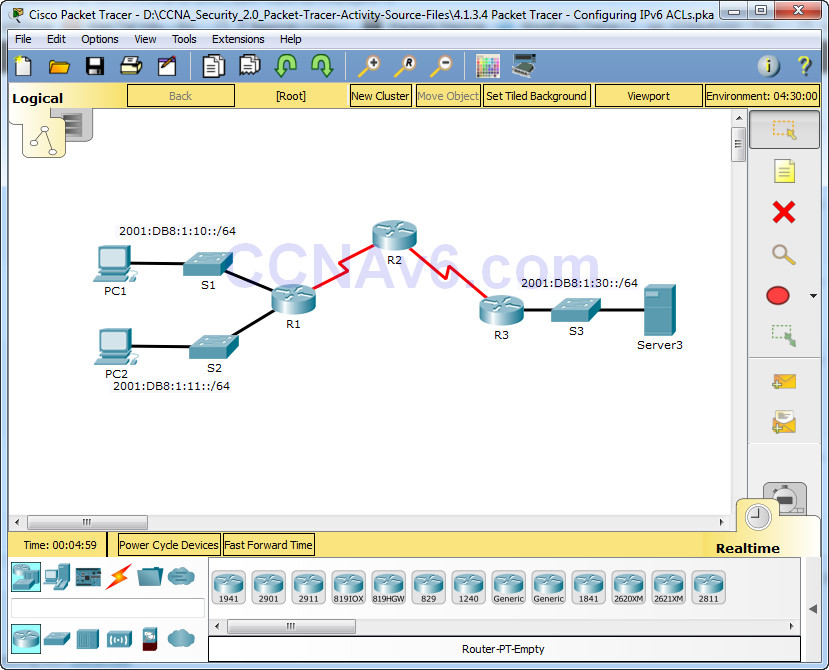
Packet Tracer - Configuring IPv6 ACLs Topology Addressing Table Objectives Part 1: Configure, Apply, and Verify an IPv6 ACL Part 2: Configure, Apply, and Verify a Second IPv6 ACL Part 1: Configure, Apply, and Verify an IPv6 ACL Logs indicate that a computer on the 2001:DB8:1:11::0/64 network …
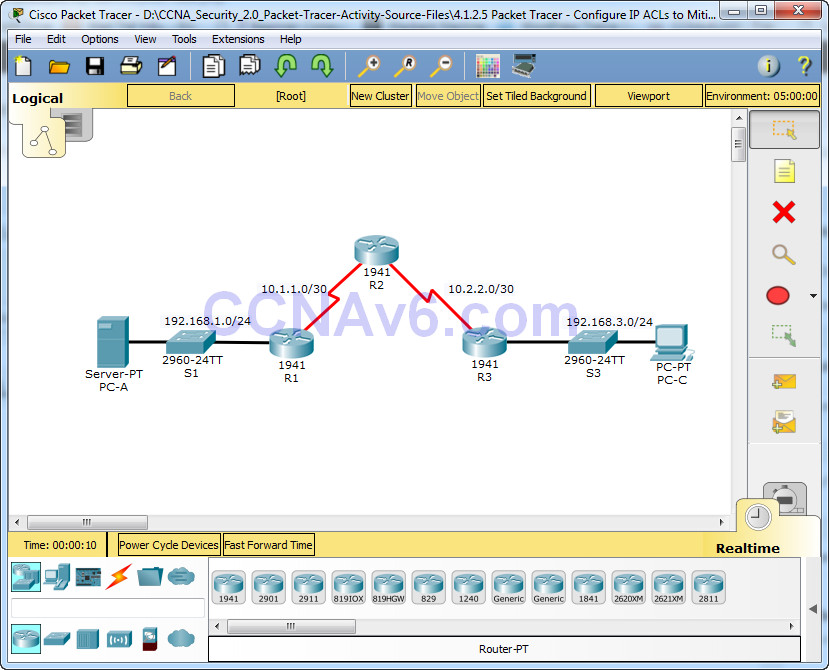
Packet Tracer - Configure IP ACLs to Mitigate Attacks Topology Addressing Table Objectives • Verify connectivity among devices before firewall configuration. • Use ACLs to ensure remote access to the routers is available only from management station PC-C. • Configure ACLs on R1 and R3 to mitigate …
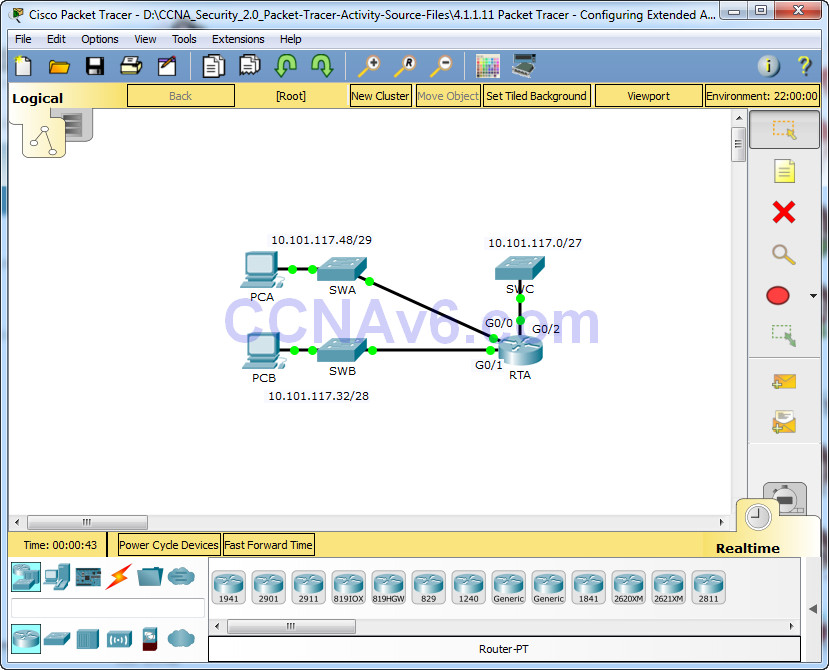
Packet Tracer - Configuring Extended ACLs - Scenario 2 Topology Addressing Table Objectives Part 1: Configure, Apply and Verify an Extended Numbered ACL Part 2: Reflection Questions Background / Scenario In this scenario, devices on one LAN are allowed to remotely access devices in another LAN using …
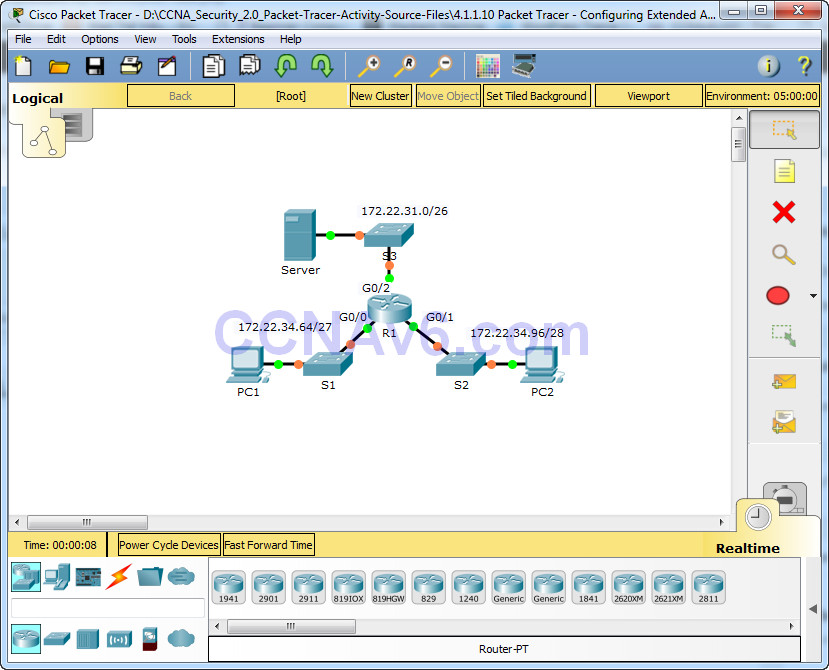
Packet Tracer - Configuring Extended ACLs - Scenario 1 Topology Addressing Table Objectives Part 1: Configure, Apply and Verify an Extended Numbered ACL Part 2: Configure, Apply and Verify an Extended Named ACL Background / Scenario Two employees need access to services provided by the server. PC1 …
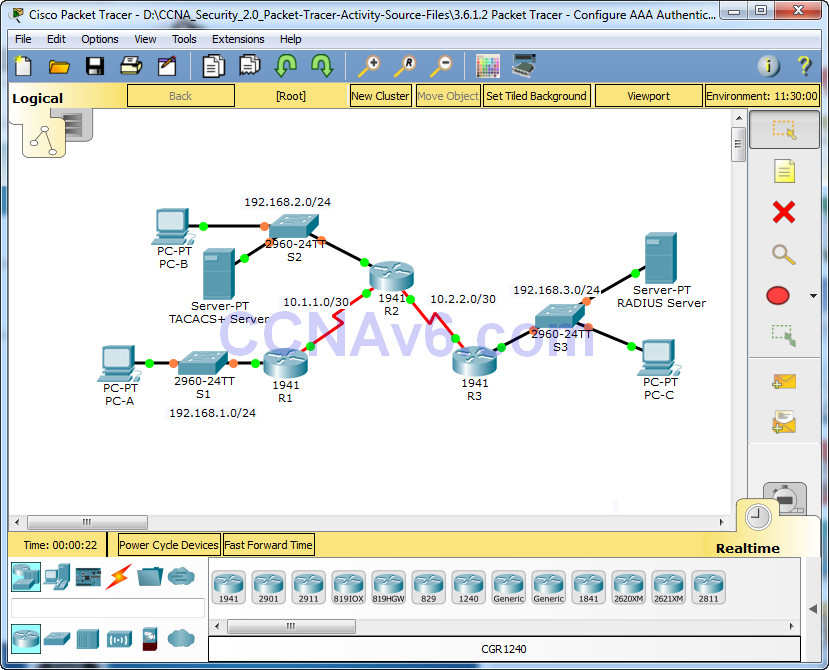
Packet Tracer - Configure AAA Authentication on Cisco Routers Topology Addressing Table Device Interface IP Address Subnet Mask Default Gateway Switch Port R1 G0/1 192.168.1.1 255.255.255.0 N/A S1 F0/1 S0/0/0 (DCE) 10.1.1.2 255.255.255.252 N/A N/A R2 G0/0 192.168.2.1 255.255.255.0 N/A S2 F0/2 S0/0/0 10.1.1.1 255.255.255.252 N/A N/A S0/0/1 …
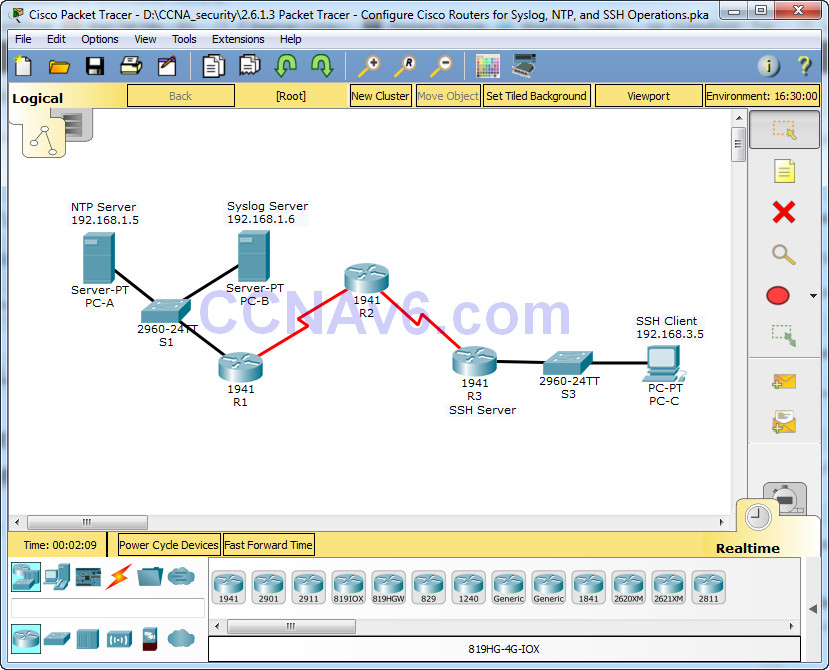
Packet Tracer - Configure Cisco Routers for Syslog, NTP, and SSH Operations Topology Addressing Table Objectives • Configure OSPF MD5 authentication. • Configure NTP. • Configure routers to log messages to the syslog server. • Configure R3 to support SSH connections. Background / Scenario In this activity, …
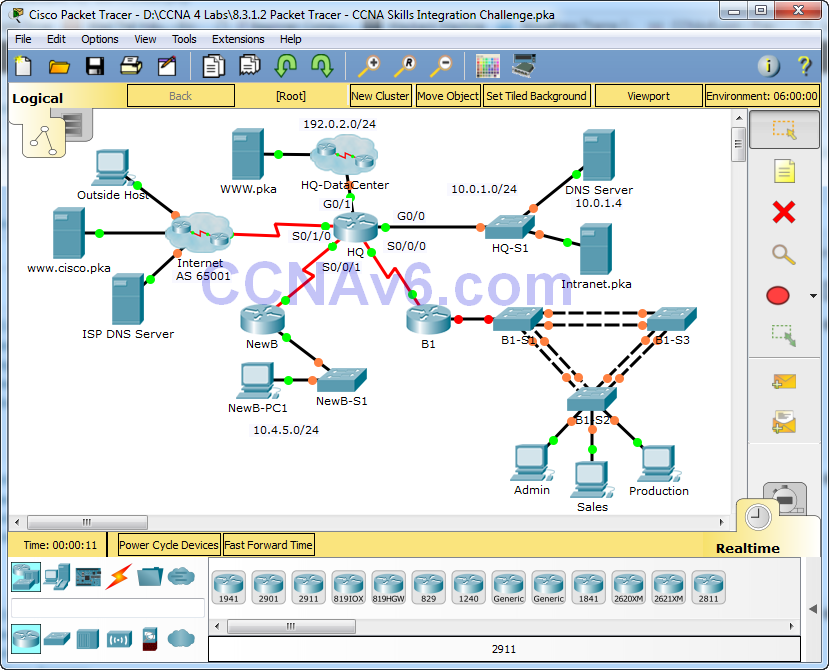
Packet Tracer – CCNA Skills Integration Challenge Instructor Note: Red font color or gray highlights indicate text that appears in the instructor copy only. Topology Addressing Table VLAN Configurations and Port Mappings Scenario In this comprehensive CCNA skills activity, the XYZ Corporation uses a combination of eBGP and …
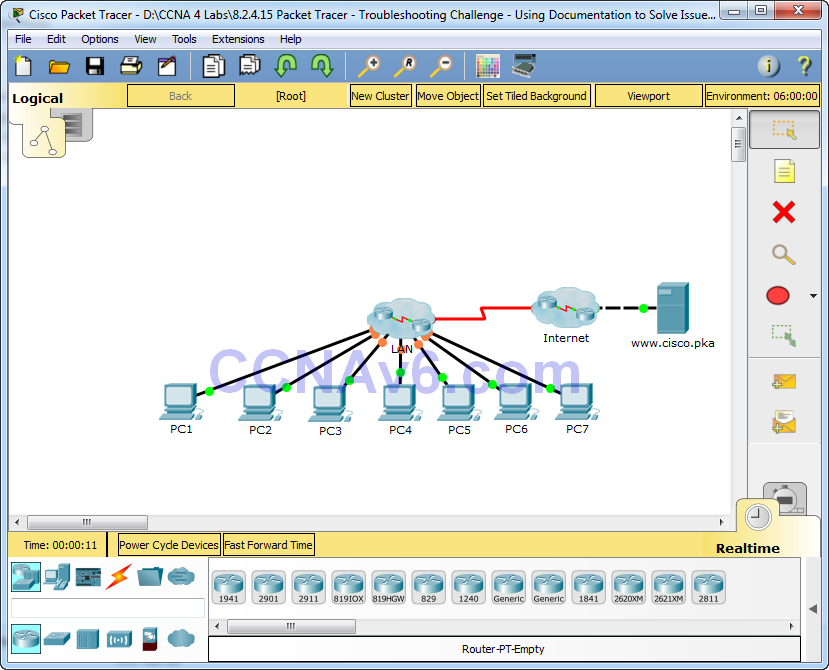
Packet Tracer – Troubleshooting Challenge - Using Documentation to Solve Issues (Instructor Version) Instructor Note: Red font color or Gray highlights indicate text that appears in the instructor copy only. Topology Addressing Table Objectives Part 1: Gather Documentation Part 2: Test Connectivity Part 3: Gather Data and Implement …