Category: CCNA v6
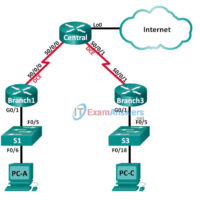
2.3.2.7 Lab - Configuring Basic PPP with Authentication (Instructor Version) Instructor Note: Red font color or gray highlights indicate text that appears in the instructor copy only. Topology Addressing Table Device Interface IP Address Subnet Mask Default Gateway Branch1 G0/1 192.168.1.1 255.255.255.0 N/A S0/0/0 (DCE) 10.1.1.1 255.255.255.252 N/A …
2.0.1.2 Class Activity - PPP Persuasion (Instructor Version) Instructor Note: Red font color or gray highlights indicate text that appears in the instructor copy only. Objectives Describe the benefits of using PPP over HDLC in a WAN. This activity can be completed individually or in small groups of …
1.3.1.1 Class Activity - WAN Device Modules (Instructor Version) Instructor Note: Red font color or gray highlights indicate text that appears in the instructor copy only. Objective Select WAN access technologies to satisfy business requirements in a small-to-medium-sized business network. Instructor Note: This activity can be completed individually …
1.2.4.3 Lab - Researching WAN Technologies (Instructor Version) Instructor Note: Red font color or gray highlights indicate text that appears in the instructor copy only. Objectives Part 1: Investigate Dedicated WAN Technologies and Providers Part 2: Investigate a Dedicated Leased Line Service Provider in Your Area Background / …
1.0.1.2 Class Activity - Branching Out (Instructor Version) Instructor Note: Red font color or gray highlights indicate text that appears in the instructor copy only. Objective Describe WAN access technologies available to small-to-medium-sized business networks. Instructor Note: This activity is can be completed individually or in small groups …
10.3.1.1 OSPF Troubleshooting Mastery (Instructor Version) Instructor Note: Red font color or Gray highlights indicate text that appears in the instructor copy only. Objective Explain the process and tools used to troubleshoot a single-area OSPF network. This activity gives students practice in configuring OSPF and the opportunity to …
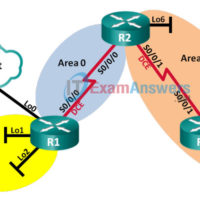
10.2.4.5 Lab - Troubleshooting Multiarea OSPFv2 and OSPFv3 (Instructor Version) Instructor Note: Red font color or Gray highlights indicate text that appears in the instructor copy only. Topology Addressing Table Device Interface IP Address R1 Lo0 209.165.200.225/30 Lo1 192.168.1.1/24 2001:DB8:ACAD:1::1/64 FE80::1 link-local Lo2 192.168.2.1/24 2001:DB8:ACAD:2::1/64 FE80::1 link-local S0/0/0 …
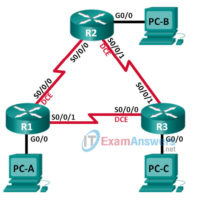
10.2.3.4 Lab - Troubleshooting Advanced Single-Area OSPFv2 (Instructor Version) Instructor Note: Red font color or gray highlights indicate text that appears in the instructor copy only. Topology Addressing Table Device Interface IP Address Subnet Mask Default Gateway R1 G0/0 192.168.1.1 255.255.255.0 N/A S0/0/0 (DCE) 192.168.12.1 255.255.255.252 N/A S0/0/1 …
10.2.3.3 Lab - Troubleshooting Basic Single-Area OSPFv2 and OSPFv3 (Instructor Version) Instructor Note: Red font color or Gray highlights indicate text that appears in the instructor copy only. Topology Addressing Table Device OSPF Router ID Interface IP Address Default Gateway R1 1.1.1.1 G0/0 192.168.1.1/24 2001:DB8:ACAD:A::1/64 FE80::1 link-local N/A …
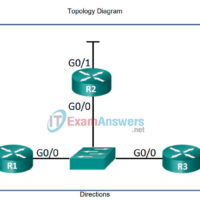
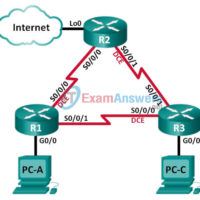
10.1.3.5 Lab - Configuring OSFPv2 Advanced Features (Instructor Version) Instructor Note: Red font color or gray highlights indicate text that appears in the instructor copy only. Topology Addressing Table Device Interface IP Address Subnet Mask Default Gateway R1 G0/0 192.168.1.1 255.255.255.0 N/A S0/0/0 (DCE) 192.168.12.1 255.255.255.252 N/A S0/0/1 …