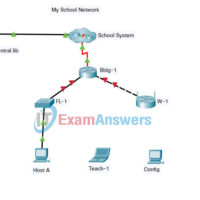
1.0.5 Packet Tracer - Logical and Physical Mode Exploration Answers Objectives Part 1: Investigate the Bottom Toolbar Part 2: Investigate Devices in a Wiring Closet Part 3: Connect End Devices to Networking Devices Part 4: Install a Backup Router Part 5: Configure a Hostname Part 6: Explore the …
Networking Essentials ( Version 2) - System Test Exam Answers 1. Which statement describes the physical topology for a LAN? It shows the order in which hosts access the network. It describes whether the LAN is a broadcast or token-passing network. It defines how hosts and network devices …
NetEss Final Packet Tracer Skills Assessment (PTSA) Answers Networking Essentials ( Version 2) - Networking Essentials 2.0 PT Skills Assessment Answers Download Packet Tracer file:
Networking Essentials ( Version 2) - Networking Essentials 2.0 Final Exam SD Answers 1. What is the difference between the terms bandwidth and throughput? Bandwidth measures data transfer of web applications and throughput measures data transfer of video applications. Bandwidth is measured with Mb/s and throughput is measured …
20.7.1 Packet Tracer - Skills Integration Challenge Answers Addressing Table Device Interface IP Address Subnet Mask Default Gateway R1 G0/0/1 209.165.201.1 255.255.255.224 N/A S1 VLAN 1 209.165.201.2 255.255.255.224 N/A Server NIC 209.165.201.30 255.255.255.224 209.165.201.1 Objectives Configure IP addresses Set up wireless configuration in home network Verify connectivity Background …
20.4.3 Packet Tracer - Troubleshoot a Wireless Connection Answers Instructions Part 1: Verify connectivity. Access the Desktop > Web Browser of each wireless PC and type www.cisco.pka into the URL. Identify any PCs/Laptop that are not connecting to the web server. Note: All the devices require time to …
20.3.6 Packet Tracer - Use the ping Command Answers Objectives Use the ping command to identify an incorrect configuration on a PC. Background / Scenario A small business owner learns that some users are unable to access a website. All PCs are configured with static IP addressing. Use …
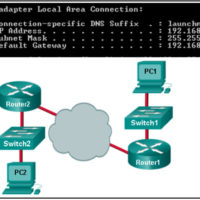
20.3.3 Packet Tracer - Use the ipconfig Command Answers Objectives Use the ipconfig command to identify incorrect configuration on a PC. Background / Scenario A small business owner cannot connect to the internet with one of the four PCs in the office. All the PCs are configured with …
19.4.4 Packet Tracer - Build a Switch and Router Network Answers Addressing Table Device Interface IP Address Subnet Mask Default Gateway R1 G0/0/0 192.168.0.1 255.255.255.0 N/A G0/0/1 192.168.1.1 255.255.255.0 N/A S1 VLAN 1 192.168.1.2 255.255.255.0 192.168.1.1 PC-A NIC 192.168.1.3 255.255.255.0 192.168.1.1 PC-B NIC 192.168.0.3 255.255.255.0 192.168.0.1 Objectives Part …
19.3.6 Packet Tracer - Configure SSH Answers Answers Note: Red font color or gray highlights indicate text that appears in the Answers copy only. Addressing Table Device Interface IP Address Subnet Mask S1 VLAN 1 10.10.10.2 255.255.255.0 PC1 NIC 10.10.10.10 255.255.255.0 Objectives Part 1: Secure Passwords Part 2: …