Tag: Connectivity Troubleshooting
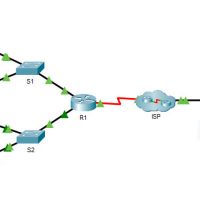
17.7.7 Packet Tracer - Troubleshoot Connectivity Issues - Physical Mode Answers Topology Addressing Table Device Interface IP Address Subnet Mask Default Gateway R1 G0/0/1 192.168.1.1 255.255.255.0 N/A G0/0/0 10.1.1.1 255.255.255.252 N/A ISP G0/0/0 10.1.1.2 255.255.255.252 N/A Lo0 209.165.200.226 255.255.255.255 N/A S1 VLAN 1 192.168.1.2 255.255.255.0 192.168.1.1 PC-A NIC …
20.3.6 Packet Tracer - Use the ping Command Answers Objectives Use the ping command to identify an incorrect configuration on a PC. Background / Scenario A small business owner learns that some users are unable to access a website. All PCs are configured with static IP addressing. Use …
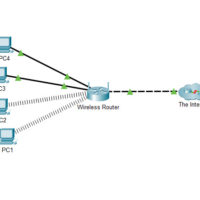
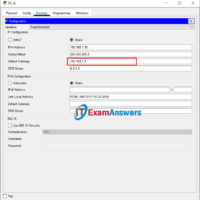
20.3.3 Packet Tracer - Use the ipconfig Command Answers Objectives Use the ipconfig command to identify incorrect configuration on a PC. Background / Scenario A small business owner cannot connect to the internet with one of the four PCs in the office. All the PCs are configured with …
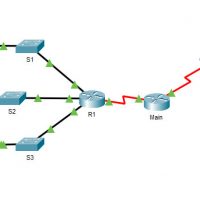
17.7.6 Packet Tracer - Troubleshooting Connectivity Issues Answers 17.7.7 Packet Tracer - Troubleshoot Connectivity Issues Topology Addressing Table Device Interface IP Address Subnet Mask Default Gateway R1 G0/0 172.16.1.1 255.255.255.0 N/A R1 G0/1 172.16.2.1 255.255.255.0 N/A R1 S0/0/0 209.165.200.226 255.255.255.252 N/A R2 G0/0 209.165.201.1 255.255.255.224 N/A R2 S0/0/0 …
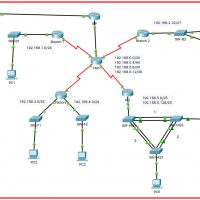
12.6.2 Packet Tracer - Troubleshooting Challenge - Use Documentation to Solve Issues (Instructor Version) Instructor Note: Red font color or gray highlights indicate text that appears in the instructor copy only. Addressing Table Device Interface Device Type (router, switch, host) IP Address Subnet Mask Default Gateway PC1 NIC …
12.6.1 Packet Tracer - Troubleshooting Challenge - Document the Network (Instructor Version) Instructor Note: Red font color or gray highlights indicate text that appears in the instructor copy only. Addressing Table Device Interface Device Type (router, switch, host) IP Address Subnet Mask Default Gateway PC1 NIC Host 192.168.1.153 …
17.7.7 Lab - Troubleshoot Connectivity Issues 17.7.6 Lab - Troubleshoot Connectivity Issues Topology Addressing Table Device Interface IP Address Subnet Mask Default Gateway R1 G0/0/0/1 192.168.1.1 255.255.255.0 N/A G0/0/0 10.1.1.1 255.255.255.252 N/A ISP G0/0/0 10.1.1.2 255.255.255.252 N/A Lo0 209.165.200.226 255.255.255.255 N/A S1 VLAN 1 192.168.1.2 255.255.255.0 192.168.1.1 PC-A …
17.8.3 Packet Tracer – Troubleshooting Challenge Answers Topology Addressing Table Device Interface IP Address / Prefix Default Gateway R1 G0/0 172.16.1.62 /26 N/A G0/0 2001:db8:cafe::1/64 G0/0 fe80::1 G0/1 172.16.1.126 /26 N/A G0/1 2001:db8:cafe:1::1/64 G0/1 fe80::1 G0/2 172.16.1.254 /25 N/A G0/2 2001:db8:cafe:2::1/64 G0/2 fe80::1 S0/0/1 10.0.0.2 /30 N/A S0/0/1 …
6.1.2.1 Packet Tracer - Add Computers to an Existing Network Instructor Note: Red font color or gray highlights indicate text that appears in the Instructor copy only. Topology Objectives Configure the computers to use DHCP Configure static addressing on the server Use ipconfig to retrieve host IP information …