Tag: DHCPv4
14.3.4 Packet Tracer - Create a LAN Addressing Table Device Interface/Port IPv4 Address Subnet Mask Admin PC NIC DHCP N/A Manager PC NIC DHCP N/A Printer NIC 192.168.1.100 255.255.255.0 www.cisco.pt NIC 209.165.200.225 N/A Objectives Connect Network Devices and Hosts Configure Devices with IPv4 Addressing Verify the End Device …
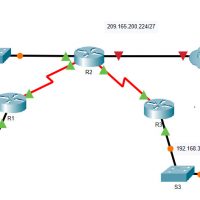
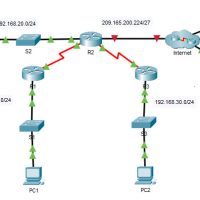
14.3.3 Packet Tracer - Observe Traffic Flow in a Routed Network Objectives Part 1: Observe Traffic Flow in an Unrouted LAN Part 2: Reconfigure the Network to Route Between LANs Part 3: Observe Traffic Flow in the Routed Network Background / Scenario The company that you work for …
4.4.4 Packet Tracer - Configure a Wireless Router and Clients Objectives Part 1: Connect the Devices Part 2: Configure the Wireless Router Part 3: Configure IP Addressing and Test Connectivity Background / Scenario Your friend, Natsumi, heard that you are studying networking. She asked you to come over …
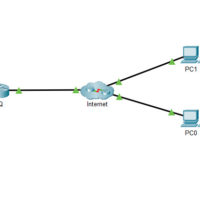
12.5.4 Packet Tracer - Use Telnet and SSH Answers Addressing Table Device Interface IP Address Subnet Mask HQ G0/0/1 64.100.1.1 255.255.255.0 PC0 NIC DHCP PC1 NIC DHCP Objectives In this activity, you will establish a remote connection to a router using Telnet and SSH. Verify connectivity Access a …
9.2.5 Packet Tracer - Configure DHCP on a Wireless Router Answers Objectives Connect 3 PCs to a wireless router Change the DHCP setting to a specific network range Configure the clients to obtain their address via DHCP Background / Scenario A home user wants to use a wireless …
Lab - Implement DHCPv4 (Instructor Version) Topology Addressing Table Device Interface IP Address Subnet Mask Default Gateway R1 G0/0/0 10.0.0.1 255.255.255.252 N/A G0/0/1 N/A N/A G0/0/1.100 192.168.1.1 255.255.255.192 G0/0/1.200 192.168.1.65 255.255.255.224 G0/0/1.1000 N/A N/A R2 G0/0/0 10.0.0.2 255.255.255.252 N/A G0/0/1 192.168.1.97 255.255.255.240 S1 VLAN 200 192.168.1.66 255.255.255.224 192.168.1.65 …
7.4.1 Packet Tracer - Implement DHCPv4 (Instructor Version) Addressing Table Device Interface IPv4 Address Subnet Mask Default Gateway R1 G0/0 192.168.10.1 255.255.255.0 N/A S0/0/0 10.1.1.1 255.255.255.252 R2 G0/0 192.168.20.1 255.255.255.0 N/A G0/1 DHCP Assigned DHCP Assigned S0/0/0 10.1.1.2 255.255.255.252 S0/0/1 10.2.2.2 255.255.255.252 R3 G0/0 192.168.30.1 255.255.255.0 N/A S0/0/1 …
7.2.10 Packet Tracer - Configure DHCPv4 (Instructor Version) Topology Addressing Table Device Interface IPv4 Address Subnet Mask Default Gateway R1 G0/0 192.168.10.1 255.255.255.0 N/A S0/0/0 10.1.1.1 255.255.255.252 N/A R2 G0/0 192.168.20.1 255.255.255.0 N/A G0/1 DHCP Assigned DHCP Assigned N/A S0/0/0 10.1.1.2 255.255.255.252 N/A S0/0/1 10.2.2.2 255.255.255.252 N/A R3 …
CCNA 2 v7 - SRWE Practice PT Skills Assessment (PTSA) - Part 2 Answers CCNAv7: Switching, Routing, and Wireless Essentials v7.0 (SRWE) Part 4: Configure a Wireless LAN using a Wireless LAN Controller In this part of the assessment, you will configure the wireless LAN controller to provide …
6.1.2.1 Packet Tracer - Add Computers to an Existing Network Instructor Note: Red font color or gray highlights indicate text that appears in the Instructor copy only. Topology Objectives Configure the computers to use DHCP Configure static addressing on the server Use ipconfig to retrieve host IP information …