Tag: IPv4
Lab - Implement DHCPv4 (Instructor Version) Topology Addressing Table Device Interface IP Address Subnet Mask Default Gateway R1 G0/0/0 10.0.0.1 255.255.255.252 N/A G0/0/1 N/A N/A G0/0/1.100 192.168.1.1 255.255.255.192 G0/0/1.200 192.168.1.65 255.255.255.224 G0/0/1.1000 N/A N/A R2 G0/0/0 10.0.0.2 255.255.255.252 N/A G0/0/1 192.168.1.97 255.255.255.240 S1 VLAN 200 192.168.1.66 255.255.255.224 192.168.1.65 …
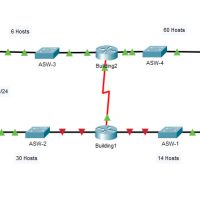
11.9.3 Packet Tracer - VLSM Design and Implementation Practice (Answers)
9.2.9 Packet Tracer - Examine the ARP Table (Instructor Version) Instructor Note: Red font color or gray highlights indicate text that appears in the instructor copy only. Topology Addressing Table Objectives Part 1: Examine an ARP Request Part 2: Examine a Switch MAC Address Table Part 3: Examine …
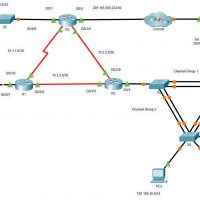
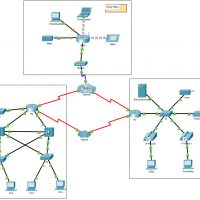
12.5.13 Packet Tracer - Troubleshoot Enterprise Networks (Instructor Version) Instructor Note: Red font color or gray highlights indicate text that appears in the instructor copy only. Objectives Part 1: Verify Switching Technologies Part 2: Verify DHCP Part 3: Verify Routing Part 4: Verify WAN Technologies Part 5: Verify …
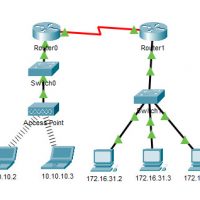
6.4.5 Packet Tracer - Configure Static NAT (Instructor Version) Instructor Note: Red font color or gray highlights indicate text that appears in the instructor copy only. Objectives Part 1: Test Access without NAT Part 2: Configure Static NAT Part 3: Test Access with NAT Scenario In IPv4 configured …
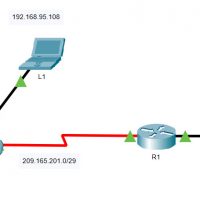
6.2.7 Packet Tracer - Investigate NAT Operations (Instructor Version) Instructor Note: Red font color or gray highlights indicate text that appears in the instructor copy only. Addressing Table The following table provides addressing for networking device interfaces only. Device Interface IP Address and Prefix R2 G0/0 10.255.255.245/30 G0/1 …
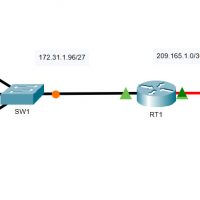
5.4.13 Packet Tracer - Configure Extended IPv4 ACLs - Scenario 2 (Instructor Version) Instructor Note: Red font color or gray highlights indicate text that appears in the instructor copy only. Addressing Table Device Interface IP Address Subnet Mask Default Gateway RT1 G0/0 172.31.1.126 255.255.255.224 N/A S0/0/0 209.165.1.2 255.255.255.252 …
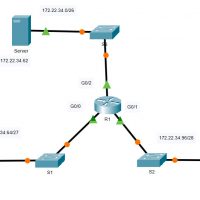
5.4.12 Packet Tracer - Configure Extended IPv4 ACLs - Scenario 1 (Instructor Version) Instructor Note: Red font color or gray highlights indicate text that appears in the instructor copy only. Addressing Table Device Interface IP Address Subnet Mask Default Gateway R1 G0/0 172.22.34.65 255.255.255.224 N/A G0/1 172.22.34.97 255.255.255.240 …
5.2.7 Packet Tracer - Configure and Modify Standard IPv4 ACLs (Instructor Version) Instructor Note: Red font color or gray highlights indicate text that appears in the instructor copy only. Addressing Table Device Interface IP Address Subnet Mask Default Gateway R1 G0/0/0 192.168.10.1 255.255.255.0 N/A G0/0/1 192.168.20.1 255.255.255.0 S0/1/0 …
5.1.9 Packet Tracer - Configure Named Standard IPv4 ACLs (Instructor Version) Instructor Note: Red font color or gray highlights indicate text that appears in the instructor copy only. Addressing Table Device Interface IP Address Subnet Mask Default Gateway R1 F0/0 192.168.100.1 255.255.255.0 N/A F0/1 192.168.200.1 255.255.255.0 E0/0/0 192.168.10.1 …