Month: August 2020
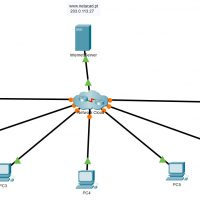
4.6.5 Packet Tracer - Connect a Wired and Wireless LAN (Instructor Version) Instructor Note: Red font color or gray highlights indicate text that appears in the instructor copy only. Addressing Table Device Interface IP Address Connects To Cloud Eth6 N/A F0/0 Coax7 N/A Port0 Cable Modem Port0 N/A …
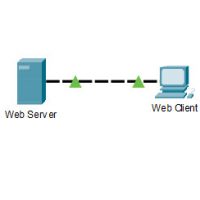
3.5.5 Packet Tracer - Investigate the TCP/IP and OSI Models in Action (Instructor Version) Instructor Note: Red font color or gray highlights indicate text that appears in the instructor copy only. Objectives Part 1: Examine HTTP Web Traffic Part 2: Display Elements of the TCP/IP Protocol Suite Background …
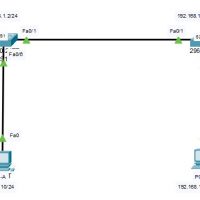
The ping command can be used to test connectivity to another device on the network or a website on the internet. Click Play in the figure to view a video demonstration using the ping command to test connectivity to a switch and to another PC. Follow Along in …
In the previous topic, you implemented basic connectivity by configuring IP addressing on switches and PCs. Then you verified your configurations and connectivity, because, what is the point of configuring a device if you do not verify that the configuration is working? You will continue this process in …
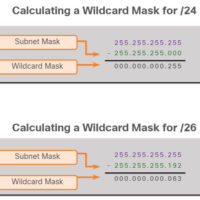
The Wildcard Mask The wildcard mask is typically the inverse of the subnet mask configured on that interface. In a subnet mask, binary 1 is equal to a match and binary 0 is not a match. In a wildcard mask, the reverse is true, as shown in here: …
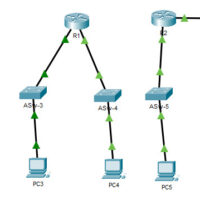
12.6.2 Packet Tracer - Troubleshooting Challenge - Use Documentation to Solve Issues Answers Topology Addressing Table Device Interface Device Type (router, switch, host) IP Address Subnet Mask Default Gateway PC1 NIC host 192.168.1.153 255.255.255.0 192.168.1.1 PC2 NIC host 192.168.3.50 255.255.255.0 192.168.3.1 PC3 NIC host 192.168.4.115 255.255.255.0 192.168.4.1 PC4 …
12.6.1 Packet Tracer - Troubleshooting Challenge - Document the Network Answers Topology Table of Contents Addressing Table Instructions Part 1: Test Connectivity Part 2: Discover PC Configuration Information Part 3: Discover Information about the Default Gateway Devices (Access Map) Part 4: Reconstruct the Network Topology Part 5: Further …
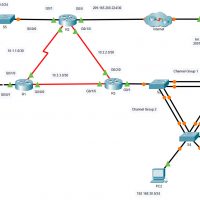
12.5.13 Packet Tracer - Troubleshoot Enterprise Networks Answers Topology Objectives Part 1: Verify Switching Technologies Part 2: Verify DHCP Part 3: Verify Routing Part 4: Verify WAN Technologies Part 5: Verify Connectivity Scenario This activity uses a variety of technologies that you have encountered during your CCNA studies, …
11.5.1 Packet Tracer - Compare Layer 2 and Layer 3 Devices Answers Topology Objective Part 1: Compare Layer 2 and Layer 3 Switches Part 2: Compare a Layer 3 Switch and a Router Background In this activity, you will use various commands to examine three different switching topologies …
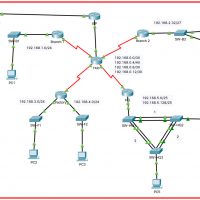
10.8.1 Packet Tracer - Configure CDP, LLDP, and NTP Answers Topology Addressing Table Device Interface IP Address HQ G0/0/0 192.168.1.1/24 G0/0/1 192.168.2.1/24 S0/1/0 192.168.3.1/30 Branch G0/0/0 192.168.4.1/24 S0/1/0 192.168.3.2/30 HQ-SW-1 VLAN 1 Not configured HQ-SW-2 VLAN 1 Not configured BR-SW-1 VLAN 10 192.168.4.250 BR-SW-2 VLAN 10 192.168.4.253 BR-SW-3 …