Month: August 2020
10.7.6 Packet Tracer - Use a TFTP Server to Upgrade a Cisco IOS Image (Instructor Version) Instructor Note: Red font color or gray highlights indicate text that appears in the instructor copy only. Addressing Table Device Interface IP Address Subnet Mask Default Gateway R1 G0/0/0 192.168.2.1 255.255.255.0 N/A …
10.6.10 Packet Tracer - Back Up Configuration Files (Instructor Version) Instructor Note: Red font color or gray highlights indicate text that appears in the instructor copy only. Objectives Part 1: Establish Connectivity to TFTP Server Part 2: Transfer the Configuration File from TFTP Server Part 3: Backup Configuration …
10.3.4 Packet Tracer - Configure and Verify NTP (Instructor Version) Instructor Note: Red font color or gray highlights indicate text that appears in the instructor copy only. Addressing Table Device Interface IP Address Subnet Mask N1 NIC 209.165.200.225 255.255.255.0 R1 G0/0 209.165.200.226 255.255.255.0 R2 G0/0 209.165.200.227 255.255.255.0 Objectives …
10.2.6 Packet Tracer - Use LLDP to Map a Network (Instructor Version) Addressing Table Device Interface IP Address Subnet Mask Local Interface and Connected Neighbor Edge G0/0 192.168.1.1 255.255.255.0 G0/1 - S1 S0/0/0 209.165.200.5 255.255.255.252 S0/0/0 - ISP S1 SVI 192.168.1.2 255.255.255.0 RBO-Edge G0/0 209.165.200.10 255.255.255.252 G0/0 - …
10.1.5 Packet Tracer - Use CDP to Map a Network (Instructor Version) Instructor Note: Red font color or gray highlights indicate text that appears in the instructor copy only. Addressing Table Device Interface IP Address Subnet Mask Local Interface and Connected Neighbor Edge1 G0/0 192.168.1.1 255.255.255.0 G0/1 - …
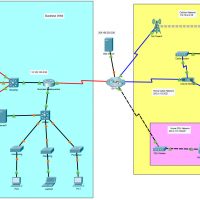
7.6.1 Packet Tracer - WAN Concepts (Instructor Version) Instructor Note: Red font color or gray highlights indicate text that appears in the instructor copy only. Objectives In this activity, you will investigate various types of WANs by exploring a topology that uses diverse connectivity technologies. Describe different WAN …
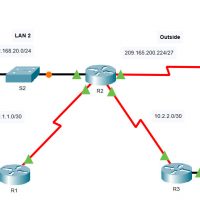
6.8.1 Packet Tracer - Configure NAT for IPv4 (Instructor Version) Instructor Note: Red font color or gray highlights indicate text that appears in the instructor copy only. Addressing Table Device Interface IP Address R1 S0/0/0 10.1.1.1/30 F0/0 192.168.10.1/24 R2 S0/0/0 10.1.1.2/30 S0/0/1 10.2.2.1/30 S0/1/0 209.165.200.225/27 F0/0 192.168.20.1/24 R3 …
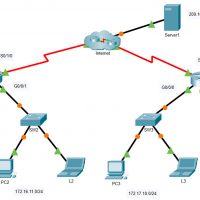
6.6.7 Packet Tracer - Configure PAT (Instructor Version) Instructor Note: Red font color or gray highlights indicate text that appears in the instructor copy only. Objectives Part 1: Configure Dynamic NAT with Overload Part 2: Verify Dynamic NAT with Overload Implementation Part 3: Configure PAT using an Interface …
6.5.6 Packet Tracer - Configure Dynamic NAT (Instructor Version) Instructor Note: Red font color or gray highlights indicate text that appears in the instructor copy only. Objectives Part 1: Configure Dynamic NAT Part 2: Verify NAT Implementation Instructions Part 1: Configure Dynamic NAT Step 1: Configure traffic that …
6.4.5 Packet Tracer - Configure Static NAT (Instructor Version) Instructor Note: Red font color or gray highlights indicate text that appears in the instructor copy only. Objectives Part 1: Test Access without NAT Part 2: Configure Static NAT Part 3: Test Access with NAT Scenario In IPv4 configured …