Month: August 2020
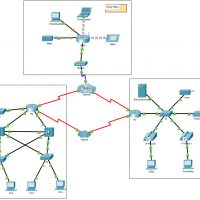
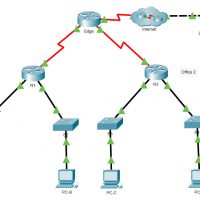
6.2.7 Packet Tracer - Investigate NAT Operations (Instructor Version) Instructor Note: Red font color or gray highlights indicate text that appears in the instructor copy only. Addressing Table The following table provides addressing for networking device interfaces only. Device Interface IP Address and Prefix R2 G0/0 10.255.255.245/30 G0/1 …
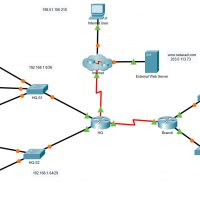
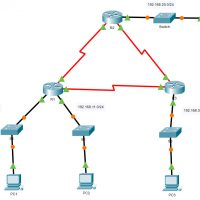
5.5.1 Packet Tracer - IPv4 ACL Implementation Challenge (Instructor Version) Instructor Note: Red font color or gray highlights indicate text that appears in the instructor copy only. Addressing Table Device Interface IP Address HQ G0/0/0 192.168.1.1/26 G0/0/1 192.168.1.65/29 S0/1/0 192.0.2.1/30 S0/1/1 192.168.3.1/30 Branch G0/0/0 192.168.2.1/27 G0/0/1 192.168.2.33/28 S0/1/1 …
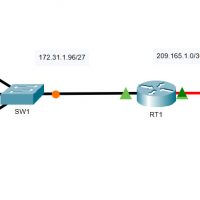
5.4.13 Packet Tracer - Configure Extended IPv4 ACLs - Scenario 2 (Instructor Version) Instructor Note: Red font color or gray highlights indicate text that appears in the instructor copy only. Addressing Table Device Interface IP Address Subnet Mask Default Gateway RT1 G0/0 172.31.1.126 255.255.255.224 N/A S0/0/0 209.165.1.2 255.255.255.252 …
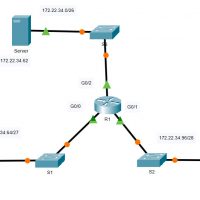
5.4.12 Packet Tracer - Configure Extended IPv4 ACLs - Scenario 1 (Instructor Version) Instructor Note: Red font color or gray highlights indicate text that appears in the instructor copy only. Addressing Table Device Interface IP Address Subnet Mask Default Gateway R1 G0/0 172.22.34.65 255.255.255.224 N/A G0/1 172.22.34.97 255.255.255.240 …
5.2.7 Packet Tracer - Configure and Modify Standard IPv4 ACLs (Instructor Version) Instructor Note: Red font color or gray highlights indicate text that appears in the instructor copy only. Addressing Table Device Interface IP Address Subnet Mask Default Gateway R1 G0/0/0 192.168.10.1 255.255.255.0 N/A G0/0/1 192.168.20.1 255.255.255.0 S0/1/0 …
5.1.9 Packet Tracer - Configure Named Standard IPv4 ACLs (Instructor Version) Instructor Note: Red font color or gray highlights indicate text that appears in the instructor copy only. Addressing Table Device Interface IP Address Subnet Mask Default Gateway R1 F0/0 192.168.100.1 255.255.255.0 N/A F0/1 192.168.200.1 255.255.255.0 E0/0/0 192.168.10.1 …
5.1.8 Packet Tracer - Configure Numbered Standard IPv4 ACLs (Instructor Version) Instructor Note: Red font color or gray highlights indicate text that appears in the instructor copy only. Addressing Table Device Interface IP Address Subnet Mask Default Gateway R1 G0/0 192.168.10.1 255.255.255.0 N/A G0/1 192.168.11.1 255.255.255.0 S0/0/0 10.1.1.1 …
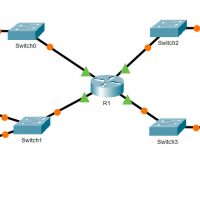
4.1.4 Packet Tracer - ACL Demonstration (Instructor Version) Topology Instructor Note: Red font color or gray highlights indicate text that appears in the instructor copy only. Objectives Part 1: Verify Local Connectivity and Test Access Control List Part 2: Remove Access Control List and Repeat Test Background In …
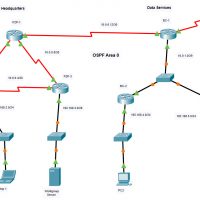
2.7.1 Packet Tracer - Single-Area OSPFv2 Configuration (Instructor Version) Instructor Note: Red font color or gray highlights indicate text that appears in the instructor copy only. Addressing Table Device Interface IP Address / Prefix P2P-1 S0/1/0 10.0.0.1/30 S0/1/1 10.0.0.9/30 S0/2/0 10.0.0.13/30 P2P-2 S0/1/0 10.0.0.2/30 S0/1/1 10.0.0.5/30 G0/0/0 192.168.1.1/24 …
2.6.6 Packet Tracer - Verify Single-Area OSPFv2 (Instructor Version) Instructor Note: Red font color or gray highlights indicate text that appears in the instructor copy only. Addressing Table Device Interface IP Address Subnet Mask Default Gateway R1 G0/0 172.16.1.1 255.255.255.0 N/A G0/1 64.100.54.6 255.255.255.252 S0/0/0 172.16.3.1 255.255.255.252 S0/0/1 …