Month: August 2020
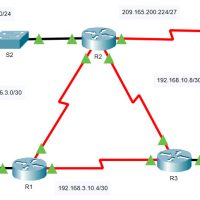
2.5.3 Packet Tracer - Propagate a Default Route in OSPFv2 Answers Topology Addressing Table Device Interface IPv4 Address Subnet Mask Default Gateway R1 G0/0 172.16.1.1 255.255.255.0 N/A S0/0/0 172.16.3.1 255.255.255.252 S0/0/1 192.168.10.5 255.255.255.252 R2 G0/0 172.16.2.1 255.255.255.0 N/A S0/0/0 172.16.3.2 255.255.255.252 S0/0/1 192.168.10.9 255.255.255.252 S0/1/0 209.165.200.225 255.255.255.224 R3 …
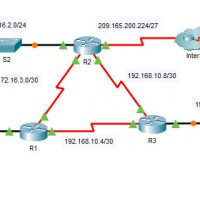
2.4.11 Packet Tracer - Modify Single-Area OSPFv2 Answers Topology Addressing Table Device Interface IPv4 Address Subnet Mask Default Gateway R1 G0/0 172.16.1.1 255.255.255.0 N/A S0/0/0 172.16.3.1 255.255.255.252 S0/0/1 192.168.10.5 255.255.255.252 R2 G0/0 172.16.2.1 255.255.255.0 N/A S0/0/0 172.16.3.2 255.255.255.252 S0/0/1 192.168.10.9 255.255.255.252 S0/1/0 209.165.200.225 255.255.255.224 R3 G0/0 192.168.1.1 255.255.255.0 …
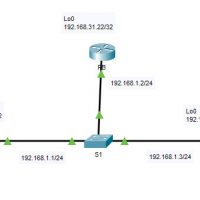
2.3.11 Packet Tracer - Determine the DR and BDR Answers Topology Addressing Table Device Interface IP Address Subnet Mask RA G0/0 192.168.1.1 255.255.255.0 Lo0 192.168.31.11 255.255.255.255 RB G0/0 192.168.1.2 255.255.255.0 Lo0 192.168.31.22 255.255.255.255 RC G0/0 192.168.1.3 255.255.255.0 Lo0 192.168.31.33 255.255.255.255 Objectives Part 1: Examine DR and BDR Changing …
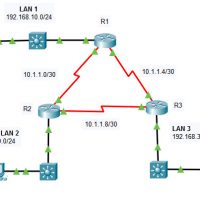
2.2.13 Packet Tracer - Point-to-Point Single-Area OSPFv2 Configuration Answers Topology Addressing Table Device Interface IP Address Subnet Mask R1 G0/0/0 192.168.10.1 /24 S0/1/0 10.1.1.1 /30 S0/1/1 10.1.1.5 /30 R2 G0/0/0 192.168.20.1 /24 S0/1/0 10.1.1.2 /30 S0/1/1 10.1.1.9 /30 R3 G0/0/0 192.168.30.1 /24 S0/1/0 10.1.1.10 /30 S0/1/1 10.1.1.6 /30 …
17.8.1 Lab - Design and Build a Small Network Objectives Explain how a small network of directly connected segments is created, configured, and verified. Background /Scenario Note: This activity is best completed in groups of 2-3 students. Design and build a network from scratch. Your design must include …
17.7.7 Lab - Troubleshoot Connectivity Issues 17.7.6 Lab - Troubleshoot Connectivity Issues Topology Addressing Table Device Interface IP Address Subnet Mask Default Gateway R1 G0/0/0/1 192.168.1.1 255.255.255.0 N/A G0/0/0 10.1.1.1 255.255.255.252 N/A ISP G0/0/0 10.1.1.2 255.255.255.252 N/A Lo0 209.165.200.226 255.255.255.255 N/A S1 VLAN 1 192.168.1.2 255.255.255.0 192.168.1.1 PC-A …
17.4.6 Lab - Test Network Latency with Ping and Traceroute Topology Objectives Part 1: Use Ping to Document Network Latency Part 2: Use Traceroute to Document Network Latency Background / Scenario To obtain realistic network latency statistics, this activity must be performed on a live network. Be sure …
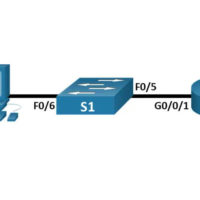
16.5.2 Lab - Secure Network Devices Topology Addressing Table Device Interface IP Address Subnet Mask Default Gateway R1 G0/0/1 192.168.1.1 255.255.255.0 N/A S1 VLAN 1 192.168.1.11 255.255.255.0 192.168.1.1 PC-A NIC 192.168.1.3 255.255.255.0 192.168.1.1 Objectives Part 1: Configure Basic Device Settings Part 2: Configure Basic Security Measures on the …
16.4.7 Lab - Configure Network Devices with SSH Topology Addressing Table Device Interface IP Address Subnet Mask Default Gateway R1 G0/0/1 192.168.1.1 255.255.255.0 N/A S1 VLAN 1 192.168.1.11 255.255.255.0 192.168.1.1 PC-A NIC 192.168.1.3 255.255.255.0 192.168.1.1 Objectives Part 1: Configure Basic Device Settings Part 2: Configure the Router for …
16.2.6 Lab - Research Network Security Threats Objectives Part 1: Explore the SANS Website Part 2: Identify Recent Network Security Threats Part 3: Detail a Specific Network Security Threat Background / Scenario To defend a network against attacks, an administrator must identify external threats that pose a danger …