

Author: ITExamAnswers Editorial Team
The ITExamAnswers Editorial Team is a dedicated group of certified IT professionals and network engineers. We rigorously review, verify, and update all exam materials to ensure you receive the most accurate and reliable resources for your certification journey.
3.2.5.13 Lab - Working with Webex Teams (Answers)
3.2.5.13 Lab - Working with Webex Teams (RESTful API lab) (Instructor Version) Objectives A RESTful API can be used to interact via HTTP verbs. By using HTTP verbs such as GET, PUT, POST, and DELETE, applications can easily communicate with other applications and web services (especially cloud services). …

3.2.5.12 Lab - Exploring the World of Cybersecurity Professionals (Answers)
3.2.5.12 Lab - Exploring the World of Cybersecurity Professionals (Instructor Version) Objectives Explore the DevNet community and access tools, information, and community support for network programming and application development. Part 1: Create a Cisco account (if needed) Part 2: Explore the DevNet Community Background / Scenario This chapter …
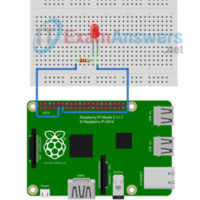
3.2.5.11 Lab - Blinking an LED using Raspberry Pi and PL-App (Answers)
3.2.5.11 Lab - Blinking an LED using Raspberry Pi and PL-App (Instructor Version) Objectives Part 1: Setting up the Prototyping Lab with the Raspberry Pi Part 2: Set up the PL-App Application Part 3: (Challenge) Implement an International Morse code Help Signaler Background / Scenario In this lab …
3.2.5.10 Lab - Writing Scripts Using a Text Editor (Answers)
3.2.5.10 Lab - Writing Scripts Using a Text Editor (Instructor Version) Topology Objectives Access PL-App from your Netacad.com class. Connect to the Shell on the board using the PL-App Web Shell Create a Program Using Nano Background / Scenario Writing scripts using a command line editor is a …
3.2.5.9 Lab - Writing Simple Python Scripts (Answers)
3.2.5.9 Lab - Writing Simple Python Scripts (Instructor Version) Objectives Use PL-App to access the Raspberry Pi Create a new Python application Create a simple game using Python Background Python is one of the most commonly used languages for developing new rapid prototyping solutions. It can be used …
3.2.4.5 Lab - Writing Python Scripts Using Blockly (Answers)
3.2.4.5 Lab - Writing Python Scripts Using Blockly (Instructor Version) Objectives Access the Official Course Materials from PL-App Create a new Visual Programming application Create a Python Script using Blockly Background / Scenario The syntax of programming can sometimes get in the way of the logic. Blockly provides …
3.2.3.8 Lab - Basic Linux Commands (Answers)
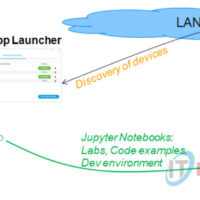
3.2.3.8 Lab - Basic Linux Commands (Instructor Version) Objectives Part 1: Accessing the Shell Interface using PL-App Access the Official Course Materials from PL-App Connect to the Linux Shell using PL-App Part 2: Explore the Shell Interface and Commands Discover basic file and directory commands Getting help Monitoring …
3.2.2.4 Lab - Using a PL-App Notebook (Answers)
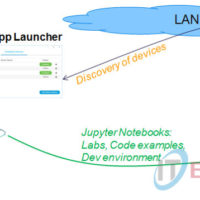
3.2.2.4 Lab - Using a PL-App Notebook (Instructor Version) Lab Topology Objectives Access existing PL-App notebooks Lean how to interact with PL-App notebooks using keyboard shortcuts Create your own PL-App notebook Background The PL-App notebook concept is based on the Jupyter open source project that provides an interactive …
3.2.2.3 Lab - Setting up PL-App with a Raspberry Pi (Answers)
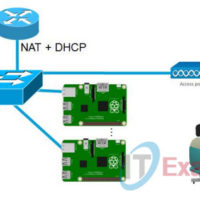
3.2.2.3 Lab - Setting up PL-App with a Raspberry Pi (Answers) Lab Topology Objectives Set up a Raspberry Pi board as a PL-App device Use PL-App Launcher to provision and discover PL-App devices Background Cisco Prototyping Lab is a set of hardware and software components that enable students …