Author: ITExamAnswers Editorial Team
The ITExamAnswers Editorial Team is a dedicated group of certified IT professionals and network engineers. We rigorously review, verify, and update all exam materials to ensure you receive the most accurate and reliable resources for your certification journey.
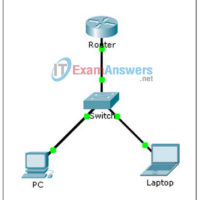
7.2.3.3 Packet Tracer - Configuring an IPv4 ACL on VTY Lines (Instructor Version) Instructor Note: Red font color or Gray highlights indicate text that appears in the instructor copy only. Topology Addressing Table Device Interface IP Address Subnet Mask Default Gateway Router F0/0 10.0.0.254 255.0.0.0 N/A PC NIC …
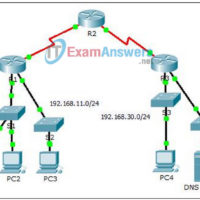
7.2.1.7 Packet Tracer - Configuring Named Standard IPv4 ACLs (Instructor Version) Instructor Note: Red font color or Gray highlights indicate text that appears in the instructor copy only. Topology Addressing Table Device Interface IP Address Subnet Mask Default Gateway R1 F0/0 192.168.10.1 255.255.255.0 N/A F0/1 192.168.20.1 255.255.255.0 N/A …
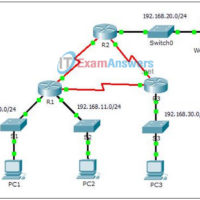
7.2.1.6 Packet Tracer - Configuring Numbered Standard IPv4 ACLs (Instructor Version) Instructor Note: Red font color or gray highlights indicate text that appears in the instructor copy only. Topology Addressing Table Device Interface IP Address Subnet Mask Default Gateway R1 G0/0 192.168.10.1 255.255.255.0 N/A G0/1 192.168.11.1 255.255.255.0 N/A …
7.1.1.4 Packet Tracer – Access Control List Demonstration (Instructor Version) Instructor Note: Red font color or Gray highlights indicate text that appears in the instructor copy only. Topology Objectives Part 1: Verify Local Connectivity and Test Access Control List Part 2: Remove Access Control List and Repeat Test …
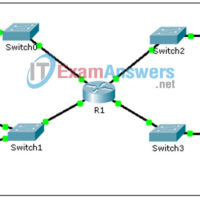
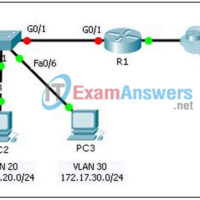
6.3.3.8 Packet Tracer – Inter-VLAN Routing Challenge (Instructor Version – Optional Lab) Instructor Note: Red font color or gray highlights indicate text that appears in the instructor copy only. Optional activities are designed to enhance understanding and/or to provide additional practice. Topology Addressing Table Device Interface IP Address Subnet Mask …
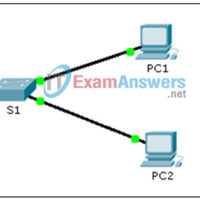
5.3.1.2 Packet Tracer - Skills Integration Challenge (Instructor Version) Instructor Note: Red font color or Gray highlights indicate text that appears in the instructor copy only. Topology Addressing Table Device Interface IP Address Subnet Mask S1 VLAN 1 10.10.10.2 255.255.255.0 PC1 NIC 10.10.10.10 255.255.255.0 PC2 NIC 10.10.10.11 255.255.255.0 …
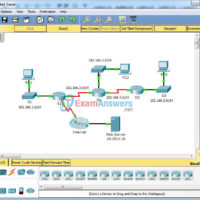
Packet Tracer – Configuring RIPv2 (Instructor Version) Instructor Note: Red font color or Gray highlights indicate text that appears in the instructor copy only. Topology Objectives Part 1: Configure RIPv2 Part 2: Verify Configurations Background Although RIP is rarely used in modern networks, it is useful as a …
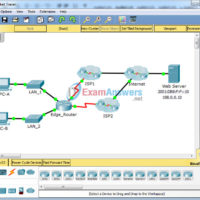
2.2.5.5 Packet Tracer - Configuring Floating Static Routes Instructor Note: Red font color or Gray highlights indicate text that appears in the instructor copy only. Topology Objectives Part 1: Configure an IPv4 Floating Static Route Part 2: Test Failover to the IPv4 Floating Static Route Part 3: Configure …
1. A network administrator is asked to design a system to allow simultaneous access to the Internet for 250 users. The ISP for this network can only supply five public IPs. What can be used to accomplish this task? static translation port address translation routable translation dynamic translation …
1. Which AAA service reduces IT operating costs by providing detailed reporting and monitoring of network user behavior, and also by keeping a record of every access connection and device configuration change across the network? accreditation authentication accounting authorization 2. A hacker has gained access to sensitive network …