Author: ITExamAnswers Editorial Team
The ITExamAnswers Editorial Team is a dedicated group of certified IT professionals and network engineers. We rigorously review, verify, and update all exam materials to ensure you receive the most accurate and reliable resources for your certification journey.
9.2.4.4 Packet Tracer – Configuring Port Forwarding on a Wireless Router (Instructor Version – Optional Lab) Instructor Note: Red font color or gray highlights indicate text that appears in the instructor copy only. Optional activities are designed to enhance understanding and/or to provide additional practice. Topology Addressing Table …
9.2.3.6 Packet Tracer – Implementing Static and Dynamic NAT (Instructor Version – Optional Lab) Instructor Note: Red font color or gray highlights indicate text that appears in the instructor copy only. Optional activities are designed to enhance understanding and/or to provide additional practice. Topology Objectives Part 1: Configure …
9.2.2.5 Packet Tracer – Configuring Dynamic NAT (Instructor Version) Instructor Note: Red font color or Gray highlights indicate text that appears in the instructor copy only. Topology Objectives Part 1: Configure Dynamic NAT Part 2: Verify NAT Implementation Part 1: Configure Dynamic NAT Step 1: Configure traffic that …
9.2.1.4 Packet Tracer – Configuring Static NAT (Instructor Version) Instructor Note: Red font color or Gray highlights indicate text that appears in the instructor copy only. Topology Objectives Part 1: Test Access without NAT Part 2: Configure Static NAT Part 3: Test Access with NAT Scenario In IPv4 …
6.4.1.2 Packet Tracer – Skills Integration Challenge (Instructor Version) Instructor Note: Red font color or Gray highlights indicate text that appears in the instructor copy only. Topology Addressing Table Device Interface IP Address Subnet Mask Default Gateway VLAN R1 S0/0/0 172.31.1.2 255.255.255.0 N/A N/A G0/0.10 172.31.10.1 255.255.255.0 N/A …
9.1.2.6 Packet Tracer – Investigating NAT Operation (Instructor Version) Instructor Note: Red font color or Gray highlights indicate text that appears in the instructor copy only. Topology Objectives Part 1: Investigate NAT Operation Across the Intranet Part 2: Investigate NAT Operation Across the Internet Part 3: Conduct Further …
8.3.1.2 Packet Tracer – Skills Integration Challenge (Instructor Version) Instructor Note: Red font color or Gray highlights indicate text that appears in the instructor copy only. Topology Addressing Table Device Interface IP Address Subnet Mask Default Gateway R1 G0/0.10 172.31.10.1 255.255.255.224 N/A G0/0.20 172.31.20.1 255.255.255.240 N/A G0/0.30 172.31.30.1 …
8.1.3.3 Packet Tracer - Configuring DHCP Using Cisco IOS (Instructor Version) Instructor Note: Red font color or Gray highlights indicate text that appears in the instructor copy only. Topology Addressing Table Device Interface IPv4 Address Subnet Mask Default Gateway R1 G0/0 192.168.10.1 255.255.255.0 N/A S0/0/0 10.1.1.1 255.255.255.252 N/A …
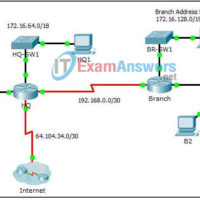
7.4.1.2 Packet Tracer - Skills Integration Challenge (Instructor Version) Topology Addressing Table Device Interface IP Address Subnet Mask Default Gateway HQ G0/0 172.16.127.254 255.255.192.0 N/A G0/1 172.16.63.254 255.255.192.0 N/A S0/0/0 192.168.0.1 255.255.255.252 N/A S0/0/1 64.104.34.2 255.255.255.252 64.104.34.1 Branch G0/0 172.16.159.254 255.255.240.0 N/A G0/1 172.16.143.254 255.255.240.0 N/A S0/0/0 192.168.0.2 …
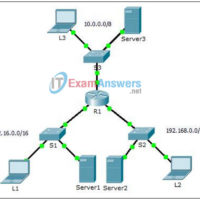
7.3.2.4 Packet Tracer – Troubleshooting Standard IPv4 ACLs (Instructor Version) Instructor Note: Red font color or gGray highlights indicate text that appears in the instructor copy only. Topology Addressing Table Device Interface IP Address Subnet Mask Default Gateway R1 G0/0 10.0.0.1 255.0.0.0 N/A G0/1 172.16.0.1 255.255.0.0 N/A G0/2 …